Employee Text Messaging: Complete Guide to Internal SMS Communication
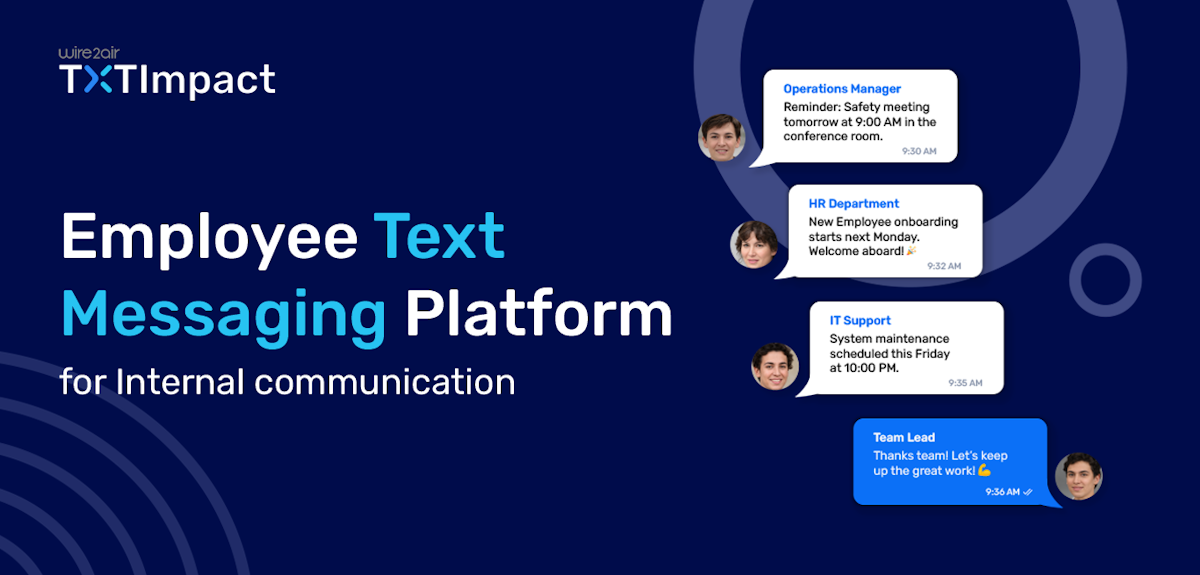
Employee communication needs to be reliable, fast, and accessible, especially in today’s mobile-first and distributed work environments.
From scheduling reminders and shift updates to HR announcements and emergency alerts, businesses need a communication channel that employees actually check. Your employees might not always have a computer or be at their desks, but they’ll always have a mobile device in their pockets to check now and then.
This is why SMS plays a huge role in employee messaging, as it offers instant delivery, real-time engagement, and high open rates, making it more effective than traditional phone calls and emails for urgent workplace communication.
In this guide, we’ll explore the benefits, use cases, and importance of SMS texting for employees in modern businesses.
Key Takeaways:
|
What is Employee Text Messaging?
Employee text messaging refers to businesses using SMS to communicate with employees quickly and efficiently via mobile devices.
Companies use a reliable business texting software or platform to send crucial workplace text messages in bulk, including shift reminders, HR announcements, schedule updates, training notifications, emergency alerts, and attendance requests directly to employees’ phones.
Employee texting can support both one-way and two-way communicatione, enabling businesses to send one-way alerts and employees to confirm shifts, ask questions, report absences, or communicate with managers in real-time.
Overall, text messaging for employees provides businesses with a faster, more reliable, and more engaging way to keep employees engaged, informed, connected, and responsive.
Why Do Businesses Use Text Messaging to Communicate With Employees?
Here are the reasons why businesses use employee text messaging to communicate with employees.
- Faster than email: SMS delivers messages instantly to employees’ mobile devices, allowing businesses to share urgent updates without delay. With SMS, employees are more likely to notice messages instantly than emails, making SMS highly effective for emergency alerts, notifications and updates.
- Higher open and response rates: SMS achieves significantly higher open and response rates, enabling employees to quickly read and respond to messages, ensuring faster decision-making and smoother communication between teams and managers.
- Better workforce reach and engagement: By enabling instant customer contact, SMS improves employee engagement, participation, and responsiveness across the workplace. Businesses use SMS to collect SMS feedback, send surveys, and maintain consistent communication.
- Ideal for remote and deskless workers: Several industries rely on employees who do not work at desks or access emails during working hours. SMS helps businesses instantly reach frontline workers, drivers, healthcare staff, and remote employees directly on their phones.
- Reduces communication gaps: Employee SMS texting reduces communication gaps and delays by avoiding missed emails, unanswered calls, and disconnected communication between employees and departments.
- Supports time-sensitive communication: SMS is the most effective channel for delivering critical information and emergency alerts. Businesses use employee texting to send weather alerts, system outages, safety warnings, and last-minute operational changes to ensure employees receive critical updates immediately.
💡 Also Read: Text message or SMS serves as an omnichannel communication tool, including alerts, reminders, logins, marketing, and more in the USA and its growing. |
Common Use Cases of Employee SMS Texting For Businesses
Businesses across industries use employee SMS messaging to improve communication, streamline operations, and keep employees informed in real time. Here is a wide range of employee texting use cases for businesses.
- HR announcements and internal updates: HR departments use employee texting to share important company updates, policy changes, benefits enrollment reminders, payroll notifications, and onboarding communication.
- Employee shift scheduling and field communication: Businesses use SMS to notify employees about schedule changes, upcoming shifts, overtime requests, and shift confirmations. This improves attendance and helps reduce no-shows.
- Emergency and crisis notifications: During crises and unexpected situations, SMS helps deliver employee alerts, including weather alerts, safety warnings, IT outages, facility closures, and urgent announcements requiring immediate attention.
- Employee surveys and feedback collection: Businesses use SMS to collect employee feedback through quick surveys, polls, and satisfaction check-ins. Text-based surveys typically receive higher response rates, improving engagement.
- Payroll and benefits notifications: HR teams can send payroll reminders, tax form updates, direct deposit notifications, and benefits enrolment deadlines through SMS. This keeps employees informed about critical HR-related and financial updates.
- Employee recognition and engagement: Companies also use SMS to improve employee morale and engagement by sending birthday wishes, achievement recognition, work anniversaries, appreciation texts, and incentive updates.
Industries That Benefit From Employee Text Messaging
Employee SMS texting is valuable across several industries requiring fast, reliable, and mobile-friendly communication. Here are the different industries that benefit from employee texting:
- Healthcare: Hospitals and healthcare providers use SMS texting for appointment coordination, emergency staffing updates, shift scheduling, and critical workplace alerts to communicate during emergencies and operational changes.
- Retail: Retail businesses use SMS to manage shift coverage, employee scheduling, sales event coordination, store announcements, and attendance updates to communicate urgent store-related updates.
- Manufacturing: Text messages for manufacturing help send safety alerts, maintenance notifications, production updates, shift reminders, and equipment downtime alerts to improve factory floor communication.
- Construction: Construction companies use SMS to communicate with field workers and to send critical safety instructions, weather alerts, project and schedule updates, and equipment notifications across multiple job sites.
- Logistics and transportation: Delivery services, logistics companies, and transportation providers use SMS for dispatch coordination, route updates, delivery alerts, and scheduling alerts, sending real-time updates to on-the-move workers.
- Corporate businesses: Corporate organizations use SMS for HR communication, IT alerts, employee engagement, onboarding communication, meeting reminders, and company-wide announcements to improve workforce communication.
- Warehousing and distribution: Warehouses and distribution centers use SMS for inventory-related updates, staffing coordination, shift notifications, and operational announcements where quick responses are critical.
SMS Texting Best Practices For Effective Employee Communication
Follow these best practices for employee texting to drive effective engagement, communication, and compliance.
1. Obtain proper employee consent (Opt-in)
Always obtain employee consent before sending text messages, particularly for non-emergency communications. Employees should have a clear understanding of the types of messages they will receive and how frequently.
In addition to collecting consent, it’s crucial to comply with TCPA regulations, avoid messaging during quiet hours, and provide clear opt-in and opt-out options to ensure compliant employee messaging.
💡 Also Read: 13 Best Strategies to Build a Compliant Opt-in SMS Subscriber List |
2. Segment employees for targeted messaging
Employees are often segregated based on different schedules, departments, teams, roles, and locations. Segmenting employee contact lists helps businesses send highly relevant messages to the right employees instead of broadcasting a single message to the entire workforce.
3. Keep messages clear and concise
Text messages should be direct, short, and easy to understand. Employees must immediately know the purpose of the message and any required action.
Avoid unnecessary information and lengthy texts that may reduce readability and response rates.
4. Avoid over-texting employees
Sending too many text messages can significantly reduce engagement and lead to notification fatigue.
Businesses need to avoid repetitive texting and focus on sending only relevant, valuable messages employees actually need.
5. Use multilingual messaging
Multilingual messaging helps ensure employees clearly understand important updates, operational alerts, safety instructions, and HR announcements without any language barrier.
This is especially valuable in industries such as manufacturing, construction, hospitality, logistics, and healthcare, where employees may speak different languages across teams or locations.
6. Enable two-way communication
Two-way communication makes it easier for employees to ask questions, respond quickly, report absences, confirm shifts, and request assistance.
Interactive two-way texting improves employee engagement and ensures efficient workforce coordination.
7. Maintain privacy and data security
Businesses must ensure data security by protecting employee phone numbers and personal information using secure SMS platforms with proper access controls and data security measures.
Secure communication is important for industries handling sensitive employee information.
Employee Text Messaging Compliance and Legal Considerations
Here are the workforce texting compliance regulations and privacy requirements businesses must follow to ensure secure and compliant employee messaging.
- Businesses in the U.S. must follow TCPA guidelines and avoid sending unauthorized promotional messaging to employees.
- Employee consent collection is highly crucial before sending non-emergency text messages.
- Register for 10DLC business messaging for approved A2P messaging to improve deliverability and reduce carrier filtering.
- Provide clear opt-out options that enable employees to unsubscribe from optional SMS communications whenever required.
- Limited SMS access to authorized personnel to help prevent unauthorized communication and security risks.
- Protect employee privacy and data by storing employee numbers securely and limiting unnecessary sharing of employee information.
- Maintain audit trails and keep message records of employee consent, message history, and delivery reports for compliance tracking and dispute resolution.
- Respect employee communication preferences by avoiding excessive texting and after-hours communication. Keep texts relevant and professional.
- Follow industry-specific regulations and compliance requirements that align with finance, healthcare, or education regulations, as applicable.
How can Businesses Text or Send SMS to Their Employees to Communicate?
Businesses can use employee texting platforms, automation tools, and integrations to send text messages to employees individually or in bulk. Here are some solutions described in detail.
1. Integrating employee text messaging with HRMS and payroll systems
Businesses can integrate SMS platforms via TXTImpact’s REST API with payroll and HRMS or via third-party tools like Zendesk and Zapier to communicate with employees, enabling them to send Text/SMS notifications for payroll updates, shift reminders, leave approvals, onboarding updates, HR announcements, and compliance reminders without manual effort.
HRMS and payroll integrations help:
- Sync the employee contact database in real-time
- Automate employee reminders and notifications
- Improve workforce coordination and response times
- Reduce manual communication for HR teams
- Centralize employee communication workflows
2. Using TXTImpact Omnihub Channel
The TXTImpact Omnihub channel allows businesses to communicate with employees through SMS from a centralized dashboard. Companies can easily import employee contacts using CSV files and send individual or mass texts instantly.
Omnihub helps businesses in:
- Sending bulk SMS alerts and announcements
- Managing two-way employee communications
- Communicating with employees individually or in groups
- Coordinating with remote or field employees in real-time
- Sending scheduling updates and reminders
Via Microsoft Outlook 365 TXTImpact Add-in Integration
Businesses using Microsoft Outlook 365 can send SMS directly to employees from their Outlook interface via the TXTImpact Outlook add-in integration. This enables HR teams, employees, and managers to send text messages without switching between multiple applications.
With the Outlook integration, businesses can:
- Send SMS directly from Outlook emails or contacts
- Quickly notify employees about meetings, emergencies, or updates
- Improve communication efficiency for HR and management teams
- Manage employee texting from familiar business tools
- Simplify internal communication workflows
Via implementing email-to-text services
Businesses can also communicate with employees using TXTImpact’s email-to-text service. This allows companies to send SMS directly from email platforms, making it easier for teams already using email workflows to reach employees instantly.
Email-to-text services help organizations:
- Send employee text messages from existing email systems
- Automate alerts and notifications through email-based workflows
- Simplify the internal communication process
- Reach employees quickly without requiring separate SMS software interfaces
- Improve communication accessibility for HR and operations teams
How to Implement Two-way Text Communication for Employee Surveys?
Two-way communication allows businesses to collect employee feedback instantly through interactive text conversations. Here’s how businesses can implement two-way communication to collect feedback through surveys.
- Choose a reliable two-way text messaging or SMS survey service, such as TXTImpact, that supports automated responses, contact management, and survey workflows.
- Build and segment employee contact lists by department, location, team, or job role. Segmentation helps businesses send relevant surveys to the right employees.
- Keep survey questions short and simple, and use rating scales or keyword-based responses to encourage employee participation.
- Personalize survey messages, including employee names, departments, or relevant context, to improve engagement and make surveys relevant.
- Send surveys at the right time during appropriate working hours when employees are more likely to respond.
- Analyze survey trends and responses by tracking feedback patterns, employee response rates, and survey results to identify workplace challenges.
- Follow up on employee feedback, as employees are more likely to participate when businesses acknowledge and act on survey responses.
For broader reach, businesses can go beyond SMS and MMS. TXTImpact offers a multichannel messaging platform that includes RCS and WhatsApp, enabling businesses to conduct more interactive, engaging, and reliable surveys and polls.
With WhatsApp, businesses can also run surveys and polls internationally, making it easier to gather feedback from customers and employees across the globe.
💡 Also Read: How to run Polling and Survey using RCS? |
Employee Text Messaging Use Cases with Templates/Examples
Businesses use employee SMS templates to improve response times, streamline internal communication, and ensure consistent messaging across several teams. Pre-built templates make it easier for businesses and HR teams to send important updates, alerts, and reminders quickly to employees.
Here are a few relevant employee texting use cases, with examples and templates.
Use case | SMS Templates/Examples |
HR announcements | “HR Update: The company’s updated remote work policy will take effect starting next Monday. Please check your email for details.” |
Shift reminders | “Reminder: Your shift at store 20 starts tomorrow at 9 AM. Reply YES to confirm.” |
Emergency alerts | “Emergency Alert: Office closed today due to severe weather conditions. Stay safe.” |
Benefits enrolment | “Last Reminder: Employee benefits enrolment closes tonight at 11:30 PM.” |
Payroll notification | “Payroll Alert: Your salary has been processed and will reflect within 24 hours.” |
Training reminder | “Reminder: Complete your workplace compliance training before Friday.” |
Employee survey request | “We value your feedback. Reply with a rating of 1-5 for your work experience this week.” |
IT system alert | “IT Notice: Scheduled system maintenance will occur tonight from 11 PM to 1 AM.” |
Employees can text “SICK” Keyword before their morning shift. Followed by an automated reply: “Please reply with your employee ID and shift start time.” |

Why Do Businesses Should Choose TXTImpact for Employee Text Messaging?
Most workforce communication fails not because of strategy but because the channel doesn't reach the people doing the work. TXTImpact is built to close that gap with SMS-first communication that works for every employee, whether or not they're behind a desk.
Core capabilities:
- Targeted Bulk broadcasts — Segment your workforce by department, location, shift, or role to send bulk messages to the right people every time.
- Two-way conversations — Move beyond one-sided announcements. Engage employees directly with one-on-one SMS conversations for HR questions, feedback, and real-time support directly from TXTImpact Omnihub Messenger.
- Multi-language messaging — Create Multi-language messages, with preferred tone with AI assist, so no one is left out due to a language barrier.
- Scheduled messages & templates — Plan and Automate communications in advance with Workflows or set scheduled sends, and save time on recurring alerts using reusable message templates.
- Real-time delivery analytics — Track sent, received, and delivery rates as they happen, so you always know your message got through.
- HR system integrations — Sync seamlessly with your existing HRIS, HRMS and payroll platforms via Messaging API or Email-to Text (no-code integration) to automate directory management and routine communications.
- Survey and Polling — Collect Customer feedback or Conduct live voting across any Messaging Channels.
- Simple and Intuitive interface — Designed for ease of use, so HR managers and team leads can send messages without any technical background.
- Custom solutions and customer support — Get flexible solutions backed by dedicated, human concierge support at every step.
- Microsoft Outlook 365 Integration- Send text messages directly from your Outlook 365 via seamless integration with TXTImpact Microsoft Outlook Add-in.
- Secure and Compliant Messaging — All communications are encrypted and transmitted over a secure platform, helping your organization meet data privacy and workplace compliance requirements with confidence.
- Fast and Accurate 10DLC Registration — Businesses can easily register their 10DLC number and get approved faster with TXTImpact's AI wizard, which speeds up the registration process and improves accuracy so you can start sending text messages to your employees without any issues.
Why SMS — and beyond? Frontline and non-desk employees don't check email — but they do check their phones. Organizations using SMS-first communication consistently see higher engagement rates, faster response times, and fewer communication gaps across shifts and locations. And now, TXTImpact goes further with multichannel messaging that includes not just SMS, but also MMS, RCS, and WhatsApp — so no channel gets left behind, and businesses can reach employees on whatever platform they're already using. |
“Partnering with TXTImpact has been a game-changer for our recruitment efforts. Their platform made it effortless to reach candidates and employees for eCare, where they respond fastest—via text messaging. We now get replies within minutes instead of hours, achieving nearly 20× faster response rates. This has helped us fill roles quicker and provide a better candidate experience.” |
|
TXTImpact is a trusted communication platform used by over 30,000 businesses and has served for over 20 years. Its advanced, innovative features streamline business and employee communication, offering automation, scalability, ease of use, and security.
Whether you’re looking for internal team communication or company-wide, remote announcements, choose TXTImpact for your employee communication needs. Contact us today to get started or start a free trial to explore our platform.
FAQs
♦ Is texting employees legal?
Yes, as long as businesses comply with applicable rules and obtain employees' consent, they can legally send work-related texts and notifications. TXTImpact supports compliant business texting and 10DLC registration, making compliance a breeze for businesses.
♦ Do employees need consent to receive work text messages?
Yes, businesses need to obtain employee consent before sending non-emergency SMS messages. TXTImpact helps businesses manage contact lists, opt-ins, and compliant employee communication workflows.
♦ How can companies send multilingual employee text messages?
Businesses can segment employees by preferred languages or locations and send multilingual messages via platforms like TXTImpact to enhance clarity and engagement in workforce communication.
♦ Can employee SMS systems support surveys and feedback collection?
Yes, two-way SMS solutions, such as TXTImpact, allow businesses to send employee surveys, collect feedback, and receive real-time responses via text messaging.
♦ Can employee texting be automated?
Yes, businesses can automate employee communications, including onboarding messages, shift reminders, emergency notifications, payroll alerts, and attendance updates.
About the Author:
 | Sandeep Gulyani (Co-founder Wire2air TXTImpact) Sandeep Gulyani is the Founder of Wire2air TXTImpact, a leading Mass texting and business text service for sending SMS alerts, reminders, notifications, and marketing campaigns to customers and employees worldwide. With over 25 years of experience in technology and innovation, Sandeep has built TXTImpact as a platform that simplifies communication. |