Integrations
Connect Your Systems to TXTImpact & Start Sending Messages Easily
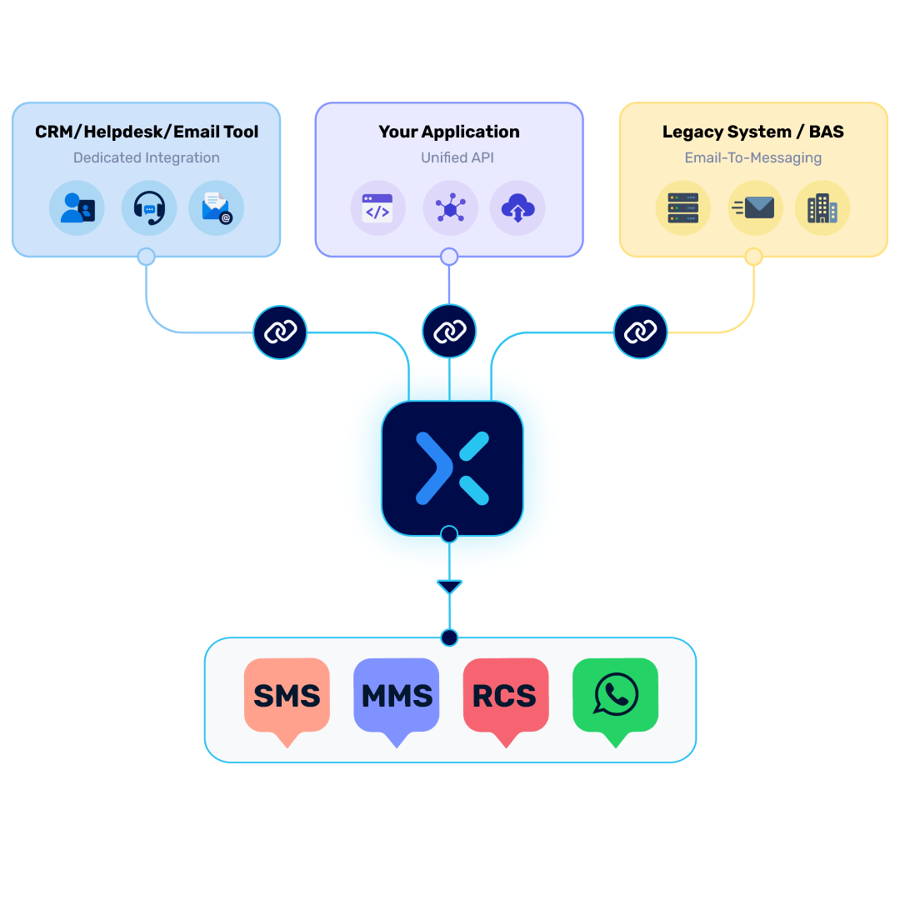
Integrate TXTImpact with thousands of apps, software, and systems using a ready-made connector, full API, or no-code Email-to-Text bridge.
Integrations
Connect Your Systems to TXTImpact & Start Sending Messages Easily
Integrate TXTImpact with thousands of apps, software, and systems using a ready-made connector, full API, or no-code Email-to-Text bridge.
Dedicated Integrations
Pre-Built Connectors, Ready to Activate
Native connections into the CRM, helpdesk, email marketing, and productivity tools you already use sending across SMS, MMS, RCS, and WhatsApp, with no development work required.

Salesforce
One-on-one conversations with leads and contacts, plus mass texting — all inside Salesforce.
1-to-1 SMS/MMS with leads and contacts
Automated messages from Process Builder & Workflows
Mass texting from Salesforce campaigns
Replies auto-create a new lead or contact

Zapier
Connect Text Marketing to 500+ apps — Google Docs, Salesforce, Facebook, and more — with no code.
Triggers: new contact added → text sent, email logged
Countless automation combinations across your stack

Zendesk
Receive and respond to support tickets via text and MMS, right inside Zendesk Support.
Customers open support tickets via SMS
Route campaigns to specific departments or agents
Agents send automatic ticket updates via SMS

Outlook Add-In NEW
Text straight from your inbox with the TXTImpact Add-in for Outlook — no app switching.
Send SMS/MMS from any Outlook email or contact
Outlook contacts sync to your TXTImpact lists
Reply threads appear inline alongside your mail
One-time install from the Outlook Add-ins store

Constant Contact
Automatically add email addresses captured through SMS campaigns to your Constant Contact list.
Import mobile numbers into TXTImpact SMS lists
Join a list via SMS short code & keyword
Import captured emails into Constant Contact

Mailchimp
Combine the reach of Mailchimp email marketing with SMS marketing.
Import mobile numbers from Mailchimp lists
Join a list via SMS short code & keyword
Import captured emails into Mailchimp

RSA Authentication Manager
Deliver on-demand token codes for authentication through the TXTImpact SMS Gateway.
Configures as a supported SMS provider
Tokencodes delivered straight to the user's mobile device

ApiX-Drive
Sync contacts and trigger SMS campaigns across 200+ apps — no coding required.
Automated syncing keeps contacts current
No-code setup, real-time triggers

HubSpot
Connect HubSpot with TXTImpact to automate SMS messaging and keep customer communications connected.
Trigger SMS from HubSpot workflows
Sync contacts and automate messaging
Chrome Extension — NEW
Send SMS directly from your browser with the TXTImpact Chrome Extension.
Send SMS/MMS without switching between applications
Text phone numbers directly from webpages
Access TXTImpact messaging from your browser
Use saved contacts and message templates
The TXTImpact Unified API
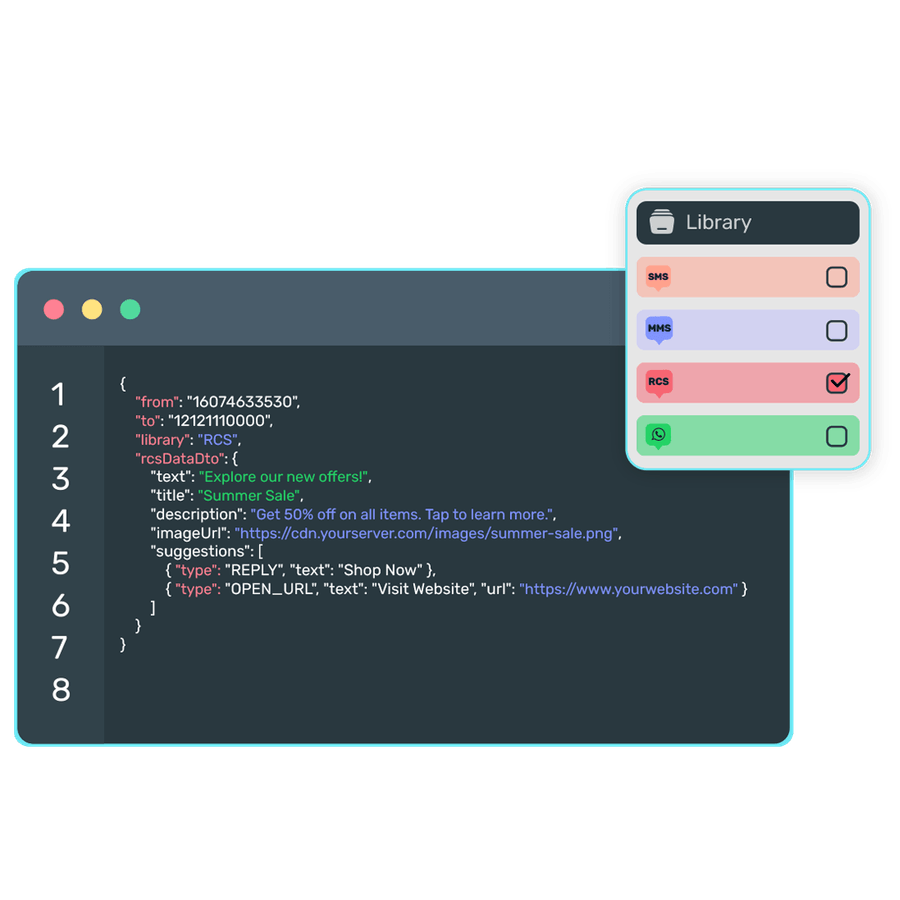
One API to integrate SMS, MMS, RCS, and WhatsApp messaging into any application or software your own CRM, a custom-built app, an internal tool, or a platform not covered by a native connector.
→ Send and receive across SMS, MMS, RCS & WhatsApp Channels from any tech stack
→ Manage contacts, lists, and automations programmatically
→ No dependency on a specific pre-built connector
→ Full documentation and developer support for fast implementation
Connect Your System via Email-to-Text
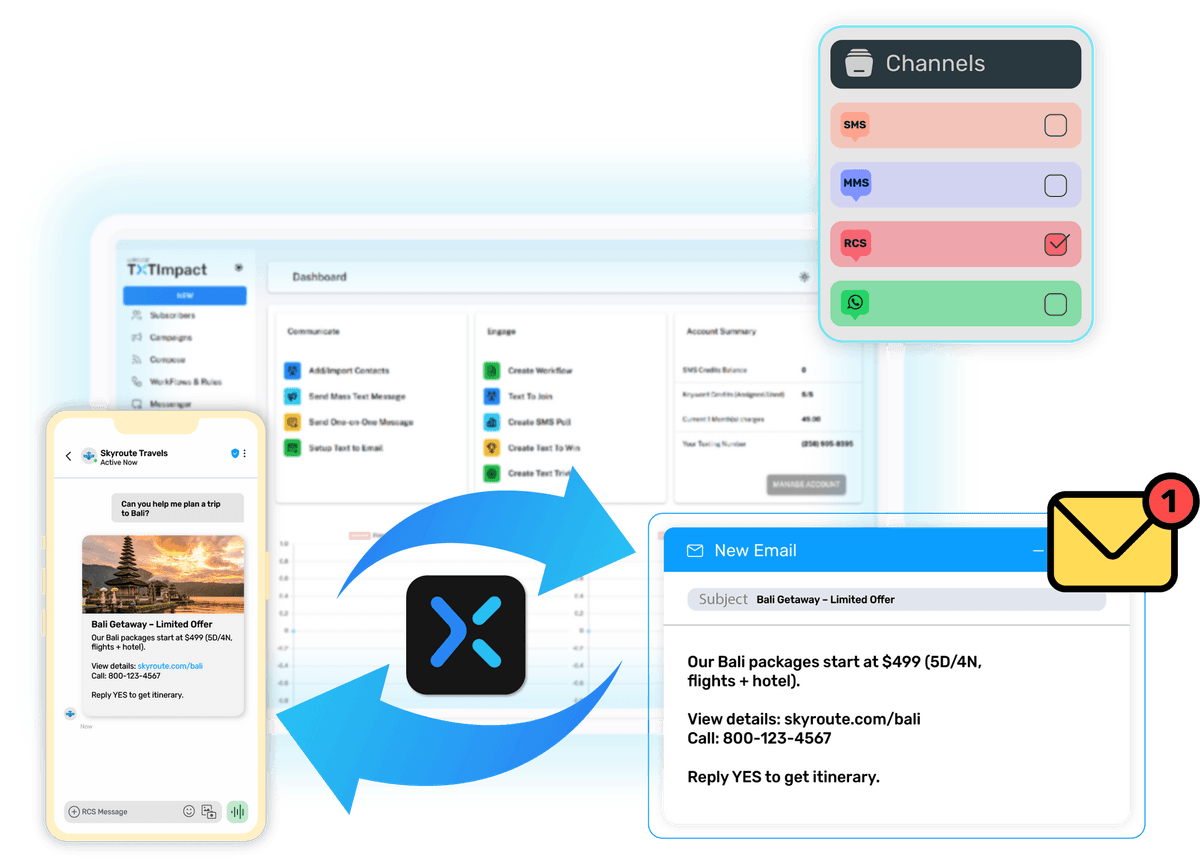
Your system already knows how to send email notifications. TXTImpact lets you use that same capability to send text messages via Email to Text Service. Connect your existing email alerts to TXTImpact, and we’ll deliver them as SMS, MMS, RCS, or WhatsApp without changing your software, rewriting code, or replacing the systems you already rely on.
Best suited for:
✓ Legacy Systems and on-premise software with no modern API
✓ SaaS platforms that won't build a custom integration
✓ Teams that need alerting live today, not after a dev sprint
Ready to get started 🎉
Contact us or sign up for a free trial now.