Text to Vote
Text Message Voting Made Easy with SMS Polling
Turn Your Audience into Voters: Make live events interactive and engaging via SMS , RCS or Whatsapp.
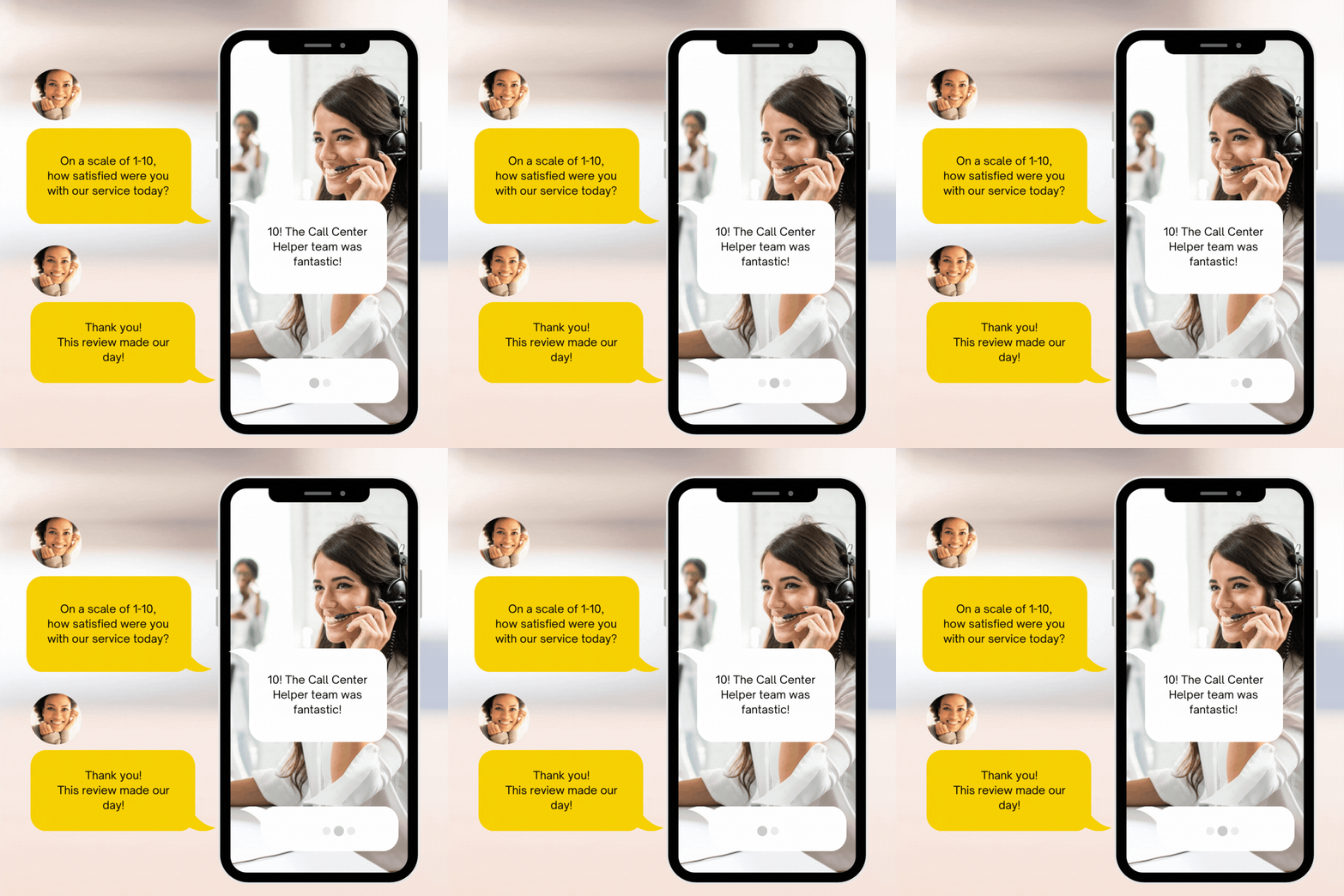
Text to Vote
Text Message Voting Made Easy with SMS Polling
Turn Your Audience into Voters: Make live events interactive and engaging via SMS , RCS or Whatsapp.
All incoming mobile numbers are recorded and available for future text message alerts.
Limit votes per participant and you can set start and end date-time of polls.
Set up a poll ahead of an event but start capturing responses as per the schedule.
View live results on your smartphone or project on a large screen TV at the event.
Restrict voting to preregistered participants.
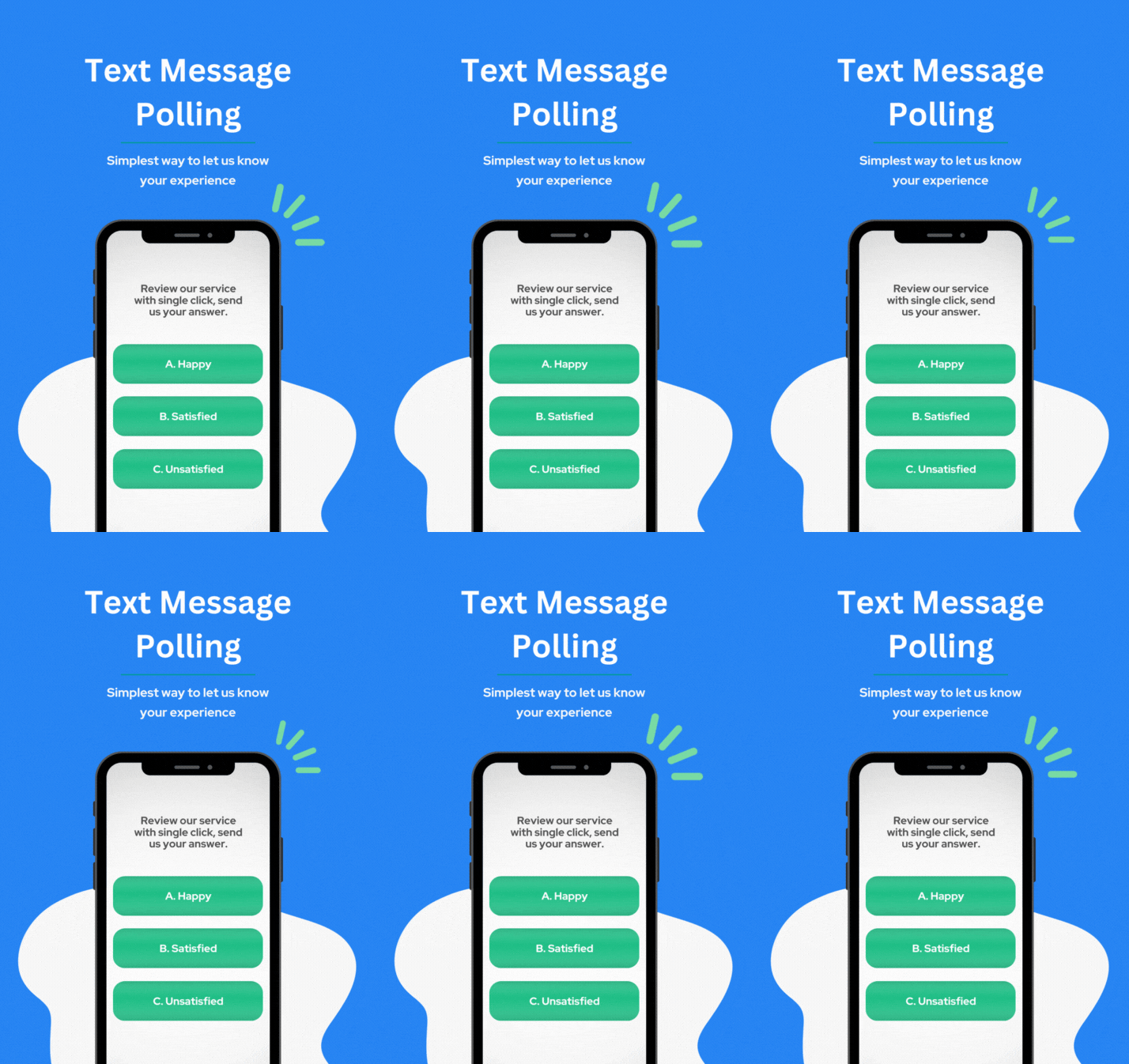
Where Can I Use Text Polling?
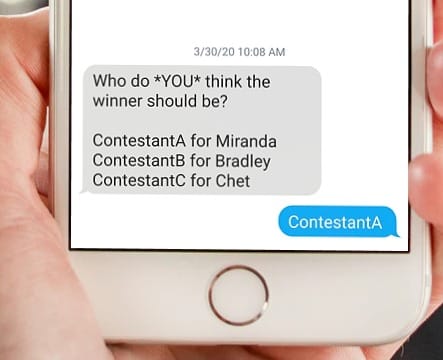
Contest Shows
For your talent shows like American Idol or The Voice, the audience can text their vote and choose a winner.

Radio Shows
A radio DJ can announce a live text poll, and then watch the tally in real-time as respondents send a text message vote.
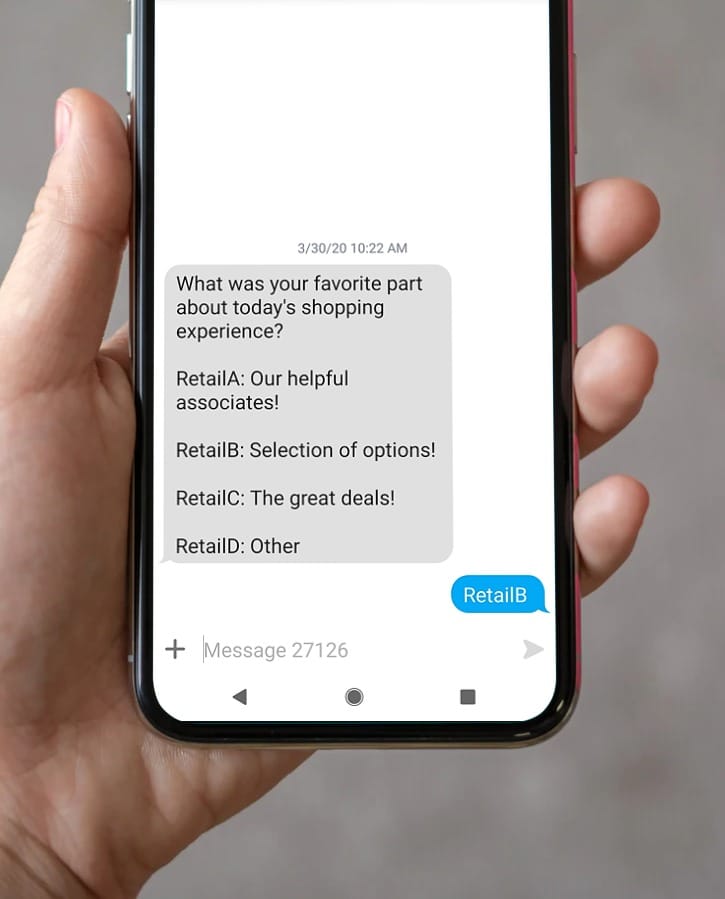
Retail Stores
A retail store may ask customers’ feedback on various aspects, such as customer service or the range of store products.
Key Features of Our SMS Polling and Text Voting System
Web-Based Creation
Setup text voting campaigns in just a few minutes using a web-based tool
Live Polling Results
Use the instant polling functionality that generates easily interpreted graphical and numeric tools.
Detailed Data
Export data in excel for in-depth and detailed studies.
Customize Screens
Customize screen templates to display real-time voting results.
Voter Restrictions
Restrict one vote per mobile phone or allow unlimited votes.
Mobile Number Details
Identify participants and provide detailed results by mobile number.
Voters Registration
Allow you to restrict polling to pre-registered participants. You can upload mobile numbers or they can self-register using unique codes provided by you.
Time restrictive polling
Automatically opens and close polls at scheduled times.
WhatsApp Number
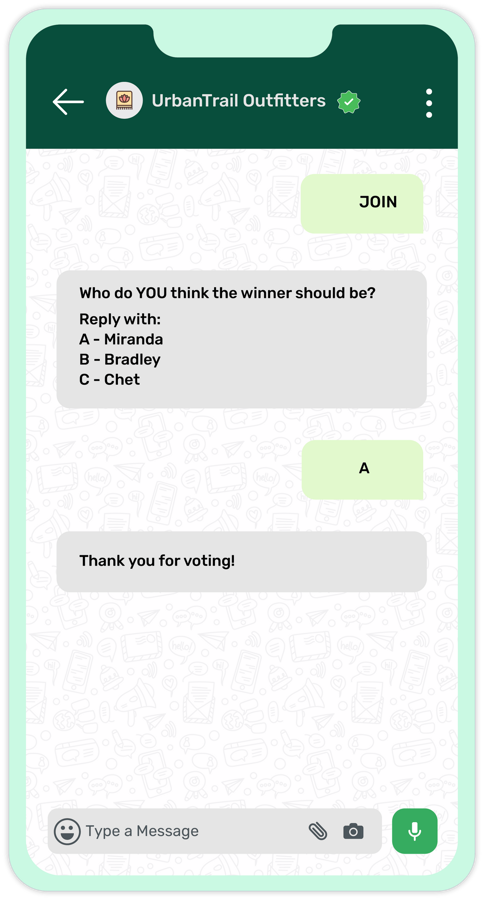
Cast votes from WhatsApp, allow WhatsApp users around the world to participate in the voting
Engage Your Audience in Real Time
Capture live feedback in seconds — from shows to classrooms.
Start your 15-day free trial — no credit card, no setup fee.
How Our Text-to-Vote Platform Works?
Step by step guide to setup SMS polling service
Sign-up for the TXTImpact SMS Polling service.
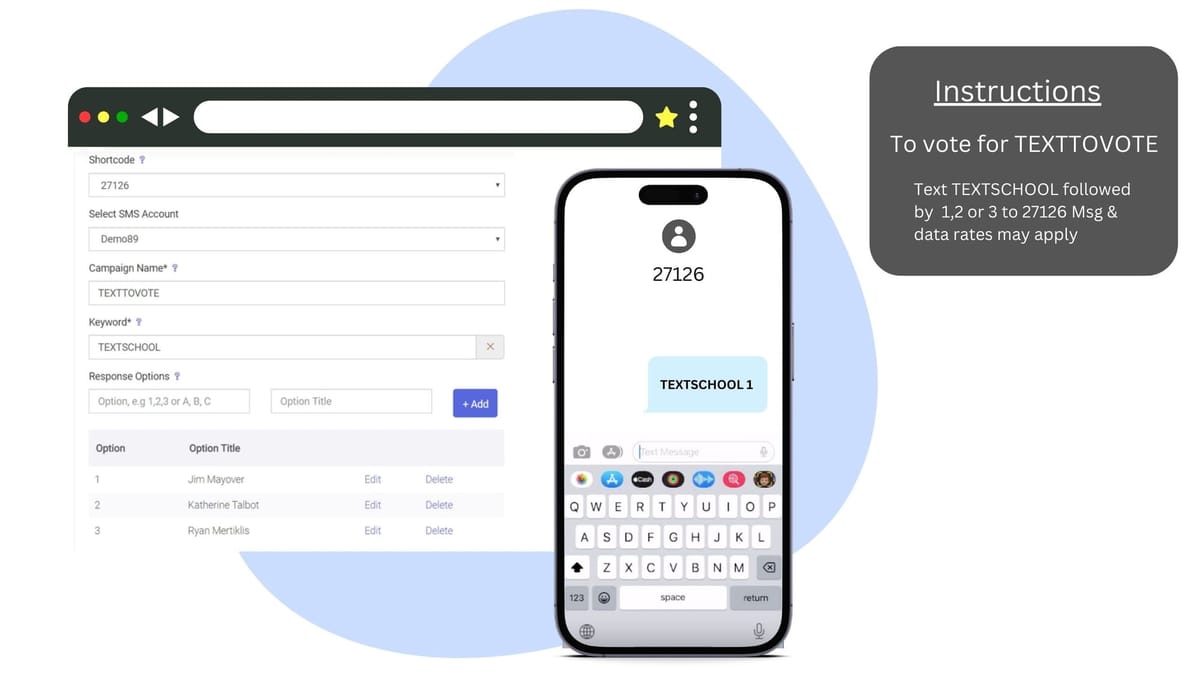
Setup Text Voting campaign.
Ask participants to text keywords and their options to a short code.
Real-time results are then available through the dashboard, on smartphones, or you can also project them on a large screen at your venue.
🔥NEW
Multi Channel Polling and Voting
Now TXTImpact offers Polling and Voting via RCS and Whatsapp
RCS Polling and Voting
While traditional SMS polling requires participants to reply with a keyword or number, RCS messaging enables interactive voting with tap-to-vote buttons and rich message cards, making participation faster, easier, and and error-free.
Instead of typing a response, users can simply tap their preferred option, increasing engagement during live polls.
Businesses and event organizers can use RCS polling and voting to:
Run live audience voting during events and presentations
Conduct interactive polls during webinars or livestreams
Let customers vote for products or services
Capture instant feedback during conferences or town halls
RCS polls provide a modern chat-like experience similar to apps like WhatsApp, making interactions more intuitive for users.
TXTImpact also supports automatic SMS fallback, ensuring your polls are delivered even if a device or carrier does not support RCS.

Whatsapp Polling and Voting
TXTImpact offers a dedicated polling solution through its SMSPolling (Text-to-Vote) application, which is a prebuilt and optimized workflow designed specifically for running polling campaigns.
The SMSPolling app simplifies the process, allowing organizations to launch and manage polls quickly.
Vote Restrictions per Mobile Number
Control how many times a single mobile number can vote to ensure fair polling.
Restricted Polling for Specific Audiences
Limit participation to a selected group of users or subscribers.
Optimized Polling Workflow
The prebuilt system eliminates complex setup and makes it easy to run polling campaigns.
Discover Our Other SMS Voting and Text Survey Services
Capture customers' feedback on the go using a Text Message survey or engage the audience in a live event using Text Message Voting
Text Message Survey
SMS survey allows brands, agencies, or small businesses to obtain immediate feedback using text messaging.
Learn more
Text Trivia
Prompt participants to answer a question using a text message. Send one question or series of questions.
Learn more
Text to Screen
Ask questions and display responses on a big screen and keep your audience engaged during a conference or game.
Learn more
Learn more about SMS Polling
FAQ's
How do you send a text poll?
To send an SMS vote, participants simply text a keyword and their chosen option to a designated short code provided by the TXTImpact platform. The organizer sets up the SMS polling campaign through their TXTImpact account, and votes are collected in real time. Results can be viewed instantly on the dashboard, mobile devices, or projected on a screen at the event.
Can I send a survey in a text?
Yes, you can send a survey via text using TXTImpact’s SMS Survey feature. It allows you to create and send multi-question surveys directly to mobile phones. Recipients can respond to each question via text, and their answers are collected and tracked in real time through your TXTImpact dashboard.
How do you create a text poll in a group chat?
TXTImpact doesn’t support traditional group chat-style polls like WhatsApp or iMessage. However, you can create an interactive text poll with ease. Simply set up a Text-to-Vote campaign and assign specific keywords to each voting option. Share the instructions with your group, and participants can text their votes to a short code or assigned number. Responses are tracked in real time, and results are accessible via your dashboard or can be displayed live.
How many people can participate in an SMS Poll?
There’s no limit to the number of participants in an SMS Poll. Whether you're engaging a small group or running a large-scale poll, TXTImpact can handle high volumes of responses.
How do I view the results of an SMS Poll?
The results are automatically collected in real-time and can be accessed through the TXTImpact dashboard. You can also display the results live on a screen during your event for immediate engagement.
Is there a cost for each SMS vote?
SMS voting on TXTImpact is credit-based. Each message sent under 160 characters uses one credit. For example, if you’re running a poll with 500 participants and each person casts a vote and receives a confirmation message (both under 160 characters), you’ll need at least 500 text credits. This system helps you estimate and manage your usage efficiently based on audience size and message length.
Ready to get started 🎉
Contact us or sign up for a free trial now.