Celebrating TXTImpact's 20 Years of Business Texting Excellence. Be part of our journey. Start your free trial today!
Send MMS to Email.
Email to MMS.
Instantly.
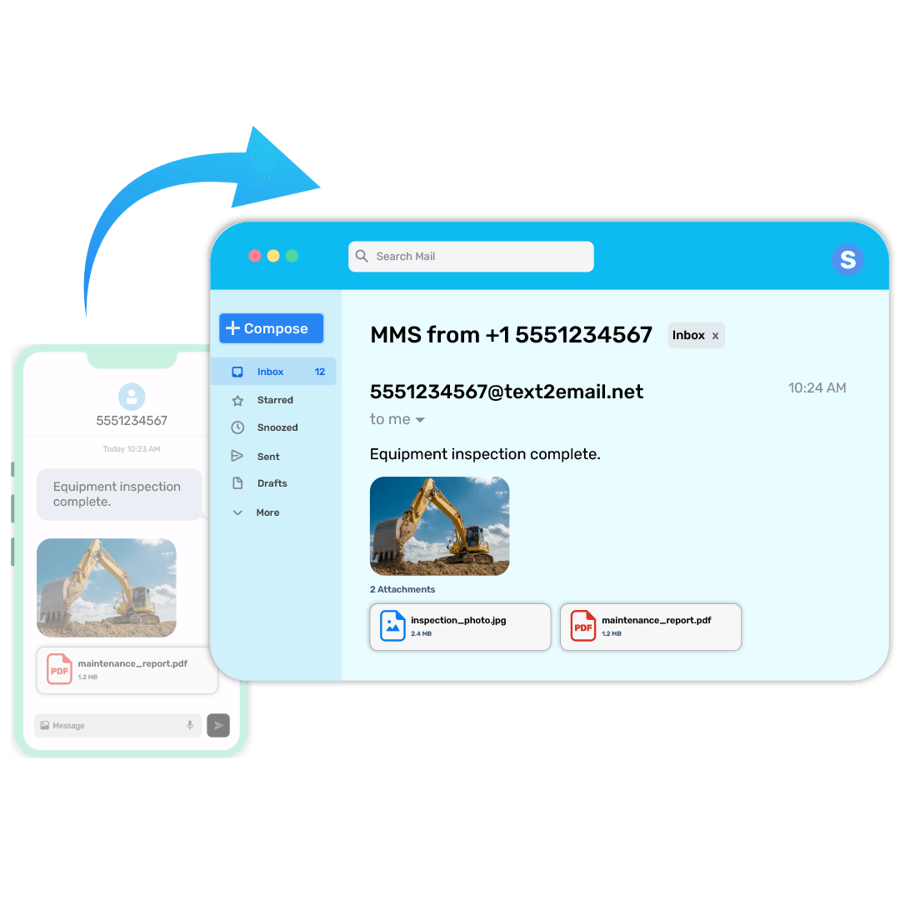
Receive pictures, documents, PDFs, screenshots, and multimedia messages from mobile phones directly to your email inbox — then reply by email and have your responses automatically delivered as SMS or MMS. Or send pictures as attachments via email and they'll be delivered as MMS to recipients.
Everything You Need for Two-Way Email & MMS Messaging
Carrier-Compliant MMS Messaging
Send MMS From a Computer
Works With Existing Business Email
Supports Images, PDFs & Attachments
2-Way MMS Messaging
What Is MMS to Email and Email to MMS Messaging?
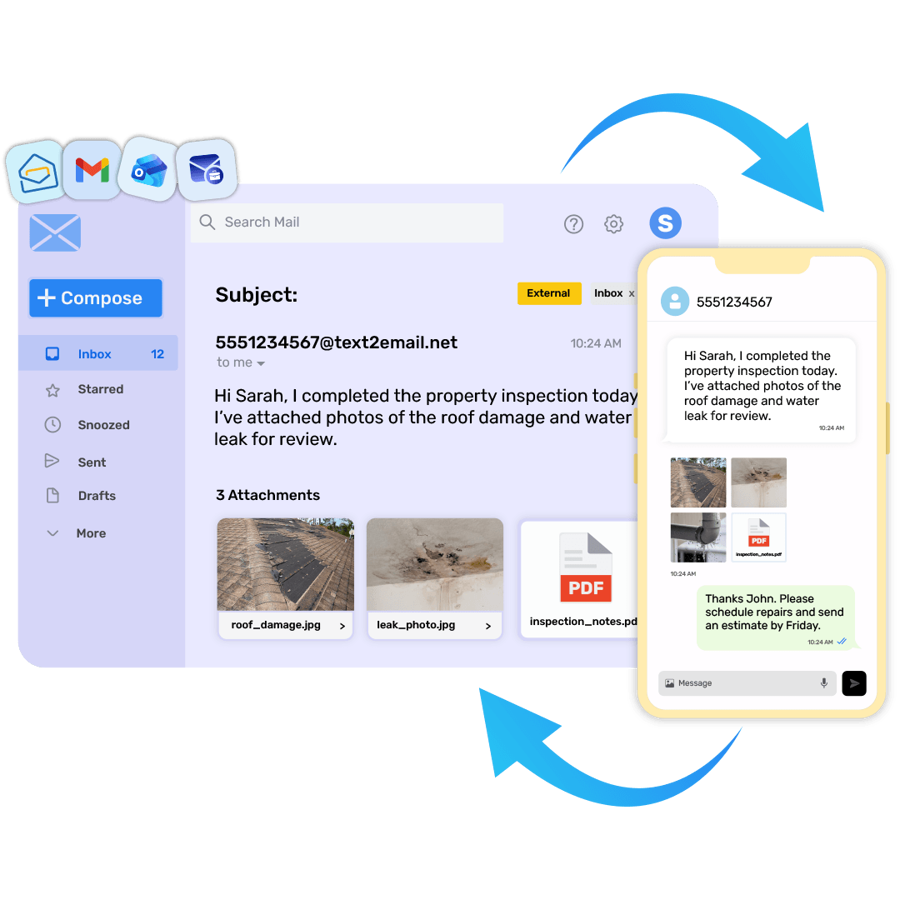
MMS to Email and Email to MMS messaging lets you receive picture messages, documents, and multimedia texts directly in your email inbox — and reply to them just like a normal email.
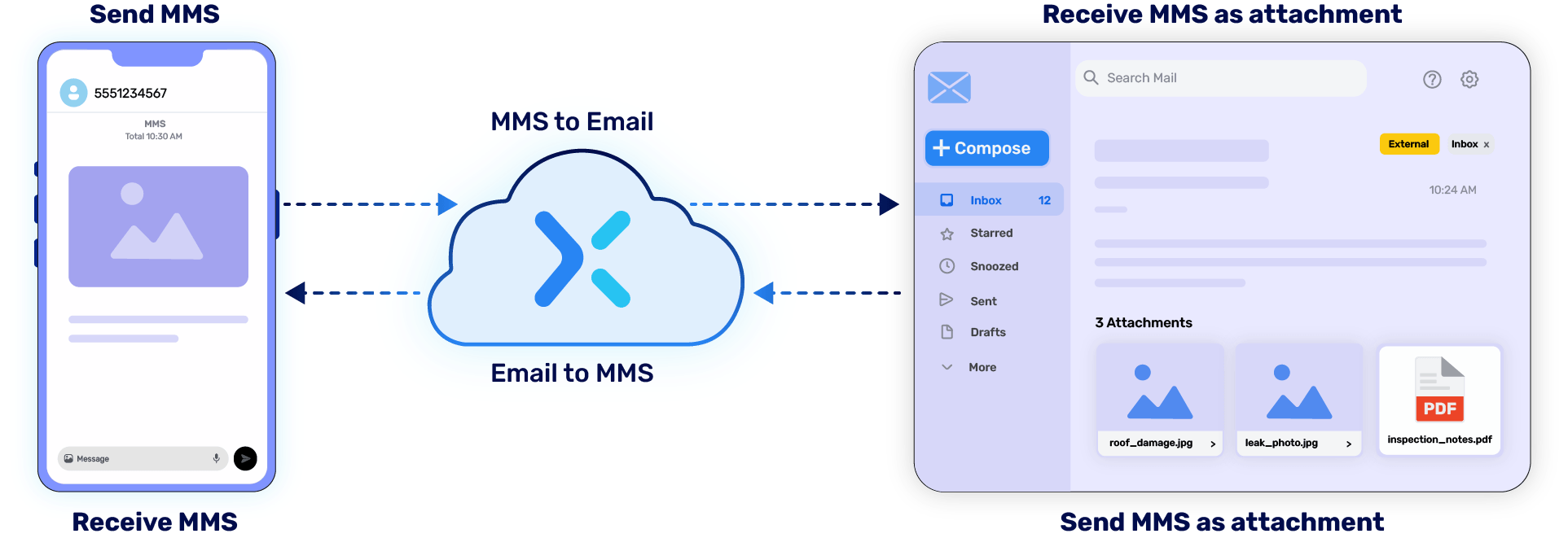
TXTImpact automatically converts incoming MMS messages into emails and turns your email replies into SMS or MMS messages delivered to the recipient's mobile phone. No new apps, no carrier dependencies, no technical setup.
What Does MMS Mean?
MMS (Multimedia Messaging Service) lets businesses and individuals send images, PDFs, videos, audio files, and rich media through text messaging — the same way a standard SMS sends plain text, but with the power to carry full multimedia content.
How to Send MMS to Email or Email to MMS via TXTImpact
Most businesses need messaging to flow in both directions. Whether you're a support team receiving customer photos in your inbox or a business sending visual updates directly from your email client, TXTImpact handles both seamlessly — no API, no special software, no carrier dependencies. Just your existing email and a 10DLC number.
Read: How to send or Receive mms through email (Step by Step Method).
MMS to Email — Receive Picture Messages Directly in Your Inbox
Never miss an incoming MMS again. TXTImpact automatically converts any MMS sent to your business number into an email and delivers it straight to your inbox — attachments and all.
Step 1
Sign up for free, activate your TXTImpact account, and enable the MMS to Email service.
Step 2
Get a 10DLC number, complete Fast registration via AI Wizard, and configure your receiving email address inside TXTImpact.
Step 3
When anyone sends an MMS to your 10DLC number, TXTImpact automatically converts it into an email and delivers it to your inbox — from the sender's phone number (e.g., [email protected]).
Step 4
Reply to the email, and your response is automatically converted back into an SMS or MMS and delivered to the sender's phone.

Email to MMS — Send Picture Messages Straight From Your Email
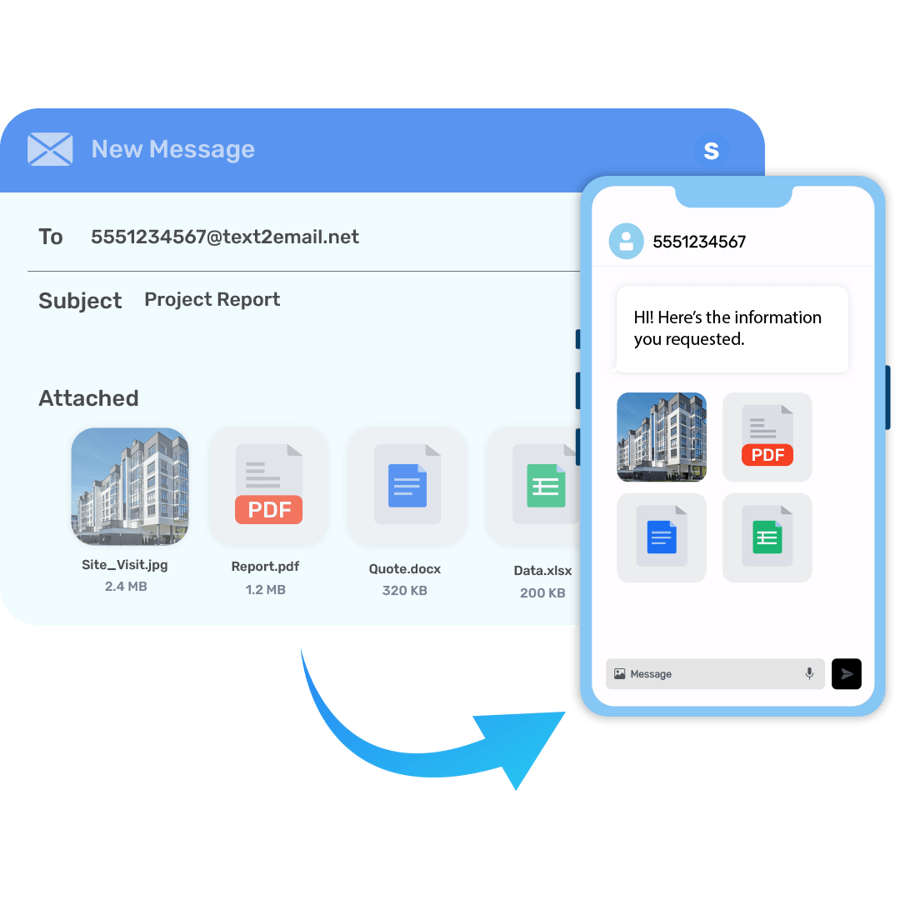
Want to send an MMS without touching a phone? Just compose an email from Gmail, Outlook, or any business email client, attach your image or file, and TXTImpact delivers it as a rich MMS directly to the recipient's mobile phone.
Step 1
Enable the Email to MMS/SMS feature in the TXTImpact OmniHub dashboard after setting up your account and 10DLC number.
Step 2
Configure your sending email address in TXTImpact so outgoing emails are recognized and converted to MMS.
Step 3
Compose a new email from your preferred email client. Enter the recipient's phone number in the To field (e.g., [email protected]), attach your image or file, and hit Send.
Step 4
TXTImpact converts your email into an MMS and delivers it directly to the recipient's phone — no app, no API, no technical setup required.
Any replies from the mobile phone are automatically converted back into emails and delivered to your inbox.

How MMS to Email Works
TXTImpact acts as a conversion bridge between MMS and email — no carrier dependencies, no API, no technical expertise, and no additional software required.

Ready to get Started?
Create your account for free to try our MMS to Email Service.
Powerful Web-Based MMS Messaging Features
✓ Send MMS via Email
Use Gmail, Outlook, or Microsoft 365 to send MMS instantly, no phone required.
✓ Receive MMS in Your Inbox
All incoming multimedia messages appear directly in your email, attachments included.
✓ Full Attachment Support
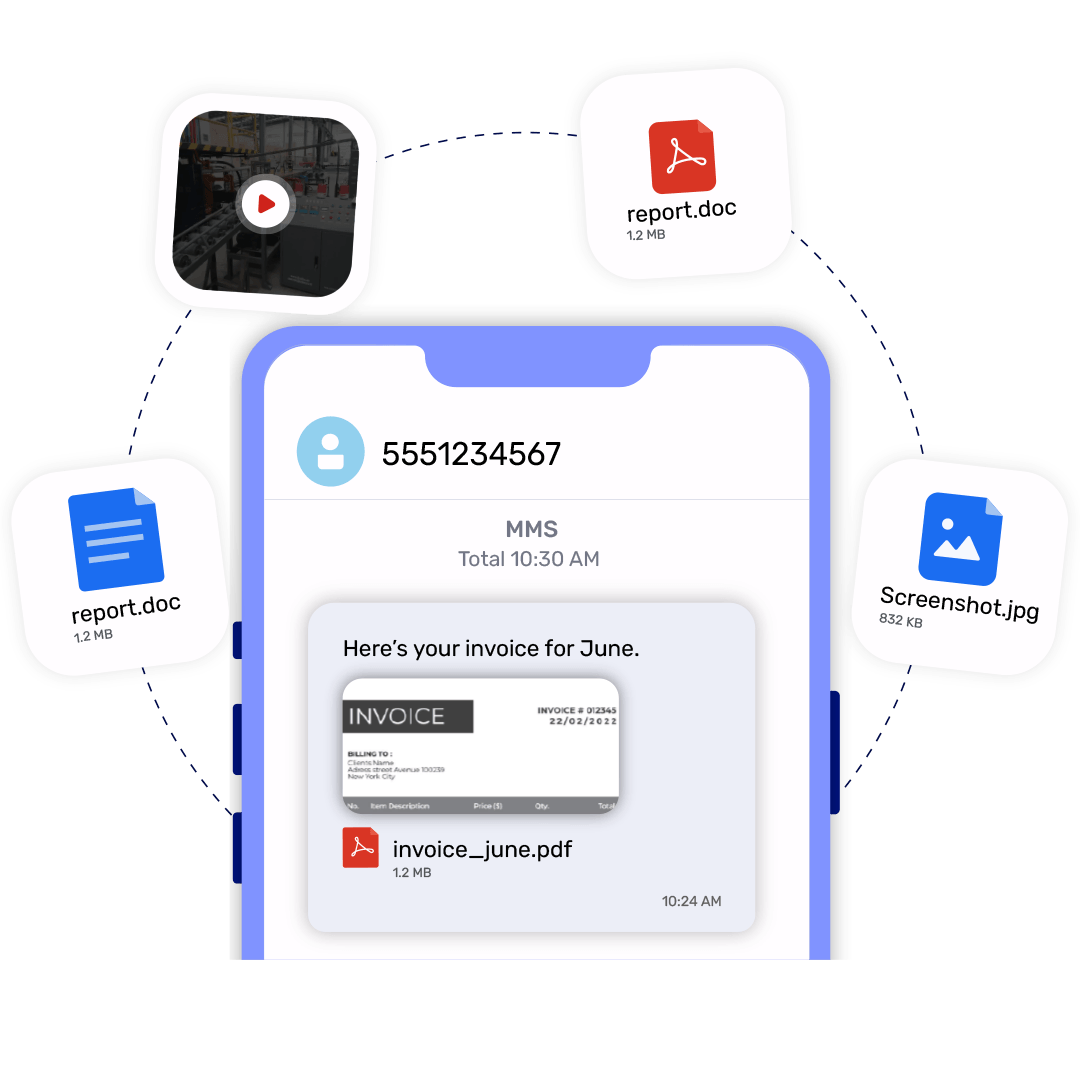
Send images, PDFs,Videos, screenshots, and documents with ease — delivered exactly as intended.
✓ Shared Team Access
Multiple departments can manage MMS conversations from one centralized platform.
✓ Web-Based MMS Platform
No additional hardware or software required. Works in any browser.
Automate your MMS to email campaigns with workflows at the right moment and send it to the right people.
✓ MMS Delivery Tracking
Track message delivery and engagement in real time from your dashboard.
✓ Carrier-Compatible MMS
Works seamlessly across all major U.S. carriers.
Business Use Cases for MMS to Email Messaging
Customer Support
Receive customer photos, videos, and documents directly in support inboxes — resolve issues faster with full visual context.
Healthcare
Share appointment instructions, intake forms, and medical documents with patients — securely, via the messaging channel they already use.
Real Estate
Send property photos, virtual tour links, and brochures instantly from your inbox to any mobile number.
Education
Distribute notices, permission forms, event media, and updates to parents and students without a separate app.
Logistics
Collect proof-of-delivery images or Reciepts from drivers directly in your operations inbox and archived automatically.
Construction
Share site photos, safety updates, and project documentation between field teams and the office in real time.
Insurance
Collect claims documentation, damage photos, and supporting files from policyholders through simple MMS.
Law firms
Securely receive photos, signed documents, evidence, and case-related materials from clients via text, directly in their email inbox.
Mortgage Agents
Mortgage agents can collect loan documents, IDs, property photos, and other application materials from borrowers via text, directly in their email.
Help Desks
Receive screenshots, photos, error messages, and other visual support information from customers via text, directly in their email for faster issue resolution.
Send MMS Online Without Using a Mobile Phone
TXTImpact's browser-based dashboard lets you send picture messages, PDFs, and multimedia content from any desktop or laptop via Email — no SIM card, no mobile device, no carrier plan required.
Whether you're managing customer communication from a support desk, sending marketing visuals from a laptop, or distributing documents across a field team, TXTImpact Email to MMS Service centralizes everything in one web-based platform.
Browser-based dashboard
Accessible from any device, Laptops, PCs, Tabs, etc.
Full desktop MMS
Compose, attach, and send from your computer via Email.
No SIM card needed
Your 10DLC number handles all messaging.
Centralized communication
One platform for your entire team.
Common Email to MMS Examples
Learn How Businesses leverage email to MMS service in their Workflows.

Send Invoice
PDFs
Email invoices directly to customers as MMS attachments — no login required on their end, no app to download. It arrives on their phone like a normal text.
Send Appointment Images
Share maps, check-in instructions, and confirmation photos through MMS. Reduce no-shows with visual reminders sent straight to the phone.
Send Marketing
Graphics
Run image-based MMS campaigns from your desktop. Design in Canva, sent from Outlook — TXTImpact handles the conversion.
Send Screenshots & documents
Share reports, troubleshooting screenshots, and signed documents instantly. Perfect for support teams and field operations.
send machine alerts, alarm notifications, equipment snapshots, and visual status updates from HMI systems directly to technicians and operators via MMS.
Enable no-code MMS notifications from SaaS applications and legacy software systems without complex integrations or infrastructure changes.
Why Businesses Choose MMS-to-Email Messaging
MMS to Email and Email to MMS eliminates the gap between phone messaging and email workflows. Instead of juggling separate apps or devices, your entire MMS communication lives inside the inbox your team already uses — making it faster, more organized, and easier to manage at scale.
No missed messages
Incoming MMS lands directly in your inbox, not on a phone someone has to check. Every image, video, and attachment comes through instantly.
Team visibility
Multiple agents and departments can monitor and respond from a shared inbox — no need for separate phone numbers or dedicated devices.
Faster response times
Reply directly from your email, and it reaches the customer's phone instantly as an SMS or MMS. No switching apps, no delays.
No extra tools
Works seamlessly with Gmail, Outlook, and Microsoft 365 right out of the box. No new software to install, no learning curve.
No complex Setup
No Complex Integration needed and no technical Assistance required. Just enable the mms to email service and ready to go.
Complete conversation history
Every exchange is automatically threaded and searchable in your email — making follow-ups, audits, and team handoffs effortless.
Works With Your Existing Email Platforms
TXTImpact's Email to MMS service works independently — no changes to your existing email setup required. Whether you use Gmail, Outlook, or an enterprise CRM, TXTImpact integrates seamlessly without any technical configuration.
No complex setup required. Connect your existing email workflow with enterprise-grade MMS messaging.
No API Integration Required. No Technical Expertise Needed.
TXTImpact's Email to MMS and MMS to Email service works directly through your existing email client — no API, no code, no technical setup. Send an email, and it arrives as an MMS. Send photos from your phone, and they land straight in the inbox.
Want to automate and scale? For teams that need deeper integration, TXTImpact's MMS API unlocks:
Automated alerts — trigger MMS messages based on real-time system events
CRM workflows — send rich media at every stage of the customer pipeline
Ticketing systems — route inbound photo and video messages into your support queue
Notification systems — replace plain-text alerts with branded visual MMS
TXTImpact vs. Traditional Carrier MMS to Email Services
Major carriers have quietly shut down their MMS-to-email services, leaving businesses without a reliable way to send and receive multimedia messages via email. TXTImpact fills that gap — no carrier dependency, no disruptions.
| Feature | TXTImpact | AT&T | Verizon Vtxt | T-Mobile | Sprint |
|---|---|---|---|---|---|
| MMS to Email | ✓Available | ✗Shutdown | ✗Shutdown | ✗Shutdown | ✗Shutdown |
| Email to MMS | ✓Available | ✗Shutdown | ✗Shutdown | ✗Shutdown | ✗Shutdown |
All major carrier MMS-to-email services have been discontinued. TXTImpact is the only reliable alternative still operating.
Multi-Channel Compatibility
As messaging evolves beyond traditional SMS or MMS, so does TXTImpact. Our MMS-to-Email or Email to MMS service now works seamlessly across multiple channels:
Frequently Asked Questions About Email to MMS
Frequently asked questions answered
Can I send pictures through email to a phone number?
Yes. Compose an email from Gmail, Outlook, or any email client, attach your image, and send it to the recipient's phone number at your TXTImpact gateway address (e.g., [email protected]). TXTImpact converts it and delivers it as an MMS to their mobile phone.
How do I send a photo from email to text?
Attach the photo to an email, address it to the recipient's phone number via your TXTImpact gateway, and send. The photo is delivered as an MMS to their phone — no app required on either end.
Can I attach PDFs to MMS messages?
Yes. TXTImpact supports PDFs, images, screenshots, and a range of document types as MMS attachments.
Can I receive MMS in email?
Yes. Any MMS sent to your TXTImpact 10DLC number is automatically converted into an email and delivered to your configured inbox — attachments included.
Can I send MMS from my computer?
Yes. Using TXTImpact's web-based dashboard or the Email to MMS feature, you can send picture messages and multimedia content from any computer — no phone or SIM card required.
What is an MMS email address?
An MMS email address is a gateway address that routes messages between email and mobile phones. With TXTImpact, your 10DLC number functions as this gateway (e.g., [email protected]).
What carriers support email to MMS?
All major U.S. carriers have shut down their native MMS-to-email services. TXTImpact operates independently of carriers and works across all major U.S. networks — AT&T, Verizon, T-Mobile, and more.
What file types are supported in MMS?
TXTImpact supports JPEG, PNG, GIF, PDF, and a range of document formats as MMS attachments.
Is MMS better than SMS for businesses?
For visual communication — sending photos, documents, branded content, or rich media — MMS is significantly more effective than plain SMS. It increases engagement and reduces back-and-forth by sharing context visually.
Can multiple team members access MMS emails?
Yes. TXTImpact supports shared team access, allowing multiple agents and departments to manage MMS conversations from a single inbox.
Does TXTImpact support two-way MMS?
Yes. TXTImpact supports full two-way MMS messaging — receive MMS in email, reply by email, and have your responses delivered as SMS or MMS to the original sender's phone.
Can I automate MMS messaging?
Yes. TXTImpact's provides workflows for automation and its REST API also supports automated MMS triggers, CRM integrations, and workflow-based multimedia messaging at scale.
Can I forward MMS to email automatically?
Yes. Once configured, all incoming MMS messages to your 10DLC number are automatically forwarded to your email inbox — no manual action required.
Is web-based MMS secure?
Yes. TXTImpact's platform is built for business-grade communication with TCPA-compliant messaging, sender authentication, and secure data handling.
How quickly are MMS messages delivered?
MMS messages sent and received through TXTImpact are delivered in real time — typically within seconds of sending.
Ready to get started?🎉
Contact us or sign up for a free trial now.
By using this website you agree to our privacy policies
We use cookies to improve user experience. Choose what cookie categories you allow us to use. You can read more about our Cookie Policy by clicking on Cookie Policy below.
These cookies enable strictly necessary cookies for security, language support and verification of identity. These cookies can’t be disabled.
These cookies collect data to remember choices users make to improve and give a better user experience. Disabling can cause some parts of the site to not work properly.
These cookies help us to understand how visitors interact with our website, help us measure and analyze traffic to improve our service.
These cookies help us to better deliver marketing content and customized ads.