How to Send SMS Notifications from SaaS and Legacy Systems Using SMTP (No Code Required)
Key Takeaways:
|
SMS notifications have become a crucial part of modern SaaS applications, enabling businesses to deliver real-time alerts, updates, reminders, and critical information directly to users.
If your SaaS platform already sends email notifications via SMTP, you might be wondering: How can we send SMS notifications using our existing SMTP server without rewriting code?
Today, customers and employees prefer SMS because it offers greater visibility, instant delivery, and significantly better engagement than email or push notifications.
While there are several ways to implement SMS such as rebuilding your notification pipeline these approaches are often complex, risky, time-consuming, and expensive. Fortunately, there’s a much simpler and cost-effective alternative.
The solution? TXTImpact’s Email-to-Text Service. In this article, you’ll learn how email-to-text works, its benefits, and how to integrate it seamlessly into your existing SaaS workflows without changing your core application logic.
Jump to: |
Why Do SaaS Applications Need SMS Notifications?
SaaS platforms often need a reliable way to deliver time-sensitive alerts, updates, and critical information to their users. Implementing SMS notifications allows SaaS applications to send automated text messages directly to users’ mobile phones, ensuring important messages are received quickly and seen in real time.
Unlike email or in-app notifications that users may overlook, SMS provides a faster and more direct communication channel. Messages can be triggered automatically by specific events such as system updates, account activity, billing actions, security verification, or scheduled reminders, helping keep users informed about important changes or required actions.
Common use cases of SMS notifications in SaaS include:
Billing and payment updates
Authentication and security alerts
User activity notifications
System and service alerts
Appointment and reminder notifications
Operational and transactional updates
Implementing SMS notifications in SaaS delivers higher open rates, faster message delivery, wider reach, improved user engagement, and a better customer experience than email notifications.
The Common Challenge SaaS Companies Face When Implementing SMS Notifications
Despite SMS being one of the fastest and most effective communication channels, several SaaS teams and companies struggle to implement it due to operational and technical barriers. While companies understand the value of SMS, they fail to put the right effort into its implementation, priorities, and compliance requirements.
Most SaaS companies already have established email systems with built-in triggers and workflows, making them prioritize improving email systems rather than focusing on adding a new SMS channel.
Here are the common challenges most companies face when implementing SMS notifications:
- Implementing SMS often requires new APIs, third-party integrations, delivery tracking, and additional development work.
- Developers and engineering teams prioritize core functionality and product features, resulting in delayed SMS implementation.
- Compliance requirements, such as opt-in/out management, regulatory compliance, and user consent handling adds complexity and increase operational effort.
Because of these challenges, companies delay SMS adoption despite its reliability and benefits.
Why Is Rewriting Code for SMS Overkill and Not Recommended?
Rewriting an SMS notification pipeline in SaaS means completely replacing or upgrading the underlying software infrastructure, architecture, and logic to send text messages and alerts.
- It often requires significant development effort, ongoing maintenance, and infrastructure changes. Here’s why rewriting or building a dedicated SMS workflow from scratch is overkill:
- It requires separate messaging logic because SMS has different formatting rules, delivery handling, and character limits compared to email. This requires teams to redesign templates, workflows, and event triggers, specifically for SMS.
- It requires new SMS provider SDKs, which developers must integrate and maintain, increasing setup time and system dependencies.
- SMS delivery isn’t always guaranteed, requiring teams to add queues, retry mechanisms, and failure-handling solutions to ensure reliability.
- SMS systems mandate opt-out handling, requiring teams to manage unsubscribe requests, consent records, and user preferences to prevent unwanted messages.
- It requires supporting rate limiting and delivery tracking, requiring systems to control message frequency to track delivery status and avoid carrier restrictions, adding unnecessary operational complexity.
- SMS requires businesses to comply with carrier requirements and regulations, including routing rules, sender registration, and regional standards. SMS also requires auditing and logging, as well as maintaining delivery records, message logs, and audit trails, all of which are essential for troubleshooting, monitoring, and compliance.
Implementing these components from scratch requires significant time, resources, and ongoing maintenance, making it essential for businesses to leverage existing email infrastructure, such as SMTP, to send SMS notifications.
How Does SMTP Enable SMS Delivery from SaaS Platforms?
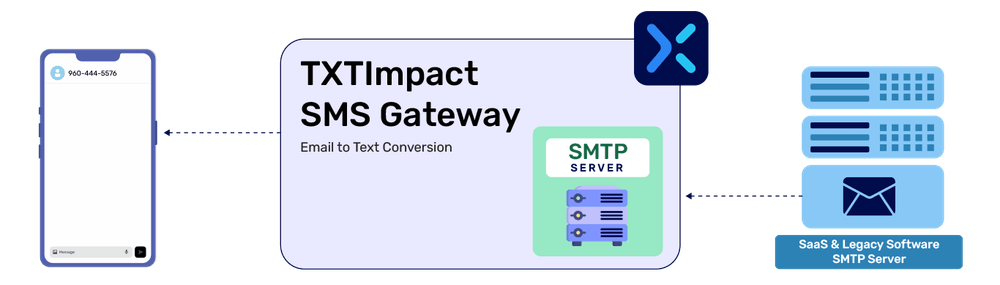
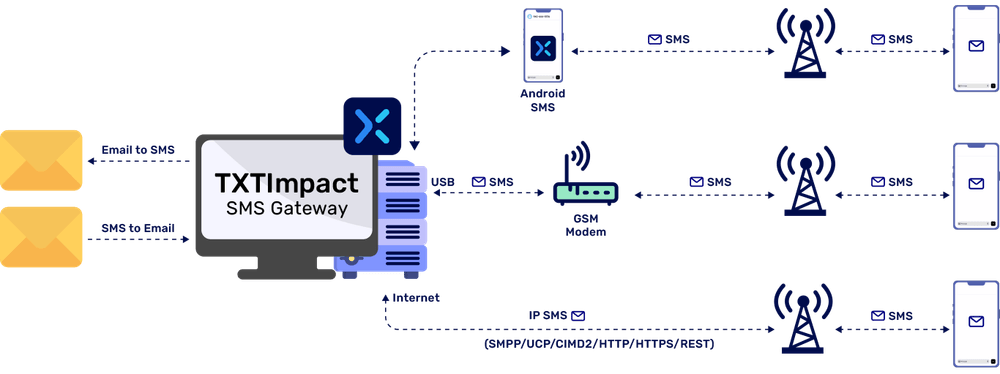
SMTP (Simple Mail Transfer Protocol) enables SMS delivery via TXTImpact’s email-to-text gateway, which converts emails into text messages and sends them to users’ devices via carrier networks.
This system makes it easier for SaaS platforms to send SMS notifications using emails, without integrating dedicated SMS APIs.
Here’s how the email-to-SMS gateway works:
A user action or system event triggers a notification that generates an email message.
The SaaS platform sends the email message via SMTP server to the respective email address.
The email-to-SMS gateway processes this message and converts it into a text message.
The mobile carrier sends this converted message to the user’s mobile device.
Where Does TXTImpact Fit In and How Does It Help Send Email-to-SMS?
TXTImpact, a reliable business communication platform, provides a secure, intuitive email-to-text messaging service that lets businesses easily send SMS notifications and alerts from email.
It enables email-to-SMS delivery via SMTP by acting as a bridge or translation layer between your application’s email system and mobile carriers’ networks, eliminating the need for complex API integrations and making it easier to send SMS through your existing email workflows.
Here’s why TXTImpact is the best choice for email-to-SMS messaging:
- You can keep your SMTP server, existing templates, and alert logic, and the platform converts emails sent from your system to text messages, removing the need to redesign a separate SMs infrastructure or new API integrations.
- TXTImpact handles built-in SMS delivery, message routing, processing, and carrier communication behind the scenes.
- TXTImpact also handles user consent, compliance opt-out management, and messaging compliance requirements, reducing regulatory complexity.
TXTImpact supports a scalable SMS infrastructure for transactional alerts, notifications, and operational messaging, without requiring teams and marketers to build queue systems, retry logic, or delivery tracking from scratch.
Besides, TXTImpact’s email-to-SMS also supports features, such as two-way messaging, global coverage, keyword-based routing, MMS or PDF attachments, character limit alert, and email domain whitelisting.
In addition to email-to-SMS, TXTImpact also offers crucial services such as email-to-RCS and email-to-WhatsApp, ensuring multi-channel compatibility.
TXTImpact vs DIY SMS Integration
The key difference between choosing TXTImpact and building a custom SMS system or a DIY integration typically depends on complexity, implementation effort, and time to deployment.
Feature | TXTImpact | DIY SMS integration |
Setup time | Quick setup using SMTP configuration | Long setup with custom development |
Integration effort | Minimal, uses existing email workflows | High, requires SMS APIs and SDKs |
SMS providers SDKs | ✗ | ✓ |
Code changes | ✗ None | ✓ Required |
Uses existing SMTP | ✓ Yes | ✗ No |
Delivery tracking and reports | Included and managed by the platform | Requires custom implementation |
Queue and retry logic | Built-in handling | Must be implemented naturally |
Compliance management | Built-in, handles opt-outs and regulatory needs | Requires managing consent and compliance manually |
Carrier connectivity | Pre-configured routing | Requires provider setup and management |
Opt-out management | ✓ Included | ✗ Custom logic |
Time to launch | Minutes | Weeks |
Scalability management | Provider-managed infrastructure | Internal responsibility |
Maintenance burden | Low | High |
Best for | Quick SMS enablement, transactional alerts | Highly customized and large-scale messaging systems |
When is TXTImpact the better choice?
Fast, quick SMS implementation is a priority, without heavy deployment.
You already send emails via SMTP and have email notification workflows.
You have limited developer resources.
Compliance matters, and you want built-in compliance handling.
You want to avoid managing SMS infrastructure and want zero refactoring.
Your use case is transactional or low-volume messaging, including sending OTPs, reminders, alerts, and system notifications.
When is DIY SMS Integration Ideal and Makes Sense?
You need complete control over messaging workflows.
You want to handle high-scale, complex two-way conversations and messaging.
You have extremely high messaging volume needs and require complex automation.
You have highly customized compliance and security requirements.
You want to invest in long-term custom message orchestration logic and infrastructure.
Thus, while DIY SMS integration offers greater control but higher complexity and development effort, TXTImpact ensures a faster, simpler SMS implementation with less technical overhead.

Real World SaaS Use Cases & Examples Using Email-to-Text Services
Several teams across industries use a modern SaaS platform and an email-to-text service to send SMS alerts and notifications without rewriting application code or relying on extensive development.
Businesses can use email-to-text services to send
- Transactional and operational updates and notifications to send the shipment’s tracking link and information to keep customers informed about the status of their order.

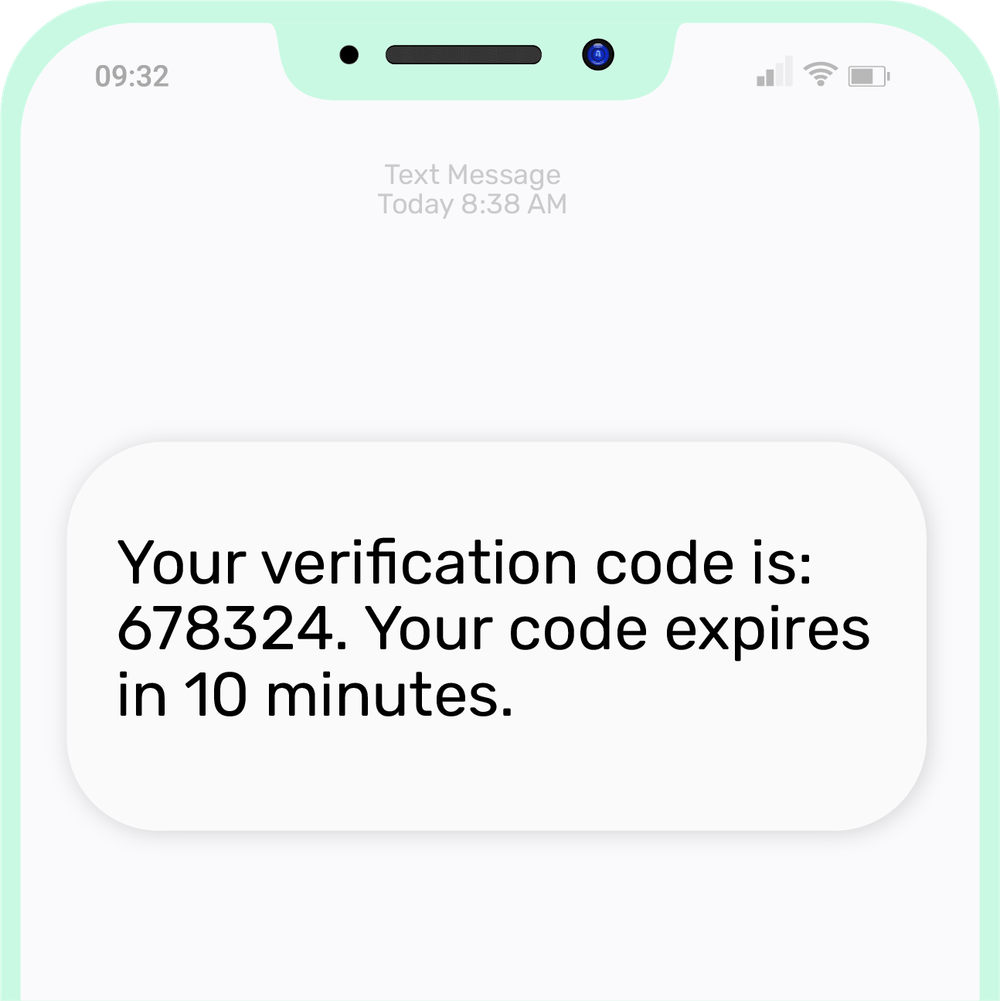
- Security alerts and notifications for fraud detection, suspicious login attempts, and risk notifications to send OTPs and verification codes.
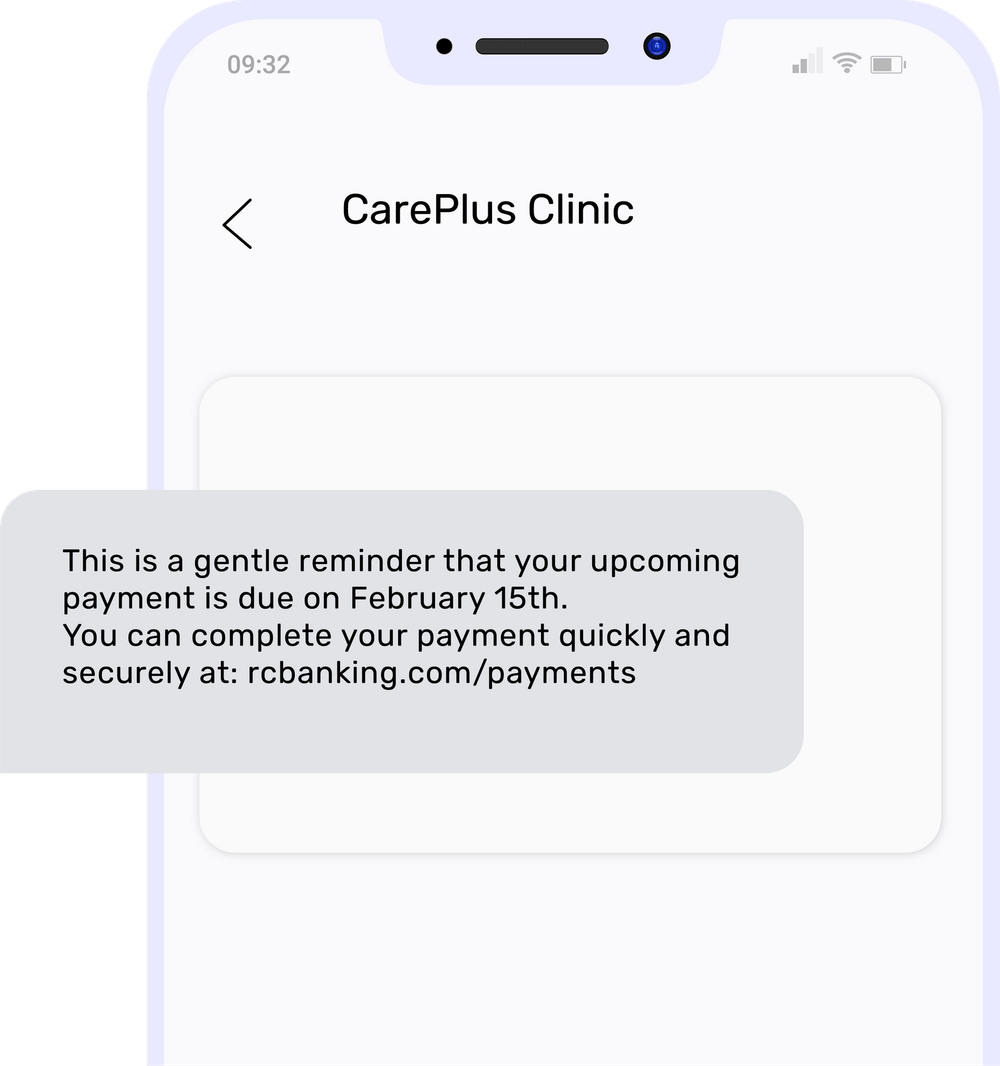
- Billing and subscription updates to send payment reminders, subscription renewals, and invoice notifications to reduce churn and improve payment completion rates.
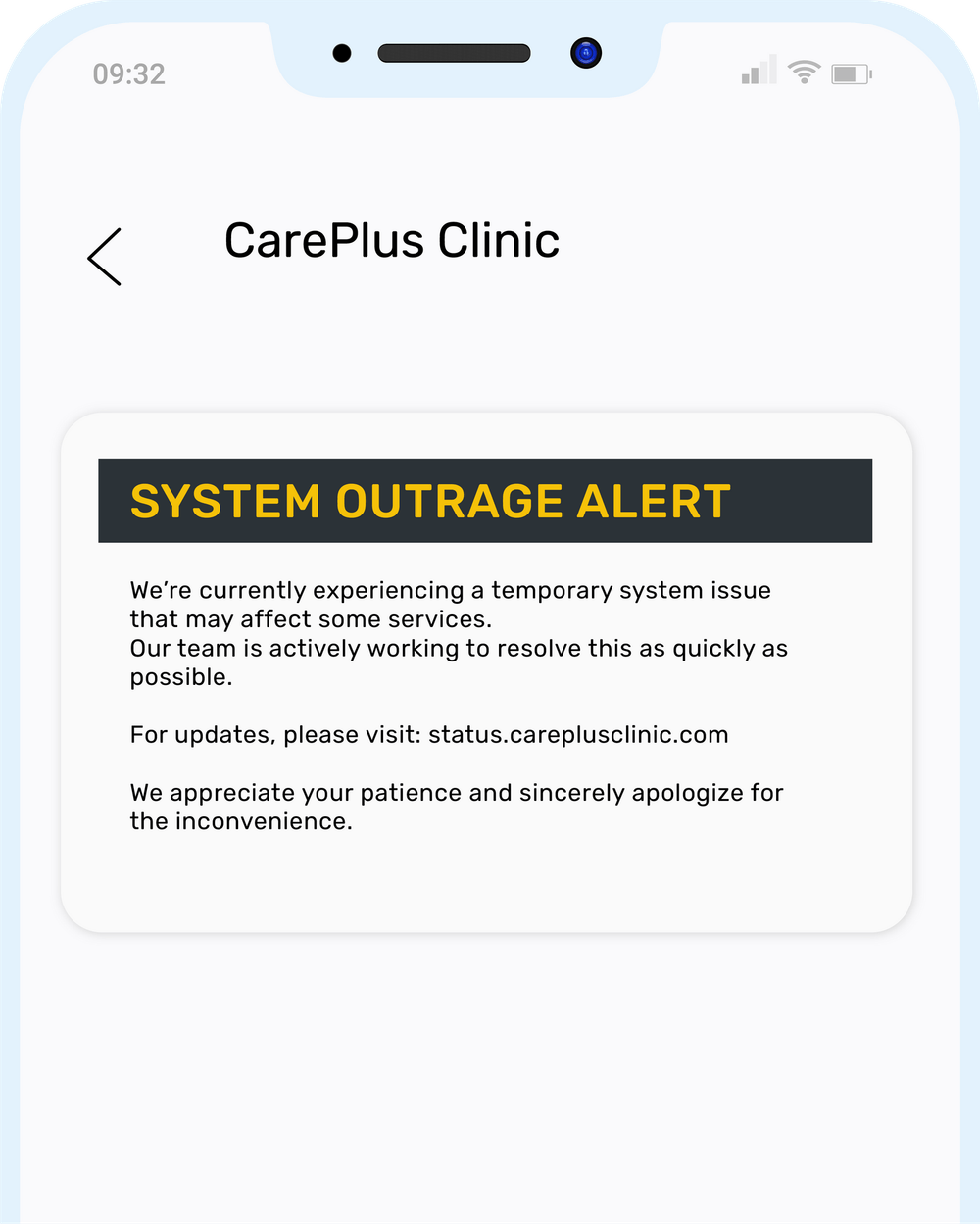
- System monitoring and downtime alerts for platform outages, infrastructure incidents, and service restoration updates.
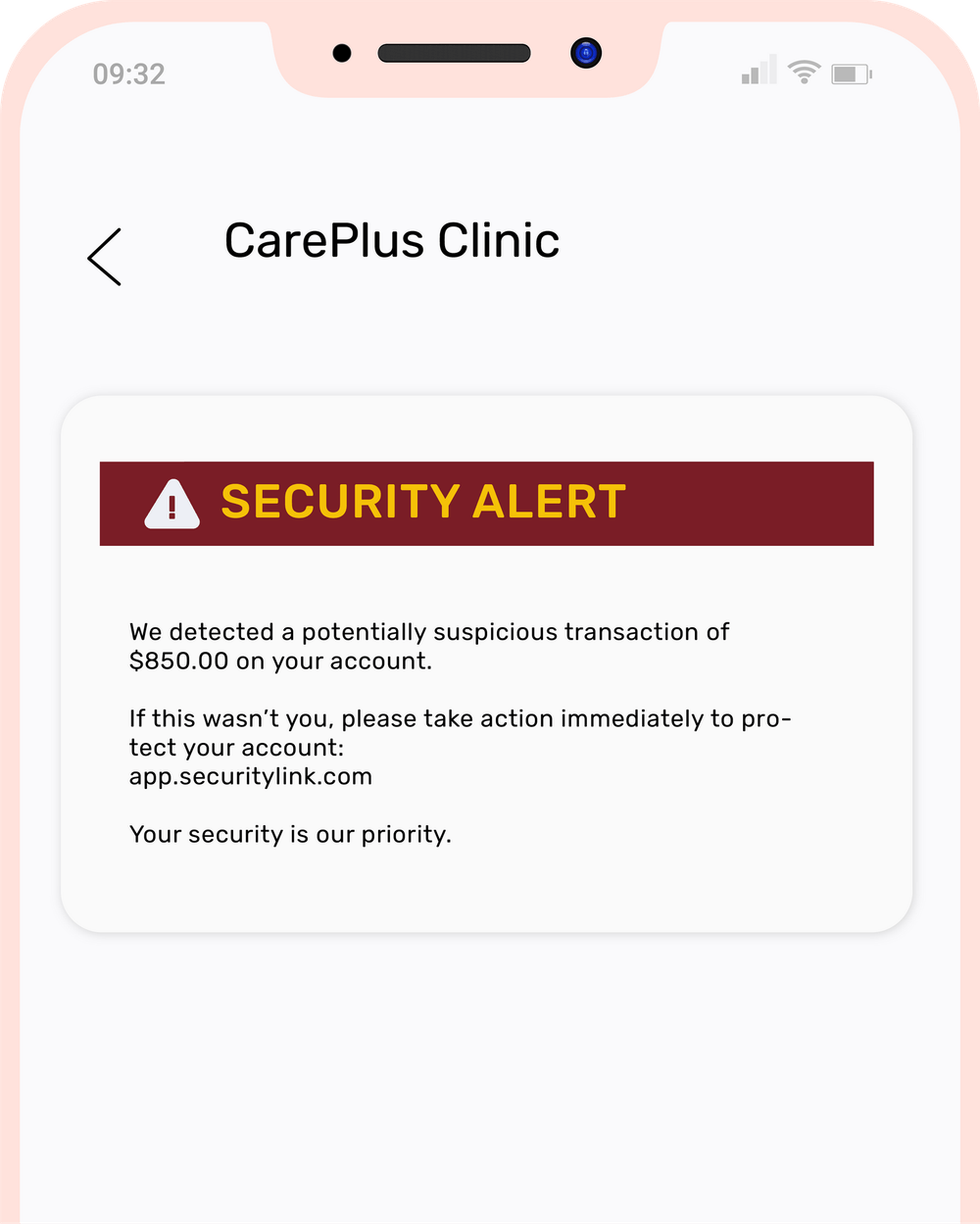
- Critical alerts and time-sensitive notifications to prompt users to take immediate and instant action before a malicious activity occurs
Here are several scenarios of use cases of email-to-text services across industries:
Scenario 1: Operations and Infrastructure Alerts
An infrastructure team relied on automated email alerts for high CPU usage, database replication delays, and failed background checks. Existing monitoring tools typically generated these alerts via SMTP.
However, the issue with this system was that emails were often missed outside business hours, delaying addressing them and response times.
The solution
Instead of adding SMS APIs and increasing the complexity, and changing monitoring tools:
Critical alerts were automatically forwarded as SMS to on-call engineers.
SMTP alerts were routed to TXTImpact email-to-text.
This allows teams to experience faster incident response times, full audit trails for alerts sent, immediate SMS visibility, and easy opt-out for non-critical alerts.
Scenario 2: SaaS Teams and Customer Notifications
A SaaS platform is often used to send transactional emails for scheduled job failures, account status changes, and customer service updates. While email notifications are fine, customers expect SMS alerts and notifications for easy access and responses.
However, the development team didn’t have the resources to duplicate the logic or rewrite the SMS code.
The solution
The SaaS team used the existing SMTP templates and added routing rules to automatically convert specific emails into SMS and send them to customers.
This reduces complexity, allows teams to reuse email templates, improves open and response rates, and provides businesses with easier delivery reporting and compliance management.
While SaaS platforms can leverage SMTP for SMS notifications, the same approach also benefits legacy enterprise systems that were built before SMS APIs existed.
Many of these systems rely solely on SMTP email alerts and cannot directly integrate with modern SMS APIs, HTTP, or SMPP protocols.
💡 Also Read: SMS for IoT: How Machine-to-Machine (M2M) Communication Uses SMS for Real-Time Alerts |
How Legacy Enterprise Systems Can Send Real-Time SMS Alerts via SMTP?
With TXTImpact’s Email-to-SMS gateway, legacy systems can deliver real-time SMS notifications without modifying the original software or writing a single line of code.
By simply configuring the system’s alert email recipient to TXTImpact’s gateway address, critical notifications such as server outages, system failures, security incidents, or industrial equipment alarms can reach engineers, administrators, or clinicians instantly.
Common Legacy Systems That Use Email-to-SMS
1. Infrastructure & Network Monitoring
- Nagios, Zabbix, PRTG, Icinga – Monitor servers, applications, and network devices.
- SolarWinds NPM & NCM, HP OpenView, IBM Tivoli – Generate alerts for outages or configuration changes.
2. DevOps & Build Automation
- Jenkins, TeamCity, Bamboo CI, Buildbot – Notify development teams about build failures or deployment issues.
3. Security Monitoring & SIEM
- Splunk, IBM QRadar, ArcSight, LogRhythm – Detect security threats and generate incident alerts.
4. Industrial Automation & SCADA
- Siemens WinCC, Wonderware, GE iFIX, FactoryTalk, Ignition SCADA – Monitor plant equipment and industrial processes.
5. Backup & Infrastructure Systems
- Veeam, Veritas NetBackup, Commvault, Acronis – Generate alerts when backup or disaster recovery jobs fail.
6. Healthcare & Paging Systems
- Spok, TigerConnect, OnPage, American Messaging Paging Network – Deliver urgent clinical and operational alerts.
By bridging email alerts to SMS, organizations ensure critical notifications are never missed, even in legacy environments where rewriting software or adding SMS APIs is impractical.
💡 Also Read: 40 Legacy Systems that use Email-to-text for sending real-time alerts |
Best Practices For SaaS SMS Notifications via SMTP
While SMTP makes it easier to send SMS alerts and notifications, following these best practices ensures reliable message delivery, regulatory compliance, and a better user experience.
Here are the best practices you must follow when sending SMS notifications via SMTP:
- Prioritise time-sensitive and transactional messages, as SMTP-based text messages work best for sending OTPs, system notifications, and billing updates.
- Implement rate limiting and set limits on message frequency per event or per user to maintain deliverability and prevent spam-like behavior.
- Ensure user consent and opt-in compliance by collecting user opt-ins before sending messages. Also, maintain consent records and respect user preferences to meet regulatory and compliance requirements.
- Handle delivery failures and retries, as SMS delivery may fail due to network issues or carrier restrictions. Implement fallback channels and retry mechanisms to enable guaranteed message delivery.
- Implement event-based triggers that respond to specific user actions or events, such as payment failures, login attempts, and service outages, to ensure relevant, timely messages rather than repetitive texts.
- Secure SMTP credentials and messaging systems using encryption, access controls, and secure storage, protecting user data and preventing unauthorized message sending.
Conclusion
Adding an SMS notification system to your SaaS platform doesn’t have to be complex, require extensive development skills, involve APIs, or require heavy infrastructure. Using an SMTP-based email-to-text messaging system just does the work, reduces operational overload, enables faster implementation, and improves user engagement.
While DIY SMS integrations offer greater control and customization, they aren’t suitable for all businesses and require significant resources and ongoing maintenance.
TXTImpact makes sending email-to-text messages a breeze with a simple, reliable, and efficient solution. It requires zero development skills, and with a few simple steps, businesses can quickly send texts via email. Besides, it offers reliable features such as two-way messaging, compliance management, global coverage, reporting, and flexibility.
So, whether you want to send appointment reminders, server monitoring alerts, or loan process notifications, TXTIMpact helps businesses achieve their messaging goals. Start a free trial today or contact us to learn more.
Frequently Asked Questions
♦ Are SMTP-based SMS notifications used for marketing campaigns?
SMTP-based SMS or email-to-text messaging is primarily used and recommended for alert-based and transactional messaging. However, platforms like TXTImpact also enable businesses to run large-scale promotional campaigns through their email-to-SMS messaging service.
♦ Does email-to-text service support two-way messaging?
Yes, email-to-SMS services provided by a reliable platform, like TXTImpact, support two-way messaging, allowing users to reply to SMS sent by businesses to receive responses via email, which is text-to-email messaging.
♦ Can email-to-text messaging handle high message volume?
Yes, email-to-text services can support moderate to high message volume, depending on the service provider’s infrastructure.
♦ Do users need internet access to receive email-to-text alerts and texts?
No, SMS or text messages are delivered through mobile carrier networks, enabling recipients to receive texts without an internet or Wi-Fi connection.
♦ How secure is sending texts via SMTP?
TXTImpact ensures the highest level of security with its email-to-text messaging service through encryption, access controls, and secure SMTP configuration, preventing unauthorized message delivery.
About the Author:
 | Rahul Kumar (Marketing Specialist) Rahul Kumar is a Digital marketer with 7+ years of experience in SEO, AEO,SMS marketing, WhatsApp marketing, SaaS, and WordPress. He has led successful growth campaigns for startups and tech brands, combining data-driven strategies with compelling content. His work has been featured on top SaaS blogs, and he’s known for turning complex ideas into high-converting digital strategies. |