Introducing TXTImpact Omnihub: New Platform Launch, Features & Login Experience Explained

As businesses grow, communications get more complex and difficult to manage. Handling multiple campaigns, channels, reports, and user roles can quickly get overwhelming and cumbersome.
This is where TXTImpact is excited to introduce TXTImpact Omnihub.
TXTImpact Omnihub introduces a new, improved messaging platform with advanced features designed to meet modern communication needs and help businesses deliver an enhanced customer experience.
With this update, users may also notice a small but critical change: a new login experience that offers two options to log in to the new dashboard.
In this article, we’ll walk you through what Omnihub is, the features and benefits it offers, and how the new login process works, so you don’t have to worry about it.
Key Takeaways:
|
Jump to: |
What is TXTImpact Omnihub?
TXTImpact Omnihub is our next-generation messaging platform designed to unify, simplify, and scale business communication from a single, centralized dashboard and environment.
It’s more than just a simple redesign. It’s a complete modernization of our platform with an upgraded dashboard and a streamlined interface to meet modern messaging needs.
TXTImpact Omnihub brings together campaigns, automation, real-time conversations, analytics, and user management, eliminating the need to switch between multiple dashboards. At its core, we have designed Omnihub to support modern, multichannel messaging.
Whether you’re managing two-way customer conversations, sending bulk SMS campaigns, integrating APIs, or tracking performance metrics, you can perform all actions within a single connected ecosystem. This simplified and unified approach ensures better visibility, ease, and control across your communication campaigns and workflows.
As a future-ready platform, Omnihub’s architecture is built for scalability, reliability, enhanced performance, and channel expansion, ensuring your business can efficiently navigate and manage the evolving business communication landscape.
Key Features and Enhancements in TXTImpact Omnihub
TXTImpact Omnihub introduces advanced messaging capabilities, beyond traditional messaging features, helping businesses meet modern communication requirements.
Here are the new features you can experience with TXTImpact Omnihub for your business:
1. Faster, unified dashboard
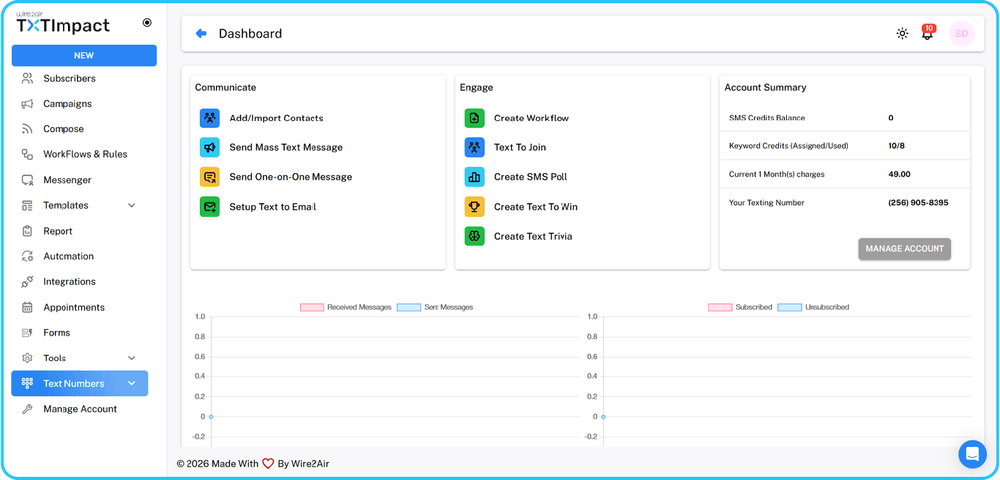 Omnihub offers a faster, modern dashboard with a centralized command center that provides access to conversations, campaigns, analytics, and automation tools from a single interface. This significantly improves navigation, reduces friction, and helps teams work faster without switching modules.
2. RCS Business Messaging
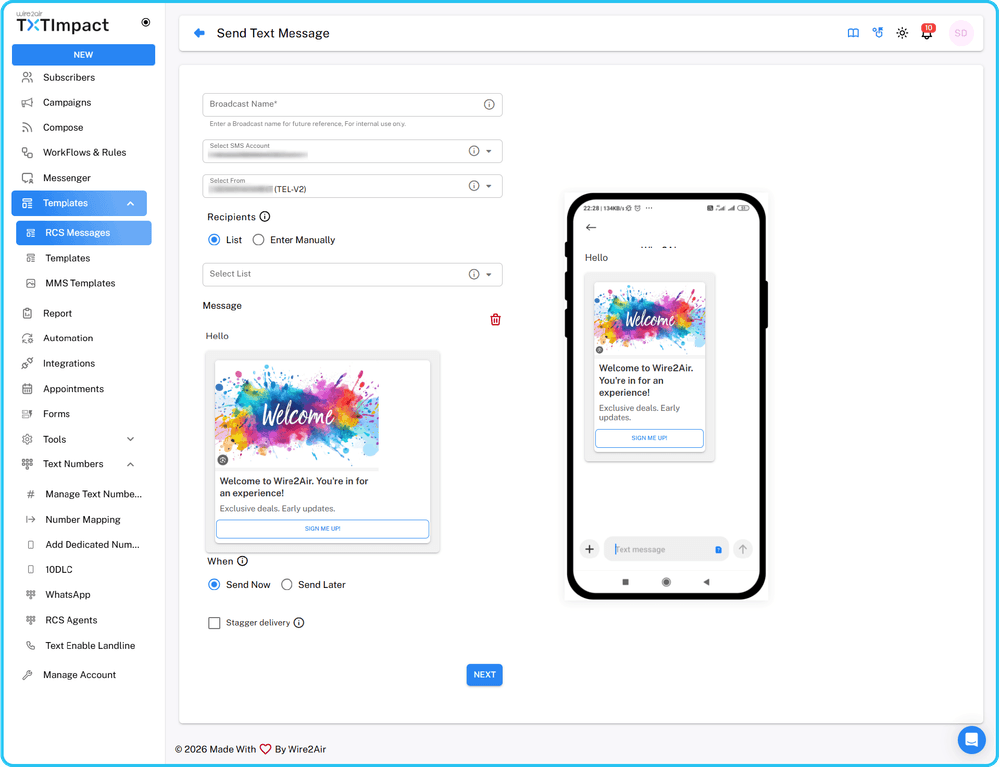 One of the key features of TXTImpact Omnihub is RCS Business Messaging, which enables businesses to send media-rich, interactive messages to customers in their native messaging apps.
Unlike traditional SMS, RCS allows businesses to include branded sender profiles, suggested reply buttons, high-resolution images and videos, carousels and rich cards, and real-time engagement tracking, enabling businesses to offer an app-like experience directly within users’ messaging inboxes.
3. RCS Agent registration
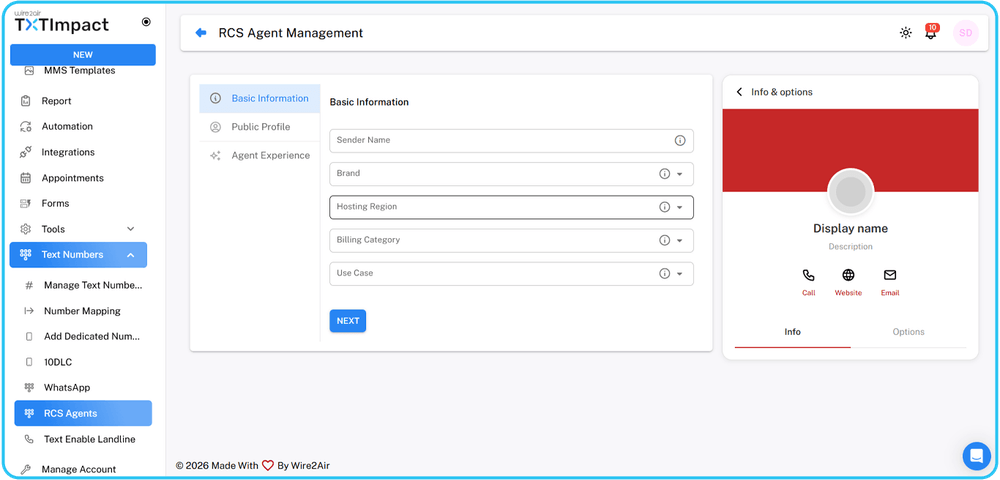 To ensure secure and verified communication, Omnihub supports RCS Agent registration, allowing businesses to register and verify their brands and display brand logos and verified checkmarks.
This enables authenticated sender profiles and helps build customer trust and business reputation, thereby improving engagement and message deliverability.
4. WhatsApp Business Integration
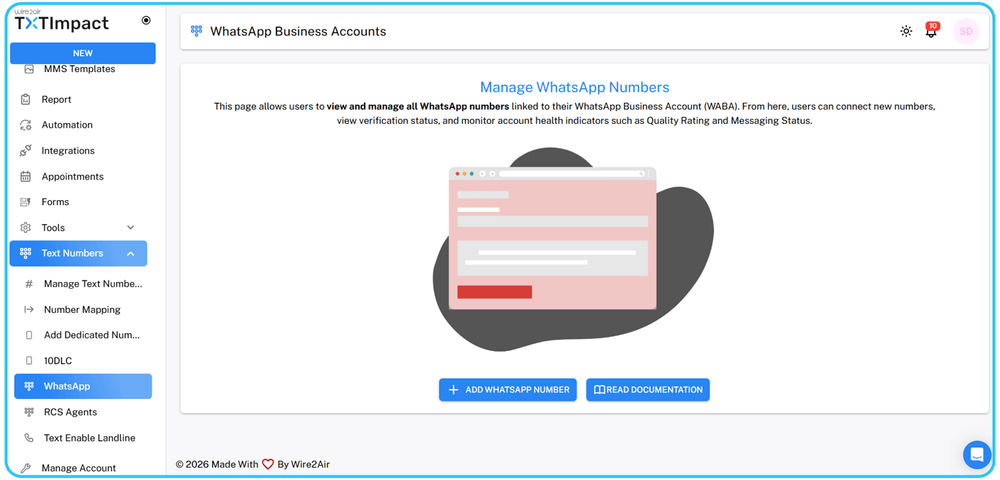 With WhatsApp Business integration, you can engage with customers via WhatsApp within Omnihub’s centralised dashboard for seamless Multichannel activity.
With WhatsApp integration, companies can send updates and notifications, automate workflows, manage two-way conversations, and deliver multimedia content with ease.
5. Outlook Add-in
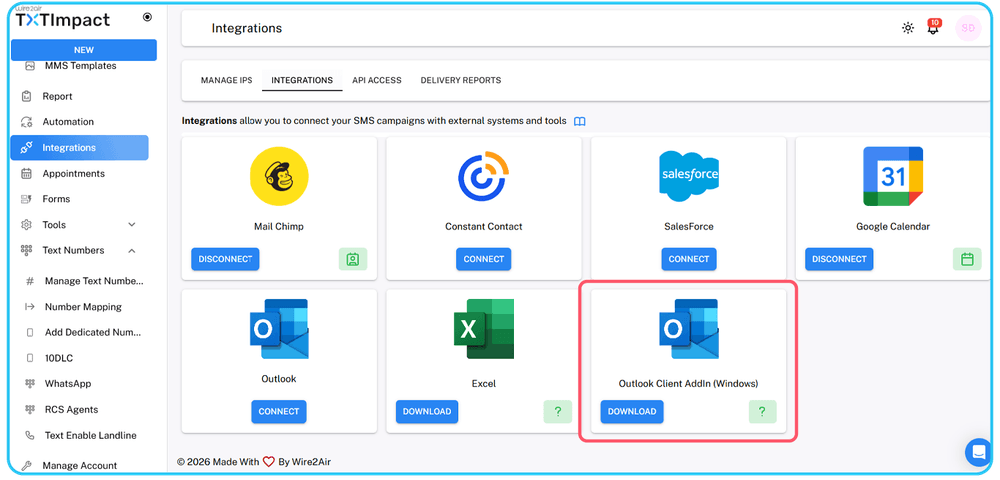 The Outook add-in enables users to send SMS directly from Microsoft Outlook inboxes. This helps bridge the gap between email workflows and SMS communication, without requiring additional tools.
This feature is particularly useful for IT alerts, appointment reminders, customer notifications, and internal communications, making it easier to send and receive messages directly from email inboxes.
6. Custom domain registration
Omnihub supports custom-branded domain registration, strengthening brand credibility and allowing businesses to use their own branded URL.
This helps the brand improve click-through rates, improve trust and recognition, and maintain brand consistency across campaigns, essential for brands that focus on brand integrity and phishing prevention.
7. AI Assist
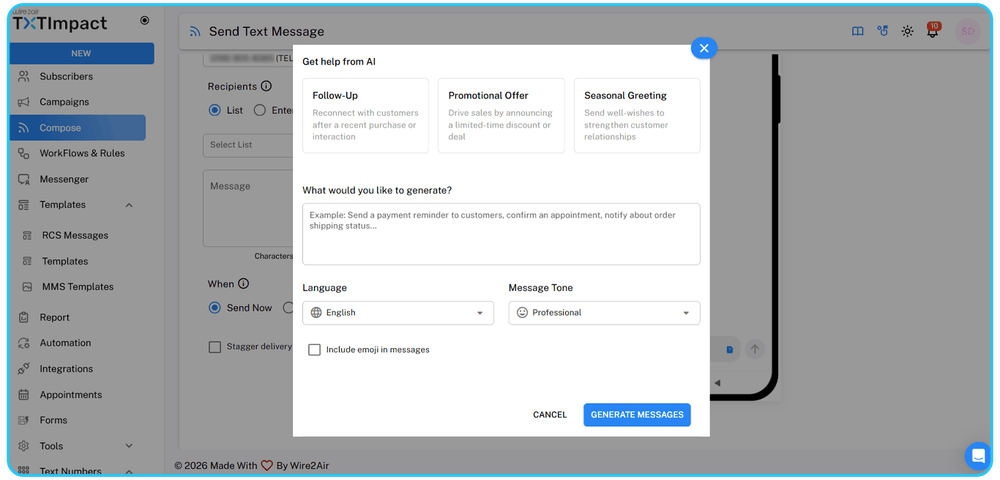 Omnihub offers an AI-powered message generator, called AI Assist, to help teams effortlessly create and optimize SMS, RCS, or WhatsApp messages instantly.
The AI message generator suggests message variations, optimizes the message's tone, length, and language as needed, improves clarity and engagement, and helps save time for marketing and support teams.
8. Drag-and-drop workflow builder
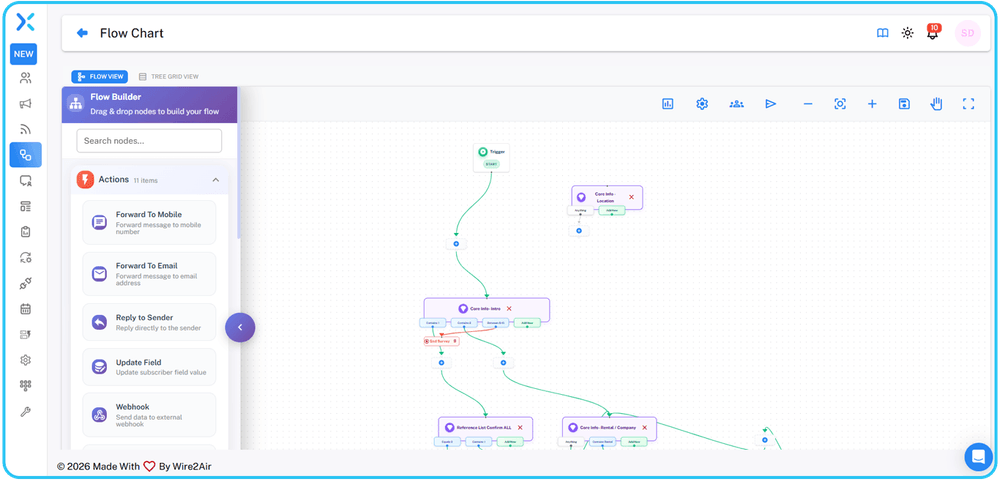 Omnihub’s drag-and-drop workflow builder helps businesses create automated journeys with an intuitive interface. It allows businesses to design multi-step workflows, automate follow-ups, create branding logic, set conditional triggers, and integrate system events.
Hence, without any technical expertise or coding skills required, the builder provides advanced, accessible automation for technical and non-technical users.
9. Built-in 10DLC and campaign registration with AI-Wizard
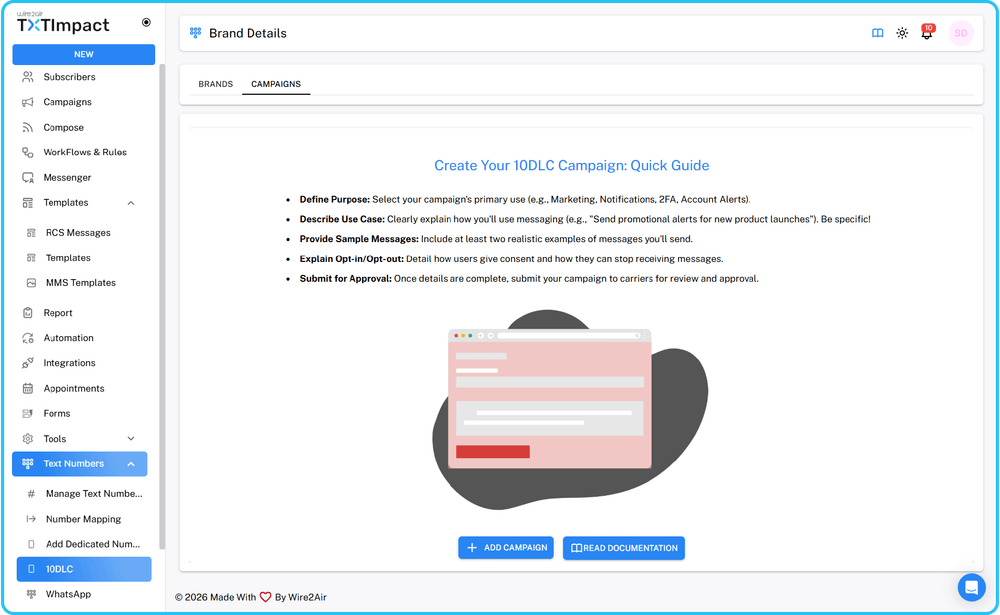
Omnihub simplifies, accelerates, and streamlines regulatory compliance with built-in 10DLC registration tools powered by an AI Wizard. This feature makes it easier for brands to register A2P campaigns seamlessly and error-free, track approval status, submit brand details, and ensure carrier compliance without unnecessary hassle.
With the AI Wizard, brands can complete their 10DLC registration in a smooth, streamlined, and error-free manner. It also provides intelligent recommendations based on the brand details and campaign objectives to improve registration accuracy and approval chances.
By embedding the registration process directly within the platform, Omnihub removes the complexity, manual effort, and delays typically associated with regulatory approvals.
10. HubSpot integration
Omnihub offers HubSpot integration, enabling seamless CRM-driven messaging, allowing businesses to trigger messages based on CRM events, sync contact data, track communication history, and automate follow-ups.
This strengthens alignment between sales, marketing, and customer support teams.
11. Call forwarding
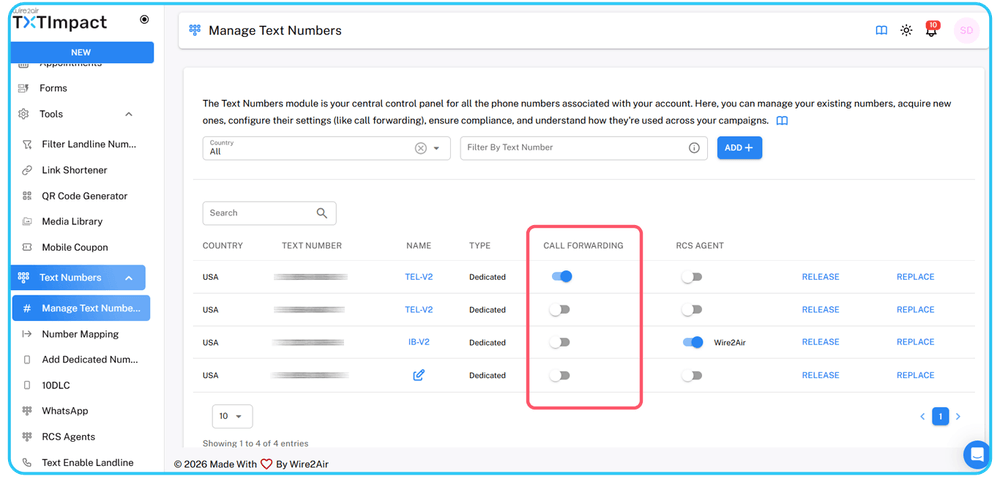 TXTImpact Omnihub supports call forwarding to efficiently route inbound voice conversations, enabling better response management, improved customer experience, seamless redirection to relevant items, and centralized communication handling.
12. In-app help center
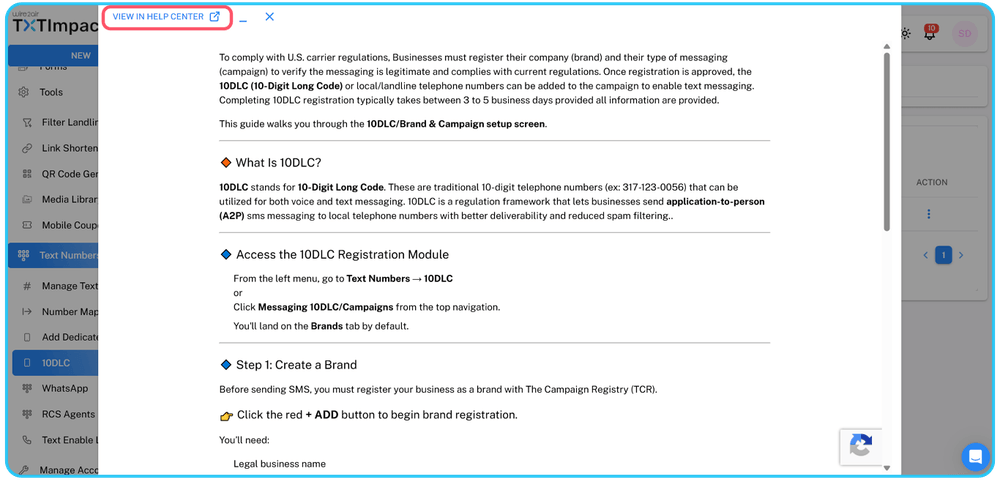 Omnihub supports in-app help directly within the platform, eliminating the need for users to dig through extensive documentation.
With in-app help, you can access contextual guidance, find support articles instantly, view tooltips and walkthroughs, and get assistance without leaving the dashboard.
13. Unified API for multi-messaging
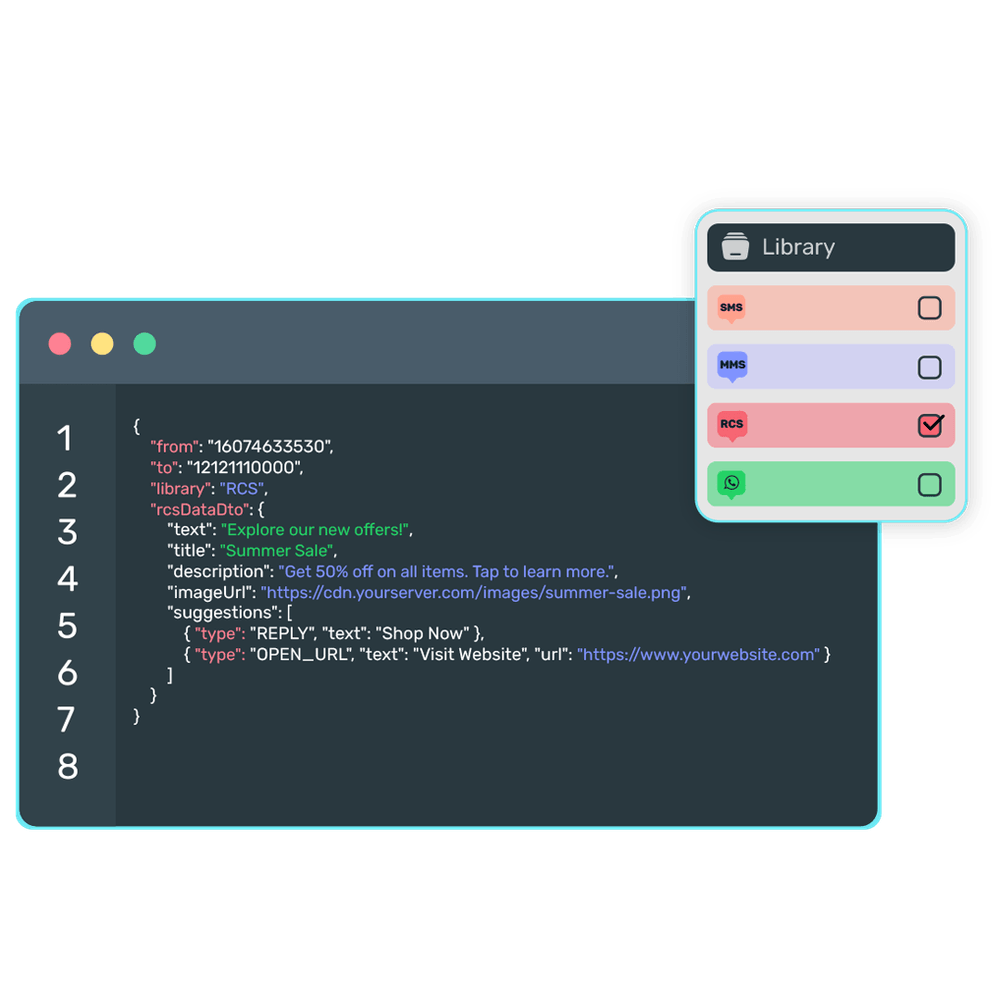 Omnihub offers a unified Developers API that allows businesses to manage SMS, RCS, and WhatsApp messaging through a single API integration layer and dashboard.
This eliminates the need to maintain separate APIs for different channels, enabling developers to streamline workflows, scale messaging operations, and reduce integration complexity.
14. Outdated list cleanup
Businesses also get an outdated list cleanup feature that automatically identifies and removes invalid, inactive, and unengaged contacts from the subscriber list.
This significantly improves deliverability rates, enhances compliance, reduces messaging costs, and ensures that messages are sent to the right audiences and are responsive.
Understanding the New TXTImpact Login Process
After the launch of TXTImpact Omnihub, users may see an important change/update when accessing their accounts: a redesigned login experience. While the change may look minimal at the surface, it reflects a major architectural upgrade behind the scenes.
When users go to our login page, they’ll see two login options: Wire2Air Classic dashboard and TXTImpact Omnihub.
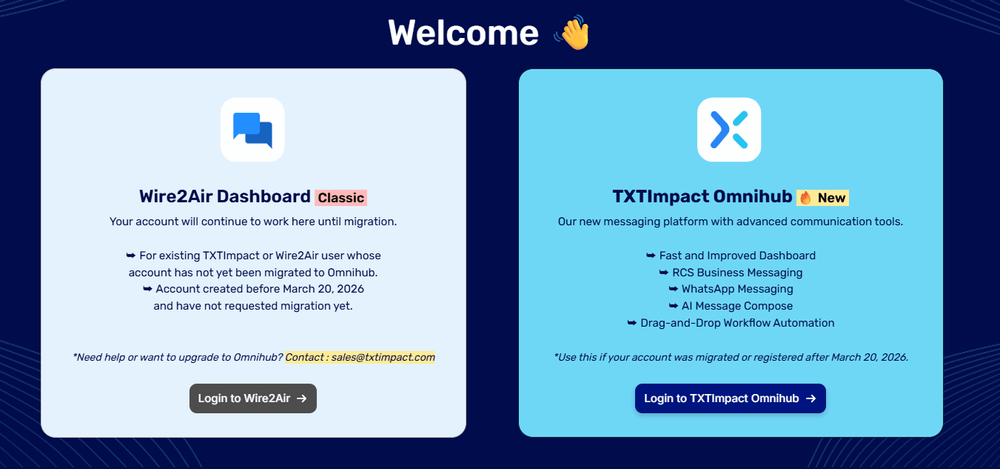
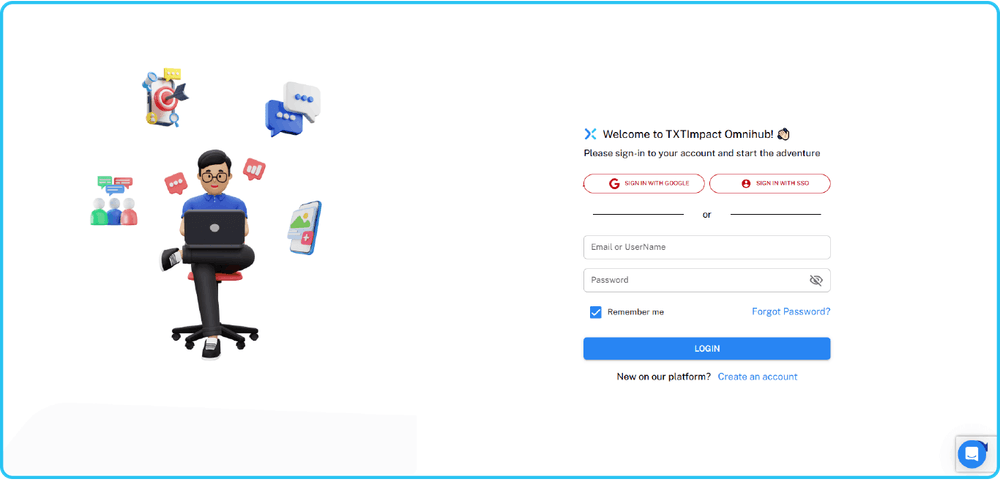
Firstly, let us try to understand why two separate login options.
Omnihub is built on a modern architecture that operates separately from the legacy platform and environment. A separate architecture and login process ensure security, stability, and performance during the transition from the older version.
The separate login flows allow:
- Smooth migration without service disruption
- Enhanced security segmentation
- Independent system performance optimization
- Future-ready scalability
Thus, instead of focusing on an immediate switch, TXTImpact provides users with a controlled, seamless, and flexible transition experience.
The question then arises, which login should you use?
Users who want to continue operating in the existing platform environment or whose accounts have not yet been migrated to the new platform should use the old Wire2Air Classic dashboard.
At the same time, new users or users who have migrated to the new platform should use or log in to the new TXTImpact Omnihub dashboard. However, we strongly encourage all users to switch to the new platform to leverage the Omnihub channel and its features better.
This dual login setup ensures that users’ accounts remain stable while they transition accounts at the right time.
Here’s why you should choose to migrate to TXTImpact Omnihub:
- Ensures seamless transition with minimal disruption
- Ensures operational continuity by eliminating forced downtimes or account lockouts
- Enhances security and account authentication
- Supports role-based access management, better account isolation, and MFA
How to Migrate from Classic Dashboard to New TXTImpact Omnihub?
If you’ve been using the Wire2Air Classic dashboard, which has supported messaging operations over the years, it’s time to transition to the new and enhanced TXTImpact Omnihub platform, whose modern infrastructure is designed to meet today’s communication needs.
Data continuity and security are a priority for TXTImpact.
Hence, to ensure operational consistency, we help teams transition all their crucial data lists, reports, and APIs securely from the old to the new platform without risks of downtimes or data loss.
Benefits of Moving to TXTImpact Omnihub
TXTImpact is built on a modern, future-proof architecture designed to help businesses evolve their business communication operations in response to the changing landscape.
What makes it unique and more effective than other tools is its continuous innovation through incremental feature releases, UI improvements, performance enhancements, and the addition of new messaging capabilities and tools over time.
This upgraded backend infrastructure, alongside technical enhancements, significantly improves UI and user experience, offering intuitive navigation, a cleaner dashboard, and streamlined workflows, reducing operational complexity and making business communication a breeze for businesses of all sizes.
Designed for high reliability and scalability, Omihub efficiently supports growing teams, complex automation needs, and increasing campaign volumes while maintaining long-term platform stability.
Thus, TXTImpact Omnihub is highly beneficial for your business, especially if you’re looking for an innovation-driven, stable, secure, scalable, and flexible business communication solution.
Conclusion
It was time for us to upgrade our platform, and we delivered with TXTImpact Omnihub, which meets the evolving needs of modern business communication.
With a faster, unified dashboard, built-in compliance tools, advanced Multichannel capabilities, enhanced automation, AI-powered assistance, and an intuitive workflow builder, Omnihub is designed to simplify complex messaging operations while delivering an excellent customer experience.
While our new dual login experience ensures a smooth and secure transition, migrating from the old Wire2Air dashboard to the new Omnihub platform unlocks the full potential of modern business communication, enabling you to leverage the reliability, scalability, security, and innovation your business needs today to stay ahead of the game.
Whether you’re an existing user or a new user, opt for our Omnihub channel and explore with a free trial or contact us to get started today.
FAQs
♦ Will I lose access to the Wire2Air Classic dashboard after migrating?
After migrating to Omnihub, your primary campaigns and operations will shift to the new dashboard. Hence, access to the Classic dashboard may be limited or phased out entirely depending on your migration status.
♦ Does Omnihub support multi-user account management?
Yes, Omnihub supports centralized user management with role-based permissions, enabling teams and administrators to control access levels and maintain security accounts efficiently.
♦ How secure is Omnihub?
TXTImpact Omnihub is built on a modern, secure architecture with enhanced authentication, support for MFA and role-based access, and account isolation, ensuring high security and data protection standards.
♦ Can I customize workflows without technical expertise?
Yes, the drag-and-drop workflow builder makes it easier for both technical and non-technical users to create automated workflows and messaging journeys without writing code.
♦ Can I test Omnihub before fully switching?
Yes, we allow businesses to explore Omnihub through a free trial and guided demos, so they can make a confident decision before migrating.
♦ Who should I contact if I face login issues?
If you experience login issues or face difficulty understanding which dashboard to use, you can reach out to our support team at TXTImpact for immediate assistance and clarification.
♦ Does migrating to TXTImpact Omnihub require additional fees or charges?
No, we don’t charge an additional fee to migrate your account from the old to the new Omnihub platform. Our team ensures a smooth transition process through your existing plan.