Employee Call-In Sick Texting Service for Businesses
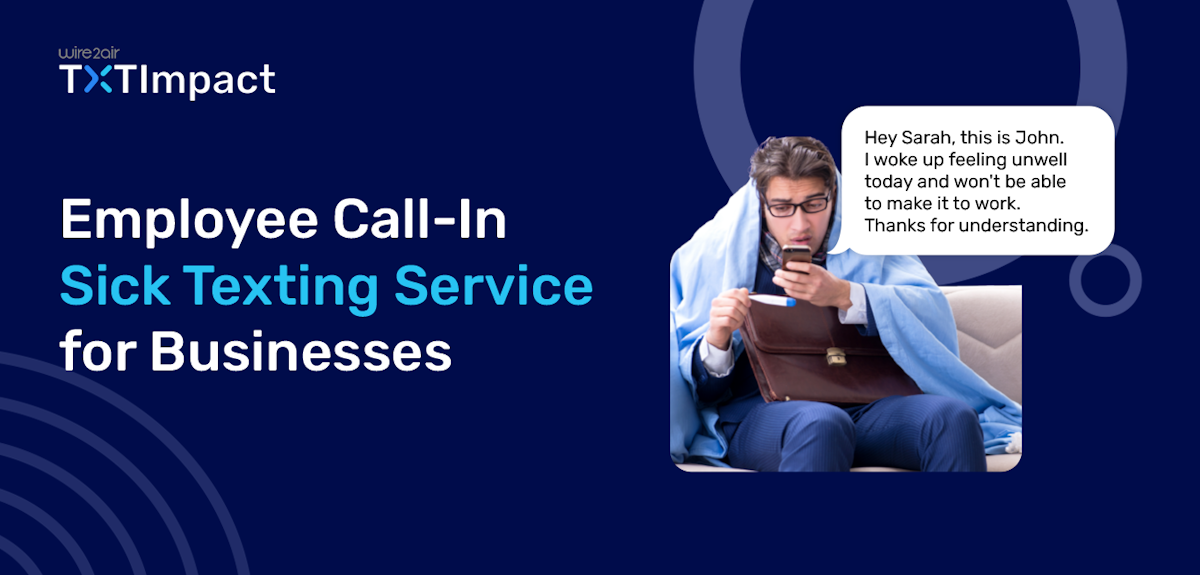
Sickness is inevitable, and when an employee calls in sick, managing absences and workload efficiently is critical to keeping things running smoothly. Managers and business leaders need to maintain productivity, schedule shifts, and ensure smooth business operations.
Traditional call-in sick procedures often lead to missed calls, delayed updates, and additional administrative work for HR teams and managers. What if we could automate this process and provide a seamless, efficient way for employees to apply for sick leave and for managers to manage absences with minimal hassle?
This is where an employee call-in-sick texting service comes into play. With real-time attendance tracking, automated notifications, and workflow integrations, SMS-based employee absence reporting is especially valuable for businesses, helping improve workforce communication and attendance management.
In this article, we’ll explore the key importance and benefits of a call-in sick texting service and the best SMS service you can choose to improve your business communication and productivity.
Key Takeaways:
|
What is the Employee Call-in Sick Texting Service?
An employee call-in sick texting service is an SMS-based communication solution that allows employees to report absences, sick leave, or late arrivals through text messaging instead of sending emails or making phone calls.
This system typically allows employees to text keywords, such as ‘SICK’ or ‘PTO’, to a dedicated business number. The platform then automatically records the request and sends a confirmation message to the appropriate manager or HR personnel in real time. Some advanced systems also trigger workflows, such as attendance updates, shift replacement alerts, or leave approvals.
Businesses can use this service to simplify attendance reporting, improve workforce coordination, and automate notifications, especially useful for businesses with remote, frontline, and shift-based employees.
Why do Businesses Need a Sick Leave Texting Solution?
Traditional call-in sick processes require employees to contact supervisors directly, leave voice notes, or wait for confirmation. This created several problems, such as
- Missed messages
- Communication gaps
- Voicemail issues
- Delays in finding shift replacements
- Scheduling delays
A sick leave texting service eliminates these challenges and provides a much faster and more organized reporting process for businesses. Here’s why businesses need a call-in sick texting service:
- Faster employee communication: SMS notifies supervisors instantly, without waiting for anyone to call. SMS is faster, easier to send, and more reliable during emergencies or busy work hours.
- Enhances the employee experience: Several employees prefer texting over calls, allowing them to report absences discreetly and receive immediate confirmation, improving communication and reducing misunderstandings.
- Improved attendance tracking: A texting service automatically records absence reports, timestamps, and employee details in a centralized system, eliminating the need for manual tracking through emails, spreadsheets, or paper records.
- Better workforce scheduling: A sick leave texting solution allows managers to react promptly by finding staff replacements and adjusting schedules. This also helps maintain operational workflow, reducing downtime and improving efficiency.
- Improved compliance and documentation: Automated sick leave reporting creates digital employee records, helping businesses maintain compliance with attendance regulations, labor policies, and HR procedures.
- Improved automation compared to traditional methods: Unlike traditional systems, SMS-based systems support automation, such as escalation workflows, auto-acknowledgements, attendance tracking, and shift replacement allocation, making staff handling and operational management a breeze.
- Creates a modern employee experience: The call-in sick SMS service provides a fast, mobile-friendly solution that modernizes workplace communication and streamlines internal coordination, demonstrating business value and improving employee accessibility.
How does TXTImpact’s Employee Sick Texting Service Work?
TXTImpact provides an intuitive text-to-email service that helps businesses simplify absence reporting by allowing employees to text in sick rather than make phone calls. Here’s how this service works and helps streamline communication between employees and businesses.
Step 1: Employees text in sick
Employees text in sick and report absences by simply sending a text message. A quick message like these work best:
|
Businesses can either assign a toll-free number for sick leave or text-enable their existing business landline number for easier employee access.
Step 2: TXTImpact receives and routes the message
Once the employee sends the message, TXTImpact instantly captures and routes it to the appropriate supervisor, manager, HR department, or shift scheduling team. Depending on the configuration,TXTImpact can forward the messages directly to mobile devices, email inboxes, TXTImpact Omnihub Messenger, or internal communication tools.
This ensures that the designated management is informed of the leave immediately and can respond quickly to staffing changes.
Step 3: Automatic confirmation responses
TXTImpact automatically sends confirmation replies to employees upon receiving the sick leave message. This reassures employees that their absence notification was successfully delivered and documented.
An automated response also helps reduce follow-ups, misunderstandings, and communication confusion.
An example of auto-response includes:
“Your absence has been reported successfully. Please rest and feel better.”
At the same time, managers and supervisors can respond directly to their employees via email or the TXTImpact dashboard. Similar to text-to-email, an email from the manager will automatically be sent as an SMS to the employee via the email-to-text service.
Step 4: Attendance records are stored automatically
All sick leave text data is stored safely in the cloud for future reference and reporting purposes. Businesses can maintain accurate documentation, review absence history, and create audit trails for workforce management and HR compliance.
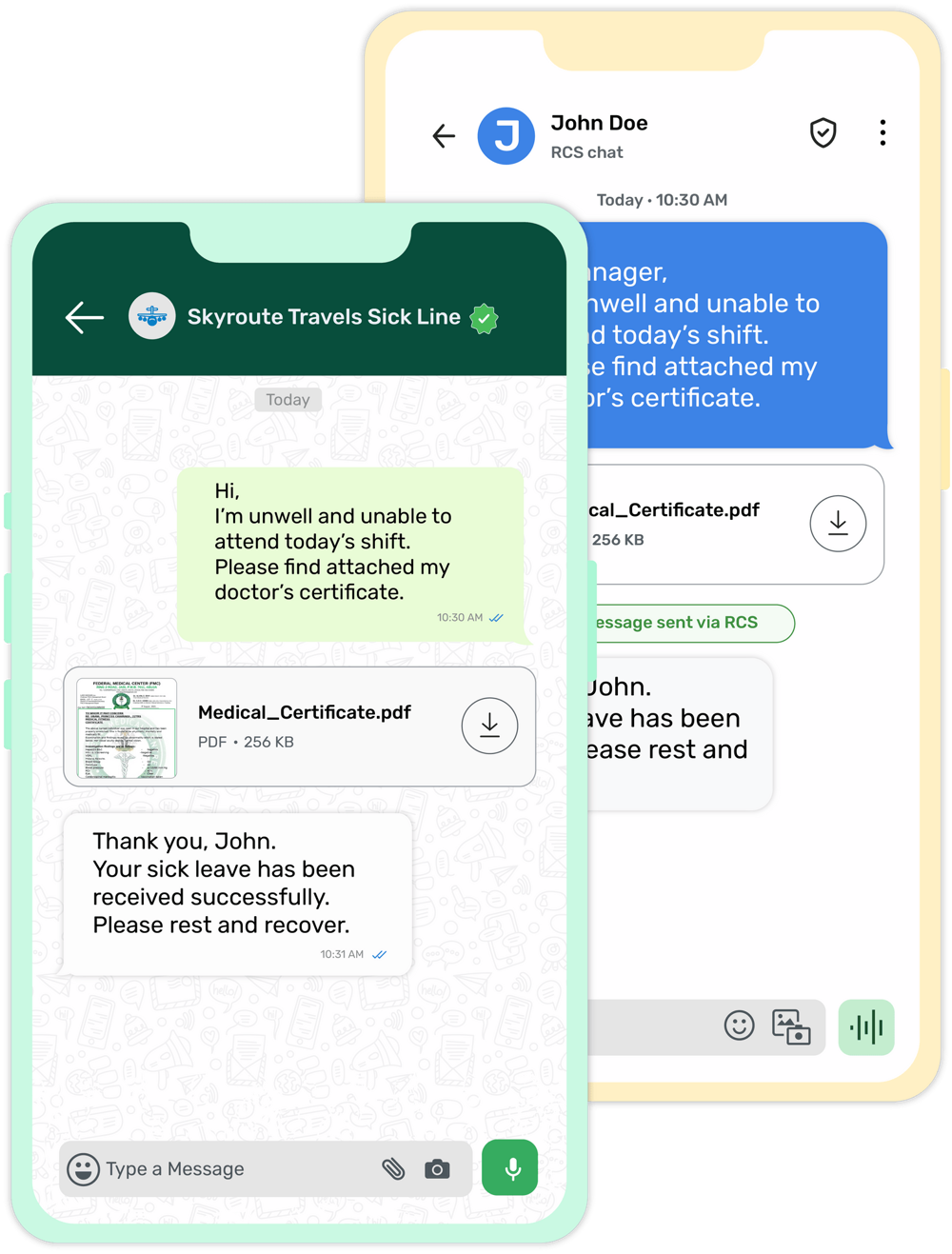
TXTImpact Multichannel Call-in Sick Texting ServiceWhat makes TXTImpact highly efficient and different from other platforms is its support for additional messaging channels such as RCS and WhatsApp, along with capabilities like RCS-to-Email and WhatsApp-to-Email, enabling rich media and interactive communication. By adding these channels, businesses can provide employees with more convenient ways to report absences. Employees can also attach images or PDF documents, such as medical certificates or doctor's prescriptions, as supporting proof when notifying managers or other authorized personnel about their sick leave. |
Employee Sick Text Message Examples or Templates Businesses Can Use
1. Standard Call-in Sick Text Example
This is the most common type of sick leave message used in corporate workplaces, offices, and other business settings.
These messages are direct, simple, and provide clear communication without unnecessary details.
Examples include:
“Good morning! I’m sick and unable to report to work today. I will keep you updated if I need additional leave.”
“Hi X, I have a fever and won’t be able to attend work today. Sorry for the inconvenience.”
2. Shift Worker Call-off Example
Shift-based industries like logistics, manufacturing, healthcare, and customer service often require employees to specify their shift times to schedule appointments more quickly.
Including shift details helps managers quickly identify coverage gaps and arrange replacements faster.
Examples include:
“Hi, I’m unwell and unable to attend my 7 AM warehouse shift today.”
“Hi, I won’t be able to cover my overnight shift tonight because I’m sick.”
3. Last-minute Sick Text Example
Sometimes employees become ill unexpectedly before a shift begins. In such cases, urgent and concise communication is important. Last-minute notifications help businesses start replacement planning immediately.
Examples include:
“Hi, I’m suddenly feeling sick and won’t be able to make it to work today. Sorry for the short notice.”
“Apologies for the last update, but I’m too unwell to report for today’s shift.”
4. Automated Confirmation Message
Automated SMS confirmations reassure employees that their text has been received successfully and logged into the system. These automated responses improve communication transparency and reduce follow-ups.
Examples include:
“Your sick leave request has been received successfully. Please rest and recover.”
“We have received your sick leave notification for today’s shift. Get well soon.”
5. Retail Employee Sick Text
Retail businesses often manage customer-facing employees and rotating shifts, making quick communication essential. Retail managers can use these alerts to adjust staffing levels during busy hours.
Examples include:
“Hi, I’m feeling sick and unable to work my afternoon retail shift today.”
“I won’t be able to report to the store today due to illness. Sorry for the inconvenience.”
6. Restaurant Staff Call-Off Text
Hospitality and restaurant businesses rely heavily on shift coverage, especially during peak dining hours. Quick staff notifications allow restaurant managers to arrange backup staff and avoid service disruptions.
Examples include:
“I’m running a fever and cannot report for my serving shift today.”
“Sorry for the short notice, but I’m too unwell to work my kitchen shift tonight.”
How Managers Can Respond to Employee Sick Texts?
An effective employee call-in sick texting system is not just about receiving absence notifications; it also helps managers respond quickly, maintain workforce continuity, and keep attendance records organized.
1. Auto Acknowledgments
One of the most crucial features of a sick leave texting service is automatic acknowledgement messages. When an employee reports an absence, the system can instantly confirm that the message was received successfully.
This provides reassurance to employees and minimizes the need for follow-up calls or repeated texts.
Besides, it helps save managers’ time and creates a more professional, organized workflow for businesses.
2. Shift replacement coordination
Finding a replacement is one of the biggest challenges businesses face after receiving a sick leave notification. SMS automation helps managers streamline shift replacement decisions and communication in real time. Once an employee texts in sick, the system can automatically:
- Notify backup staff
- Send across open shift alerts
- Request volunteer shift coverage
- Confirm replacement availability
- Update schedules instantly
This process significantly minimizes scheduling delays and maintains operational workflow and continuity.
3. Escalation workflows
In some cases, employee absences may require urgent managerial action, particularly in industries such as manufacturing, healthcare, logistics, and customer support, where staffing shortages can directly impact operations.
Escalation workflows automatically notify additional supervisors, operations managers, or HR teams if:
- A manager does not respond within a set timeframe
- A critical shift remains uncovered
- An employee reports an emergency absence
- Multiple employees report being absent simultaneously
Automated escalation helps businesses avoid delays and respond faster to operational risks.
4. Attendance documentation
Accurate attendance records are essential for payroll processing, HR compliance, internal reporting, and workforce analytics. A texting-based sick leave system automatically documents all employee absences in a centralized platform.
Every interaction can be recorded with a timestamp, attached documents, employee name, message content, approval status, and manager responses.
Automated documentation ensures that companies maintain transparent, organized, and easily accessible attendance records while minimizing administrative workload for management and HR teams.
Industries That Use Employee Sick Texting Services: Use Cases & Examples
Industry | Purpose/use case | Examples |
Restaurants | Quickly notifies managers about unavailable delivery personnel or kitchen staff during busy shifts. | “Hi Chef, I’m sick and unable to work tonight’s dinner shift.” |
Retail | Inform retail and store managers of staff absences and arrange replacements for floor coverage or cashier positions. | “Hi, I’m unwell and won’t be able to cover my afternoon retail shift today.” |
Healthcare | Notify supervisors immediately of any absences by caregivers, nurses, or other medical staff to ensure continuity of patient care. | “I’m feeling unwell and unable to attend my ICU shift tonight.” |
Logistics | Alert operations managers or dispatchers about unavailable drivers or delivery staff. | “SICK - Unable to complete my delivery route today due to sickness.” |
Construction | Inform site managers about workers’ absences to handle crew schedules and job site safety. | “Hi, manager, I’m sick and won’t be able to report to the construction site today.” |
Warehousing | Inform warehouse managers about shift absences to avoid operational slowdowns. | “Hi, I’m sick and unable to attend my morning warehouse shift today.” |
Hospitality | Report sick leave for housekeeping teams, hotel staff, and front desk employees to maintain guest service operations. | “Hi Manager, I’m unwell and calling it a day off. I won’t be attending today’s front desk shift.” |
Field service businesses | Help repair staff, technicians, or field agents report absences before customer appointments. | “I’m unwell and hence won’t be attending today’s service appointments.” |
Best Practices for Implementing a Sick Texting Service
Here are some best practices for implementing a sick leave texting service in your communication workflow.
- Create clear sick leave reporting policies: Define when and how employees must report sick leave, including reporting deadlines, required information, and approved communication channels. Clear absence reporting policies reduce confusion and ensure consistency across the organization.
- Provide a simple texting process and instructions: Make sick leave reporting easier for employees by allowing them to send keywords such as ‘SICK’ or ‘LATE’ to ensure timely communication and improve employee participation.
- Automate acknowledgements and notifications: Set up automated confirmation texts when employees report sick, letting them know their absence report was received. At the same time, instant alerts to HR teams and managers help businesses respond quickly to staffing changes.
- Train employees and managers: Educate teams on how the sick leave texting system works, including proper message formats, response processes, and escalation flows, to ensure smooth adoption across the business.
- Maintain compliance and audit trails: Protect employee communication and attendance records by using secure messaging processes and proper access controls. Ensure that the process aligns with labor laws and workplace privacy requirements.
Conclusion
Be it medical emergencies or an unexpected viral fever, one cannot control sicknesses. However, what you, as a business, can control is how efficiently you manage teams and operational workflows when an employee calls in sick to avoid disruptions and downtimes.
And this is where the employee call-in sick texting service plays a highly beneficial role. With automated processes, attendance reporting and tracking, and a better workforce management system. With this service, businesses can provide employees with a seamless, efficient way to report absences while improving shift management and maintaining accurate documentation.
To facilitate sick leave reporting, TXTImpact provides a reliable text-to-email service that allows employees to send a sick leave request directly from their mobile device, with the request then delivered to a specific business email.
If you’re looking to automate a sick leave texting service for your business and improve its operational efficiency, start a free trial with TXTImpact or simply contact us to get started.
FAQs
♦ Can businesses use their existing phone number for sick leave texting?
Yes, businesses can use and text-enable their existing landline or toll-free number, or use a dedicated SMS number, for employee sick leave text communications.
♦ Can employees call in sick through WhatsApp or RCS messaging?
Yes, platforms like TXTImpact support RCS and WhatsApp messaging in addition to text messaging, enabling employees to include rich media and documents, such as prescriptions and medical certificates, when reporting absences via SMS.
♦ Is SMS sick leave reporting better than email for urgent absences?
Yes, unlike emails, SMS has a higher open rate and is typically read faster, making it more effective for urgent and time-sensitive communication, such as absence reporting.
♦ How do managers receive employee sick texts?
Managers can receive employee sick leave notifications via SMS, email, the TXTImpact dashboard, or integrated internal communication tools for real-time visibility and faster response times.
♦ Can staff text a business landline?
Yes. TXTImpact allows businesses to text-enable existing toll-free or landline numbers, making it easier for employees to send sick leave messages to familiar business contact numbers.
About the Author:
 | Tejal Sushir (Content Writer) Tejal Sushir is a content writer with 4+ years of experience writing fresh and insightful content for B2B SaaS companies. She has delivered top-performing and top-ranking blogs in the SMS marketing, Digital Marketing, web hosting, AI & ML, cybersecurity, WordPress, HR Tech, and technical SEO domains. Her meticulous research when writing content ensures industry expertise and keeps up with emerging trends. |