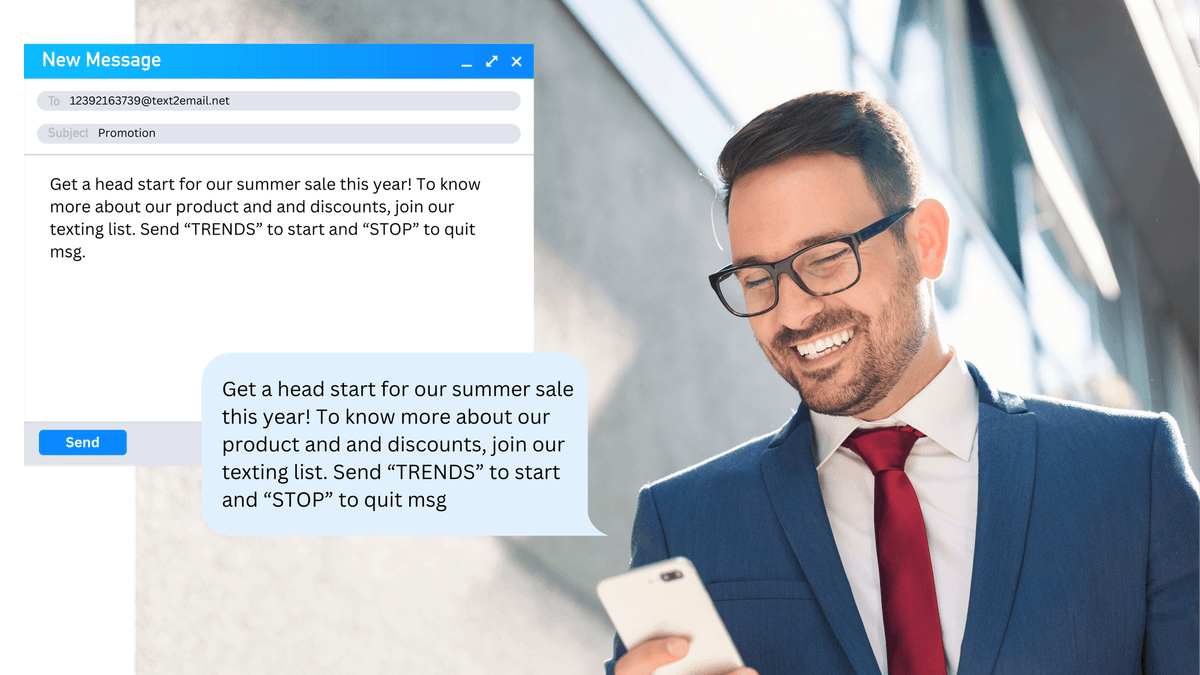
Based on your Sender ID preference, TXTImpact automatically converts your email into the most suitable messaging format i.e., Text/sms, MMS, RCS or WhatsApp messages — ensuring maximum reach, engagement, and cost-efficiency.
Send Text from email and receive replies back to your email address.

Receive and revert to text messages directly from your email inbox.
Include a custom signature to every outgoing text message.
Remove Signature:
Auto-remove common email signatures to keep text clean.
Attach documents (PDF) or images to your text messages.
Convert Longer Text to MMS
Email messages over 160 characters convert automatically into MMS
Custom Sender ID
Personalize the sender name for brand consistency.
Global Coverage
Send messages worldwide,
regardless of carrier.
Message Delivery Confirmation
Get notified when a message delivery fails.
Auto-Reply Setup
Set up automated responses to incoming messages.
Keyword-Based Routing
Automatically forward messages based on keywords.
SMS to Email Forwarding
Automatically convert SMS replies into email responses.
Character Limit Alert
Auto-trim email content if the text exceeds the SMS character limit.
Message History and Logs
Keep a record of sent and received messages for tracking.
Email Domain Whitelisting
Restrict message sending to a specific email for security.
Message Archiving
Store old messages for future reference or compliance.
Want Faster, Smarter Business Communication?
Get instant SMS delivery via email with TXTImpact’s Email to Text Service. Replies go straight to your inbox—no extra apps needed!
Multi-Channel Compatibility
As messaging evolves beyond traditional SMS, so does TXTImpact. Our Email-to-Text service now works seamlessly across multiple channels:
Email to MMS
Send long emails with images or media as rich messages at only 2 text credits
Email to RCS
Deliver interactive, branded, and rich RCS messages with buttons and via email
Email to Whatsapp
Transform emails into verified, high-engagement WhatsApp messages
Based on your Sender ID preference, TXTImpact automatically converts your email into the most suitable messaging format i.e., Text/sms, MMS, RCS or WhatsApp messages — ensuring maximum reach, engagement, and cost-efficiency.
How Our Email to Text Service for Businesses Works ?
Easily send business texts or SMS from any email client without worrying about costly integrations or carrier compatibility issues.

No development skills needed to integrate
As long as your application can send an email, it can also send text messages with the help of TXTImpact.
Grant access to the whole company
Provide your entire team access to the email to SMS service and share account credit.
Track every message with SMS reports
Check your sent message history, delivery, and open rates from the SMS reporting page(Link this to trackable links)
Remove email footers and signatures
There is no need to send email signatures and footers in the SMS - we remove them for you.
Benefits of Email to Text (SMS)
Improve engagement rates
Be there for your customers when your competitors aren’t. Email to Text allows you to respond to requests in real time.
Flexibility
You can use email to SMS to send a variety of messages, including text alerts, appointment reminders, and customer support updates.
Save crucial time
Writing messages on a keyboard is easier and faster. Also, sending and receiving text messages via email will help you avoid distractions.
Streamline customer communication
Reply to customers in seconds, not minutes, from our Email to Text feature. Validate emails before contacting to save time.
Send time-sensitive messages
Notify subscribers or employees of emergencies in real time by using email to text message services directly from your email inbox.

Choose Your Business Texting Number
Two-way messaging with local number for high volume needs.
Nationwide reach with high throughput for mass communication campaigns.
Utilise your existing landline or VoIP number for texting.
Start Your Free Trial – Send Your First Text from Email Today!
● No Credit Card Required, ● No dev skills, ● No hassle. Just real-time results.
What Does the Email to SMS Service Look Like?
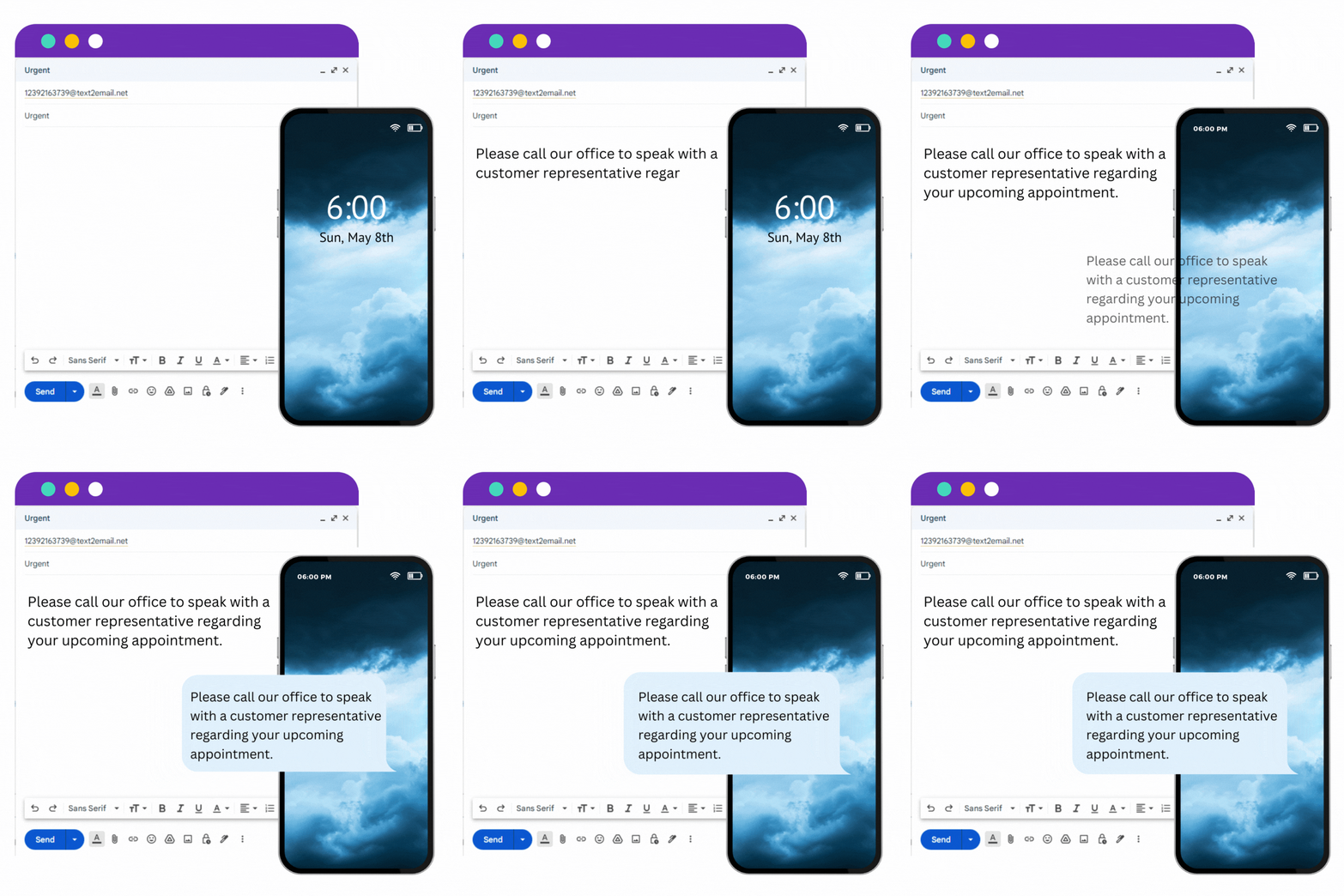
See how customers and clients will receive your emails as SMS messages. TXTImpact easily converts your email content into a text message that they can read instantly on their mobile devices.

Appointment Reminders
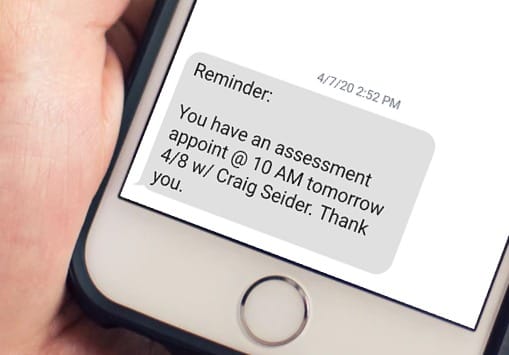
Stop patient no-shows using automated appointment reminders through text.

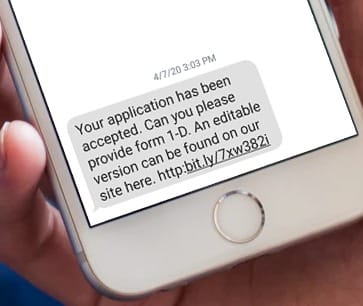
Loan Process Notifications
Send reminders to customers when loan applications have been accepted or if they need to provide further documents.

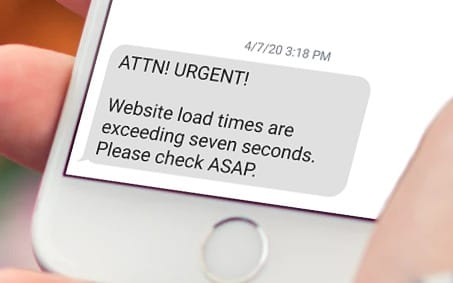
Server Monitoring Alerts
All server monitoring systems come with email notification, which makes it easy to add text alerts.
Who Can Benefit from Sending Texts from Email?
Call centers
Rather than wasting time on the phone, call center employees can communicate in a way that is convenient for both parties.
Help Desks
Help desks can do everything over text that they can with e-mail. This means pictures, links, and more.
Law Firms
Law firms have the ability to send documents and formal statements over text the same way they could over e-mail.
Insurance Agents
Insurance agents can communicate with a vast numbers of clients, sending pictures and documents over text.
Claims Adjuster
Adjusters can keep in contact with those involved in claims and ask for and provide documents with customers easily.
Mortgage Agents
Being the middle-man becomes easier when you can send your clients texts rather than e-mails they might not check for a few days.
Financials
Send information at the request of the customer and include formal documents with them.
Educational Institutions
Update students and faculty on operating statuses or events that are upcoming.
Realtors
Rather than spending all day on the phone, talk to your customers in a way that they can easily respond.
What You Get with TXTImpact’s Text Messaging via Email?
Longer Texts
Support text messages longer than 160 characters
Worldwide Coverage
Access to 800+ carriers, 200 countries to send and receive text messages.
Intelligent Interfaces
Supports HTTP & SMPP interface for sending and receiving text messages
Text Enable Landline
Use existing business landline or Toll-Free Number
Live Reports
Real time delivery reports available for analysis and dissection.
Reporting Tools
Extensive online reporting tools for information gathering.
Discover other Text Messaging Services by TXTImpact
Improve communication internally and with customers using TXTImpact Global business text messaging services.
Send and receive mass text messages seamlessly to large groups via our user-friendly, web-based platform.
Start a conversation or respond to the customers using a web-based text Messenger application.
Receive text and MMS messages as an e-mail and send replies as a text message!
Outlook Text Messaging Service allows users to send SMS Text Messages to colleagues and customers from Microsoft Outlook 2007, Outlook 2010, and Sharepoint 2010.
Reduce your customer no-shows with automated text appointment reminders and follow-up systems and increases your bottom-line revenue
Send automated recurring text alerts on a preset schedule. Send same message or a different from the message pool. Ideal for daily verse, payment, medication reminders.
Send text messages to over 800 operators in over 200 countries and reach billions of mobile users.
Convert website visits, allow customers to initiate a text conversation with your business right from the website.
TXTImpact's app enables businesses to send text messages to any person or group using the iOS or Android app.
Send personalized mass text messages from within Excel without logging into our online SMS Marketing platform!
How to send a text message from your email account?
Read our dedicated blog below for a detailed and easy guide on how to send texts or SMS directly from your email.
Frequently Asked Questions
What is an email to SMS service?
Email to SMS is a system that turns your email into text messages, allowing you to send texts right from your regular email account.
Can I send an email to SMS to a group of people?
Yes, using TXTImpact’s email-to-text service, you can send a text message via email to a group of people by simply adding contacts or the recipients' phone numbers into the “To” field in your email account, similar to sending a BCC email. We also keep each recipient’s contact details confidential. It’s another way we thoroughly follow privacy and compliance guidelines.
How do I forward an email to a text message?
You can send a new email or forward an existing one as a text message using TXTImpact’s email to text service. Just sign up, enable the email to text feature, and use your email client. In the 'To' field, enter the recipient’s phone number in the format: [email protected]. The subject/body of the email will be delivered as a text message to their phone.
How do I remove my email signature when sending a text message via email?
TXTImpact’s gateway automatically eliminates email signatures when exceeding the text message character limit, or you can do it manually, too.
How can I send SMS from email to a mobile number?
You can easily send an SMS from your email to any phone number using TXTImpact’s email-to-text service. Simply sign up with TXTImpact and avail the email-to-text feature. Then, open your email client, enter the recipient’s phone number followed by @text2email.net in the 'To' field, and type your message in the subject line or body to send it as a text.
Can I receive replies to my email-sent texts?
Yes, all text replies get reflected in your email inbox, creating seamless two-way communication without switching platforms.
Is it possible to automate text messages sent from email?
Yes, you can set up scheduled texts, auto-replies, and keyword triggers via TXTImpact’s mass texting feature.
Do I need to know the recipient’s carrier to send a text via email?
No, TXTImpact’s robust system finds the carrier automatically; you just need their phone number and send messages in this format: [email protected]. TXTImpact gateway routes through the carriers and gets your job done.
How do i convert an email to a text message
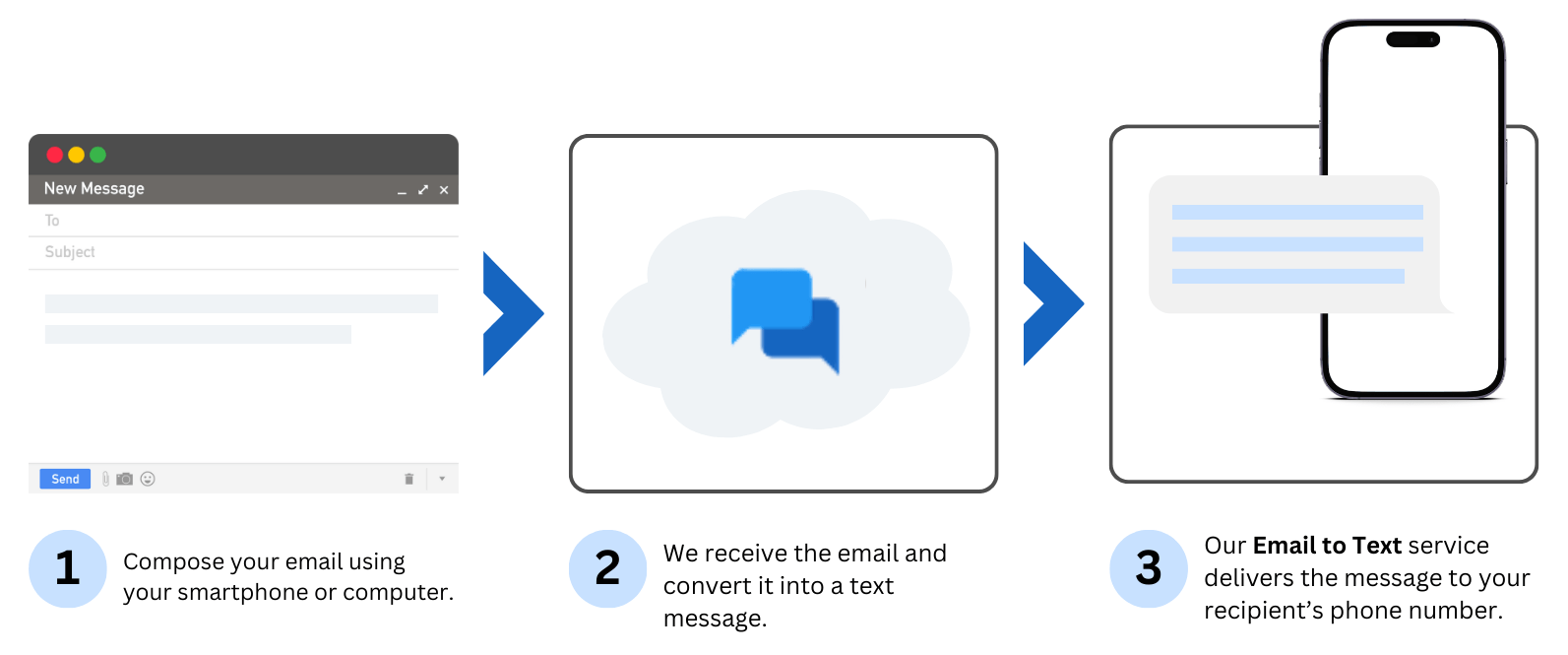
To convert an email to text message you need to use TXTImpact's email to text service. All you have to Signup to txtimpact > Configure Settings and start sending email from your smartphone or computer. The emails will converted into text by TXTImpact and delivered it to the recipients as text message on their phone number.
What happens when an email exceeds the traditional 160-character SMS limit?
If your email is longer than 160 characters, TXTImpact automatically converts it into an MMS instead of using costly concatenated SMS. While concatenated SMS can send up to 1,000 characters (with each segment costing 1 credit), Email-to-MMS delivery costs just 2 credits and ensures your entire message is delivered without trimming, cutting, or losing meaning.
Ready to get started 🎉
Contact us or sign up for a free trial now.