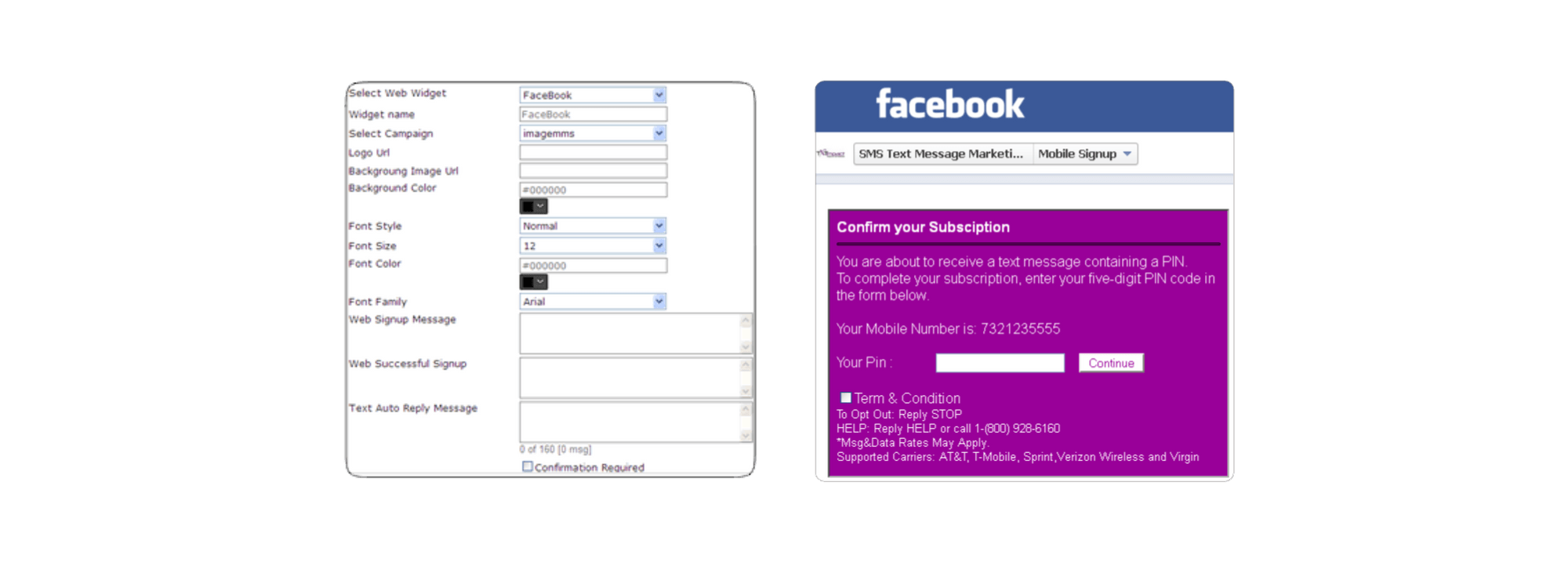
Facebook Signup Widget
Now your Facebook fans can join a mobile opt-in list directly from the Facebook.
Create a Facebook mobile signup form in just a few clicks.
Step-by-step instructions: How to add a sign-up form to Facebook pages.
- Generate Web widget html code for your campaign
- Logon to Facebook
- Click on following link “Static HTML: iframe tab” to install static html iframe tab.
- Allow or Click on “Add static HTML: iframe tabs” to allow facebook to add tab on your page
- Now click on “Edit Page – Update Info”
- Click on “Apps”
- From listed Apps, click on Edit Settings on ” Static HTML: iframe tabs” App
- Update Custom tab name to “Mobile Signup” or whatever you like
- Now go to welcome cover or welcome tab and click on Mobile Signup Icon
- Now, you can Edit on Public Content tab and paste generated web widget html code in the window
- Repeat same step for Fan page