Types of RCS Business Messages, Formats, Examples, and Categories
Businesses are moving beyond plain text messaging and adopting the advanced Rich Communication Services (RCS) messaging to offer a personalized and interactive messaging experience to their customers.
RCS enhances communication for businesses, enabling them to share compelling and visually engaging images and videos that better engage and interact with customers. This, along with other RCS features, makes RCS a popular and growing business messaging platform for businesses worldwide.
This article specifically focuses on the various types of RCS messages, with examples ranging from simple RCS messages to rich cards for distinct use cases. And we’ll see how these messages help brands boost sales and conversions.
Jump to: |
What is RCS Messaging?
RCS, or Rich Communications Services, is a next-generation messaging platform that upgrades SMS messaging, allowing businesses to send interactive messages beyond text.
With RCS, businesses can include images, videos, audio, GIFs, carousels, quick-reply buttons, links, and more within messages to boost engagement and customer interaction.
Besides rich media elements, RCS also allows brands to send branded messages with a verified business identity that includes the business name, logo, tagline, and branded colors. This ensures a consistent brand presence and recognition, boosting customer trust and
reducing spam and phishing risks.
Here are some key RCS features that differentiate it from SMS:
Rich media support, including images, carousels, and videos
Interactive buttons and quick and suggested replies
Verified and branded sender’s profile with business authentication
Calendar integration and location sharing
Typing indicators and read receipts for insightful feedback
Works in a native messaging application with no app download required
Two-way conversations with live agents and chatbots
💡 Also Read: RCS vs SMS differences |
Understanding the RCS Message Structure
Unlike SMS, RCS delivers rich and interactive messaging experiences with UI elements that drive actions and engagement. Here are the key elements that a typical RCS message includes:
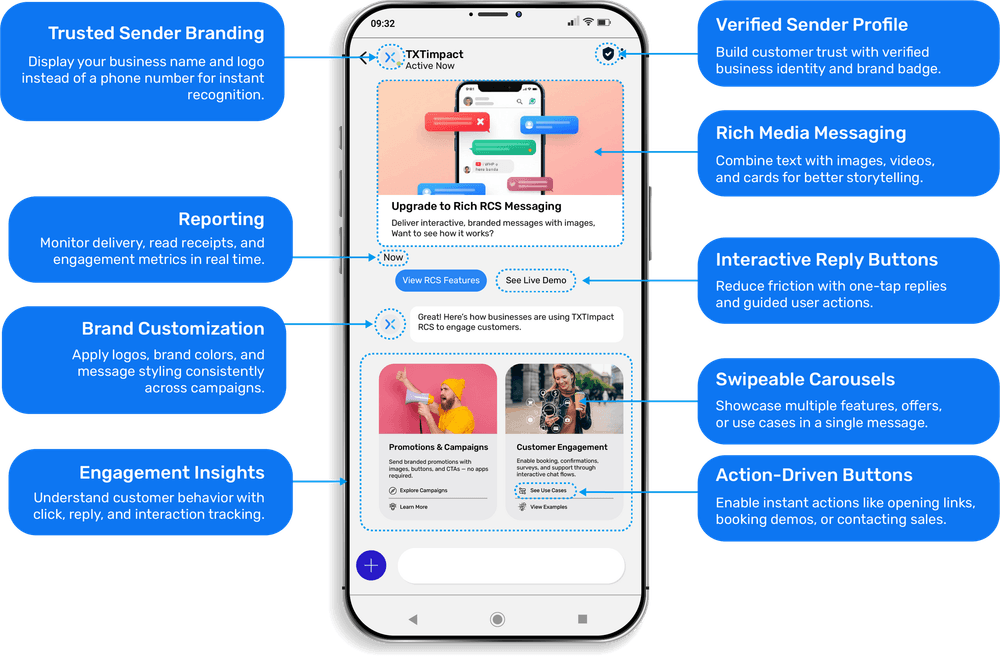
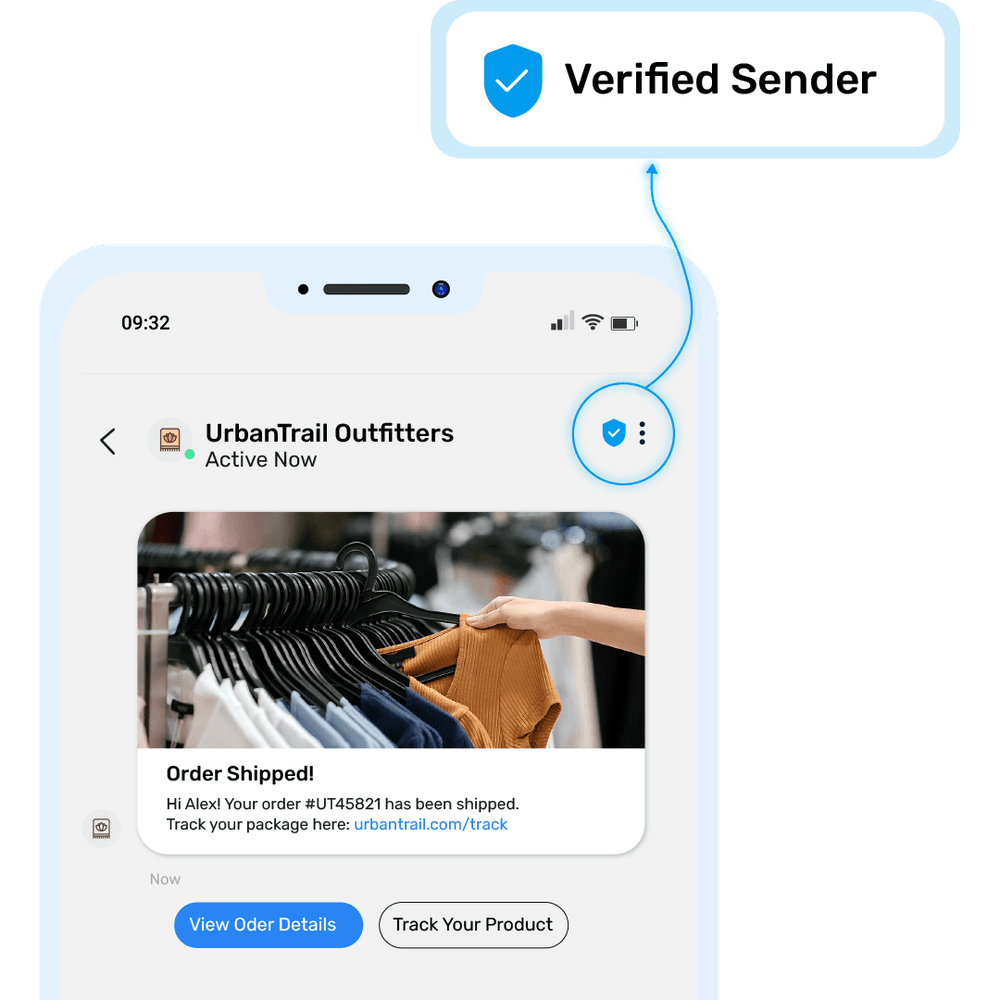
- Verified sender identity with business name, logo, branded color themes, and styles to build customer trust and improve open and response rates.
- Message content is the main text body of the message with a higher character limit than SMS, which contains the message’s title and description.
- Media elements consist of high-resolution images, videos, carousels, audio, and GIFs to deliver a visually appealing and engaging customer experience.
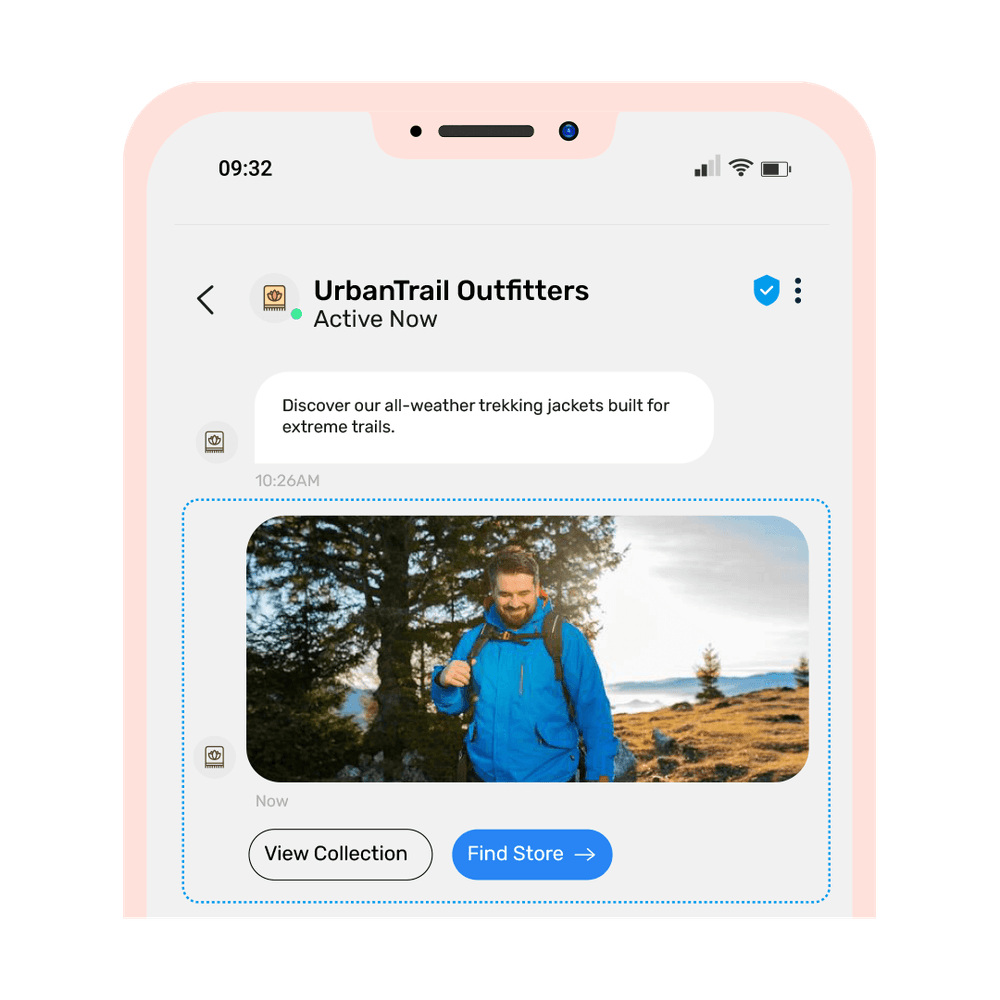
- Interactive elements include suggested quick replies and responses, as well as suggested action buttons for URLs, maps, sharing locations, making purchases, and more.
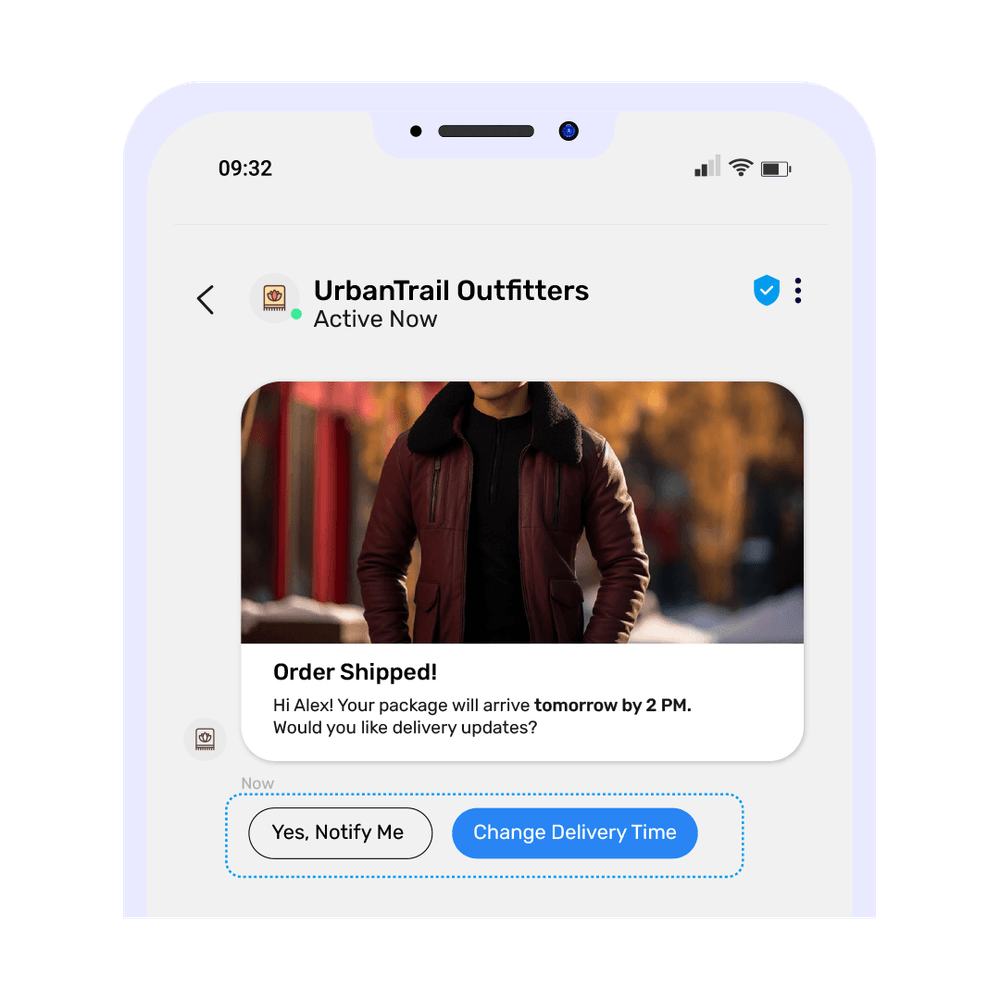
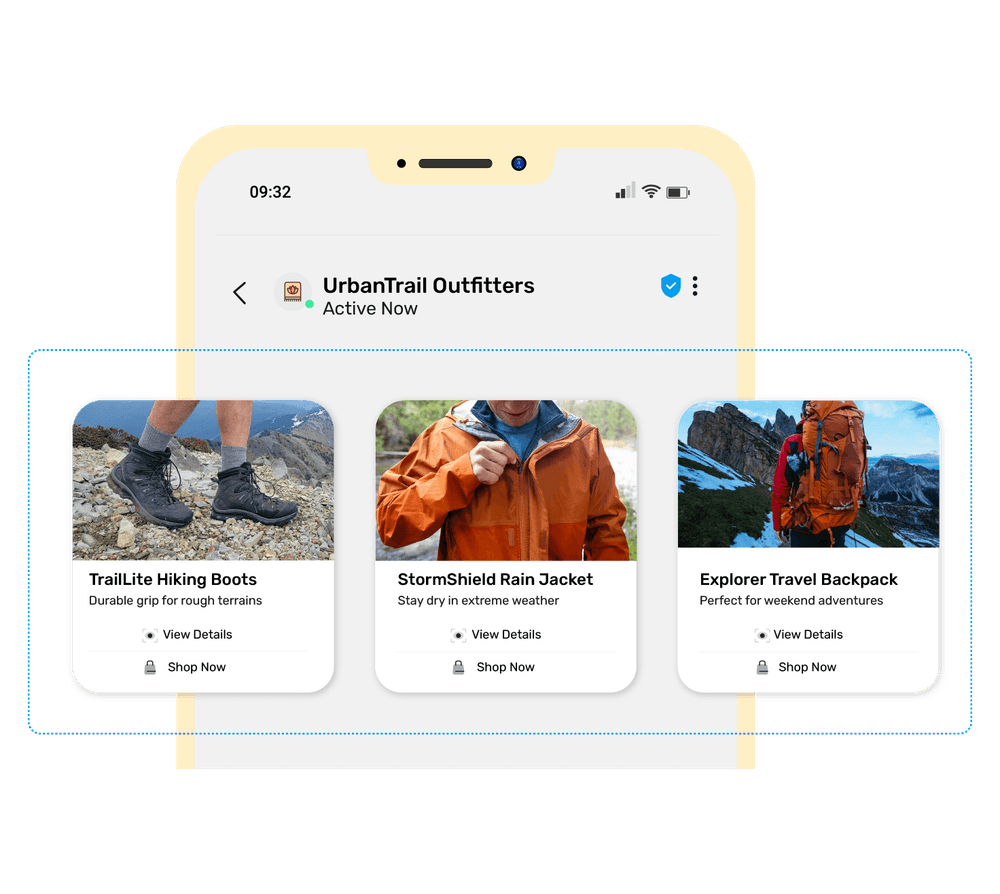
- Rich cards and carousels with single or multiple cards to represent and promote product lists, restaurant menus, or surveys and questionnaires with choices.
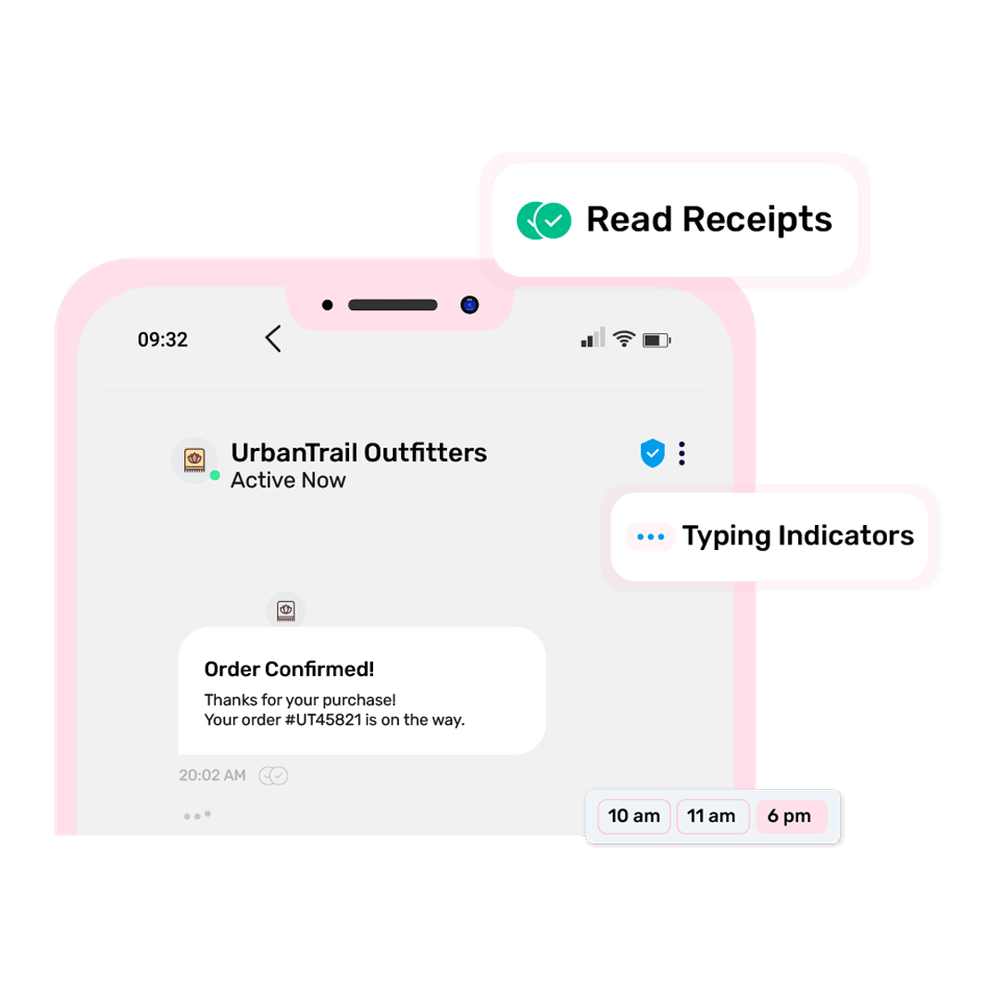
- Delivery and read indicators with typing and read receipts to get real-time conversation insights and updates.
How Does Your RCS Message Look On a Phone?
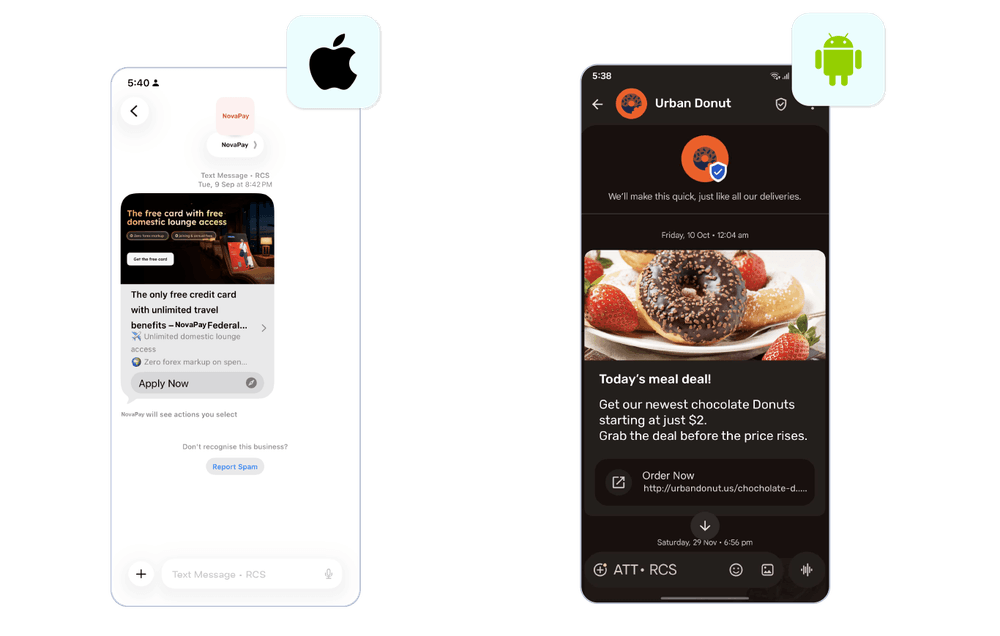
Key RCS Message Types
Depending on the different use cases and requirements, RCS messages are categorized into different types or Categories, including simple text, rich cards, multi-cards, location-based, and more.
Here’s a deep dive into the different types of RCS messages.
1. Simple or text-only messages
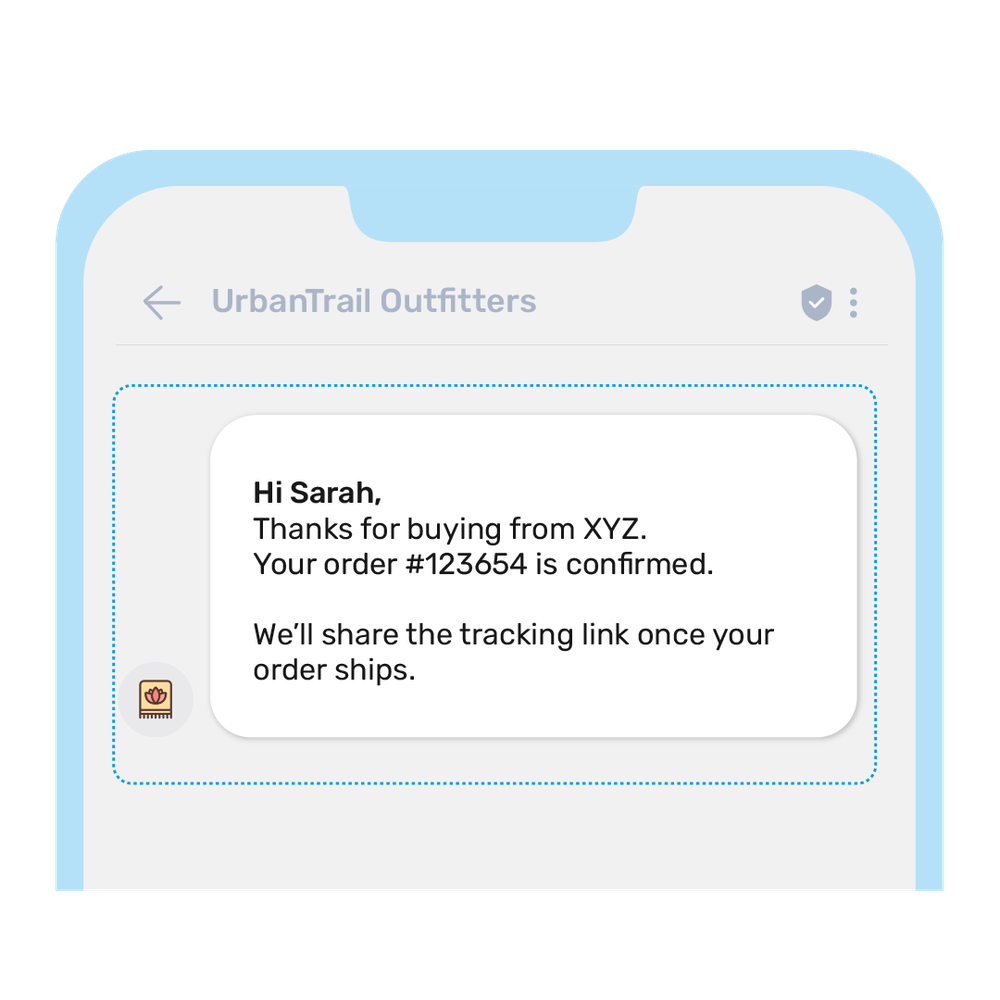
Text-only RCS messages are similar to SMS as they contain text. However, they have a higher character limit and are delivered through the RCS infrastructure.
Key characteristics of simple RCS messages include:
- Contain messages of up to 3,072 characters.
- May include suggested actions, such as a link or a button.
- Although simple, these messages contain rich elements, such as branded sender ID, suggested replies, and URL previews to enhance the customer experience.
Use cases include appointment reminders, OTPs, order confirmations, payment alerts, and delivery updates.
2. Rich card messages
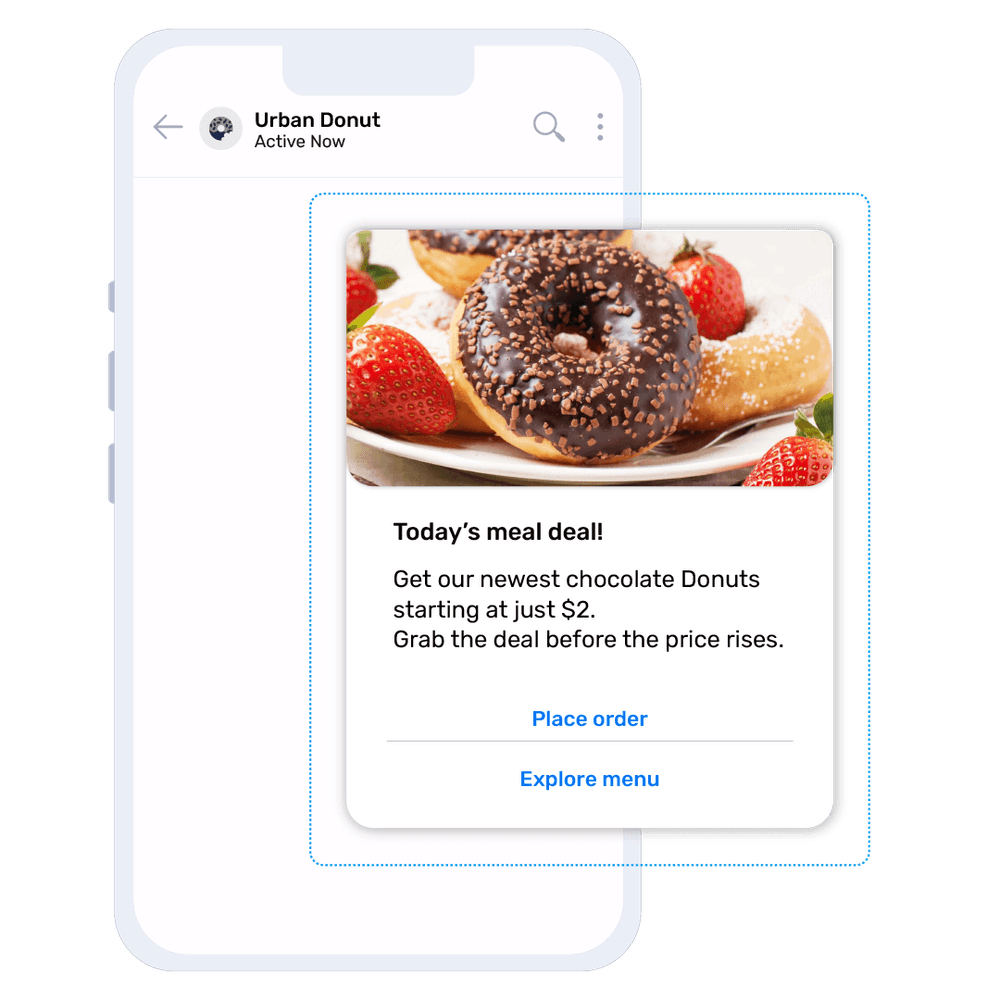
Rich card messages offer more flexibility to brands, enabling them to incorporate elements beyond text, such as images, videos, and rich card buttons.
Using these cards, you can share the preview of your website or product with suggested customer actions or replies. The elements of your rich card messages may include:
- Text
- Media files, such as images and videos of up to 100 MB in size
- Rich card buttons, such as suggested replies or buttons
Use cases of single rich card messages include product promotions, feature showcases, onboarding instructions, or order status updates.
3. Multi-card carousel messages
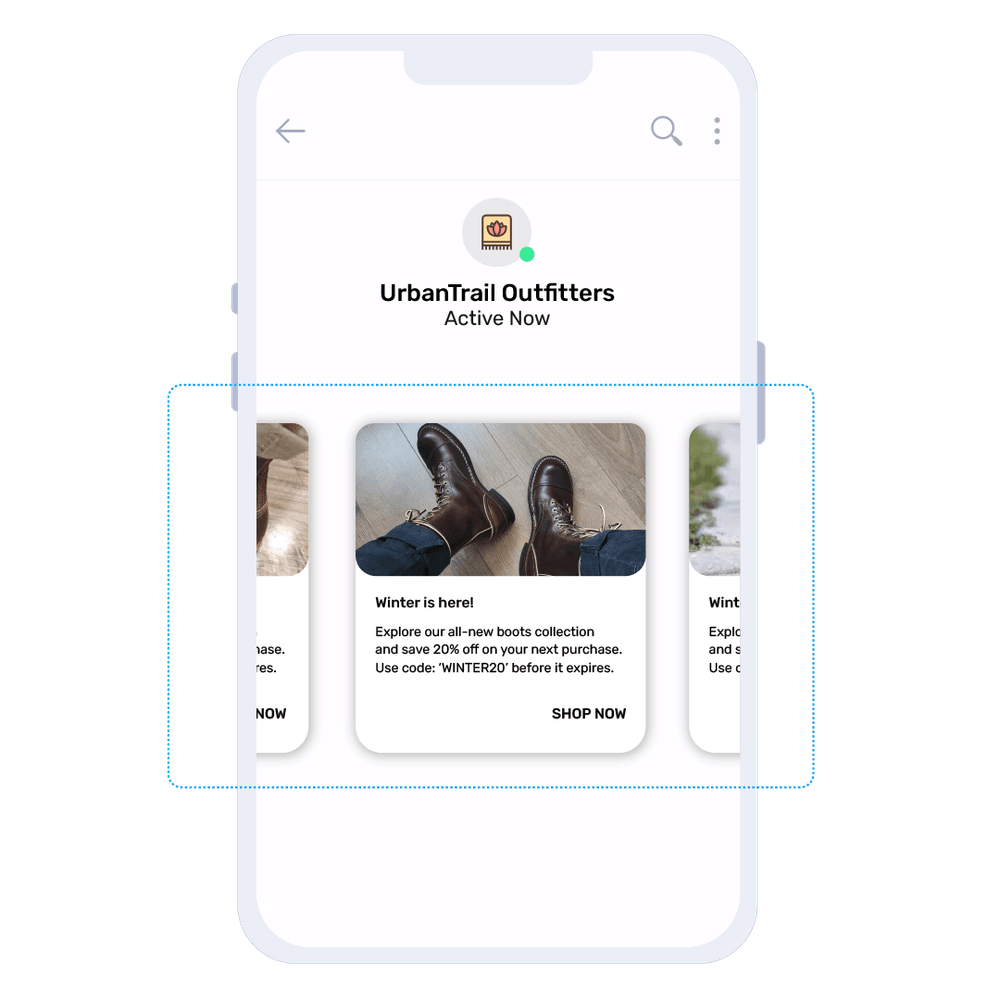
With multiple rich media cards, you can send carousel messages that display media or images horizontally in a scrollable format.
It provides a similar experience to an in-app product gallery, allowing customers to easily browse through images and take specific actions, such as making a purchase or booking the next appointment.
Use cases of carousel rich media include product comparison, catalog browsing, browsing meal menus, checking travel options, and real estate listings.
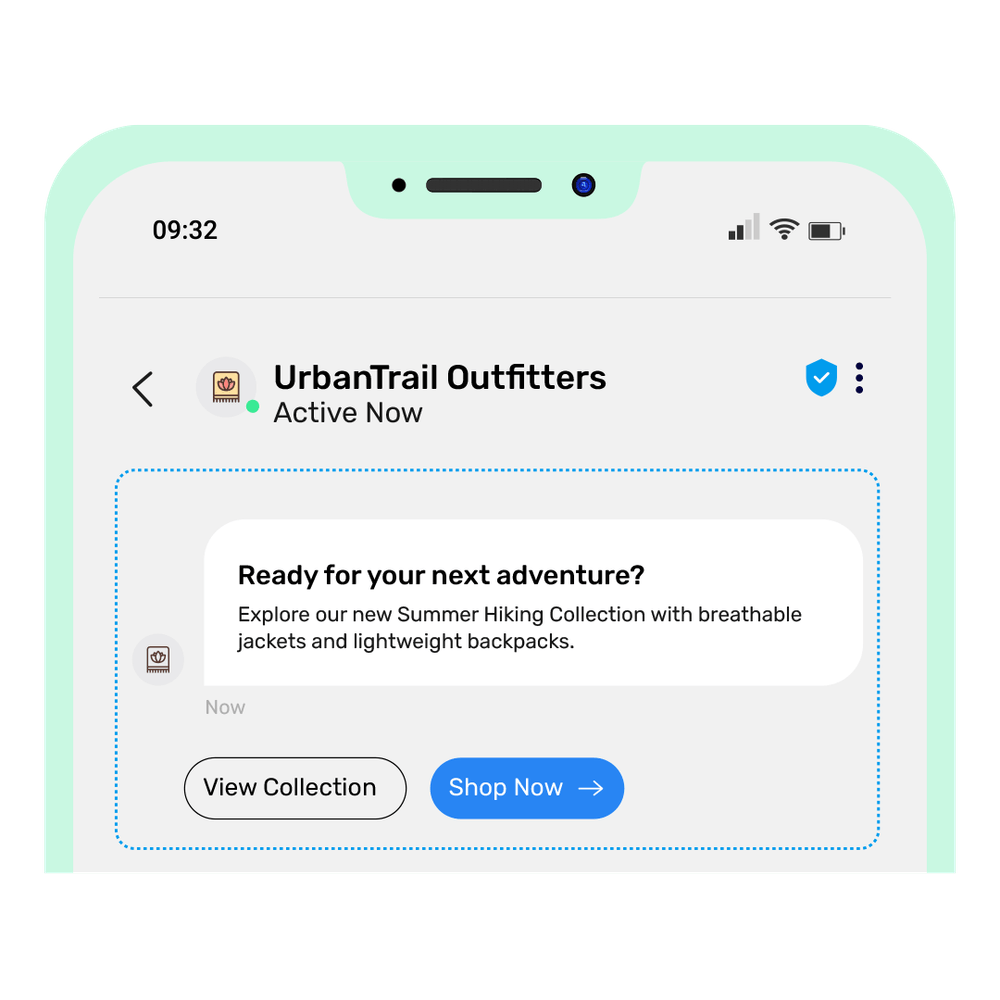
4. Suggested reply buttons
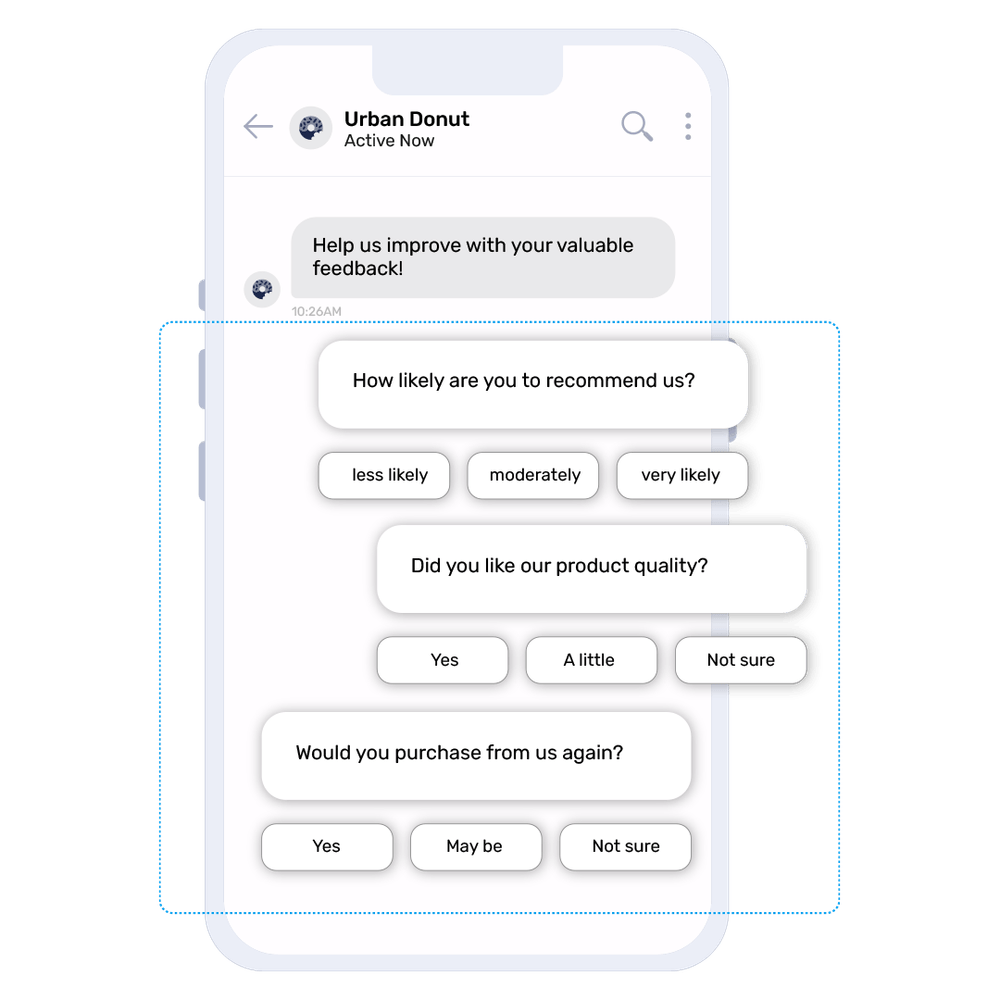
Suggested replies guide customers to take specific actions through pre-defined and already-composed responses. Users can simply tap and choose the preferred response from the list of suggested options instead of typing the response.
This RCS message type is ideal for maintaining a smooth conversation flow, triggering quick customer actions, and enhancing the overall customer experience.
Use cases for suggested reply buttons include booking confirmations, feedback collection, support menus, and survey questions.
5. Suggested actions
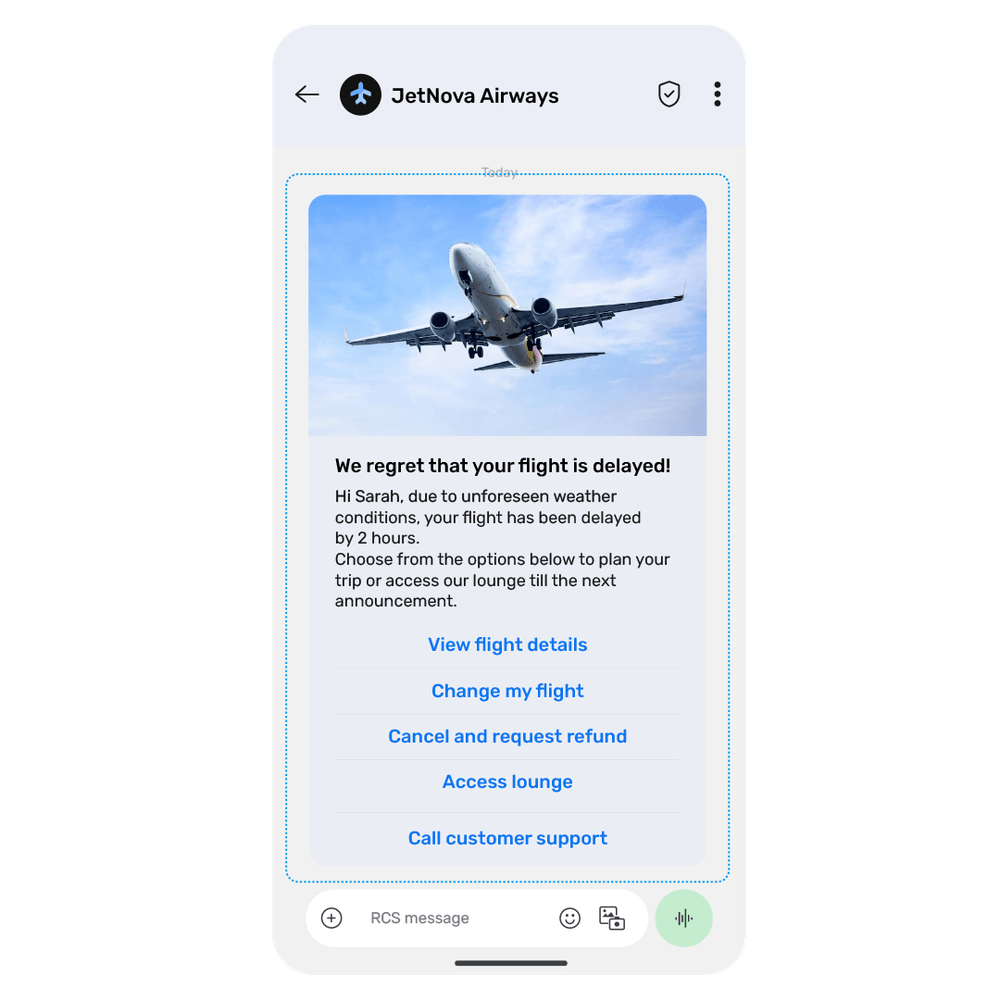
Suggested actions guide users through actionable buttons and features already present on their mobile devices.
By providing multiple options for customers, businesses can facilitate the customer journey through suggested actions that trigger actions like dialling a number or opening a URL.
Suggested actions examples include:
- Opening a URL that gets triggered when the user clicks on the URL link that opens in their default browser, or in the default application, when the deep link is used.
- Call a number triggers when the user decides to click on the ‘Call Now’ or other relevant button, or on the number provided in the message.
- The Create a calendar event action opens the user’s default calendar application to create an event with the mentioned details.
- Show or request location allows businesses to share a specific location with users or ask users to share their location.
The use case for this type of RCS message includes printing or downloading tickets, accessing payment links, calling customer service, or using a store locator.
6. File-supported messages
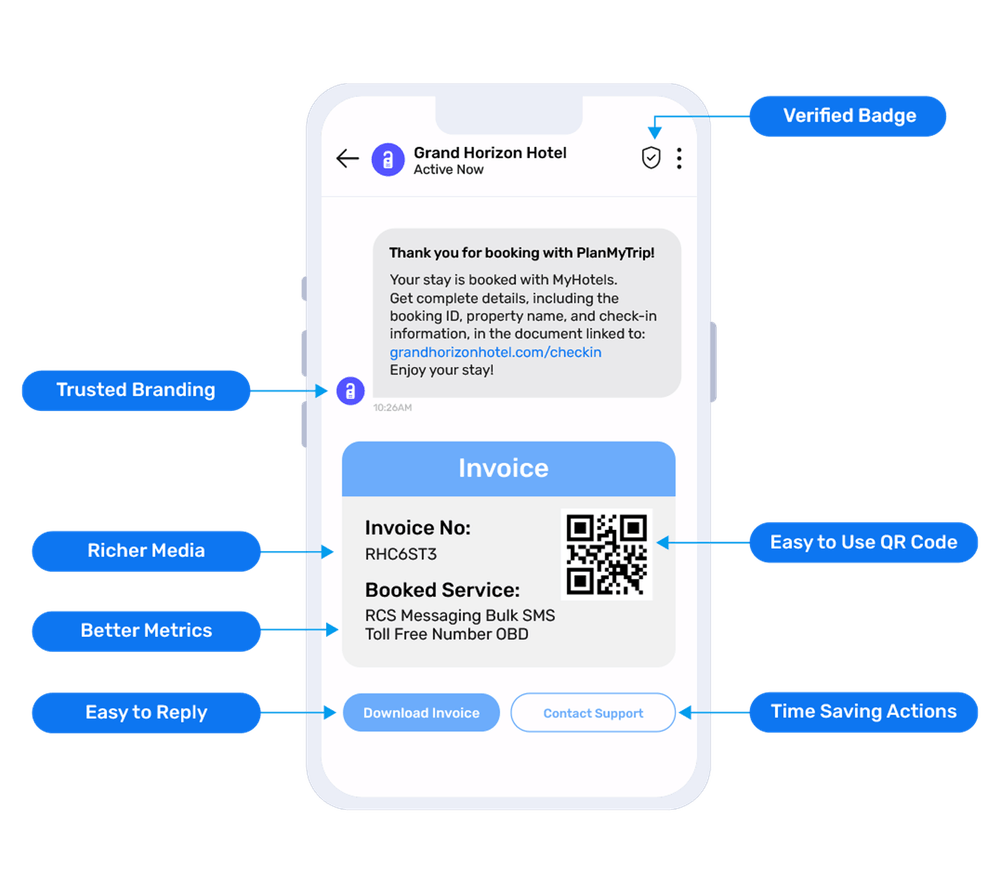
The file RCS messages allow businesses to send file attachments either directly or by entering a URL. With this option, businesses can send a variety of documents, including PDFs, invoices, receipts, brochures, and tickets.
RCS limits the file size to 100 MB and supports several file formats, including JPG, PDF, MP4, MPEG, and more.
Use cases for file-supported RCS messages include bank statements, invoices, travel tickets, insurance policies, medical reports, etc.
Real-World Examples of RCS Message Types
RCS business messaging and its types drive excellent results for businesses. Below are examples of two brands that experienced great success and returns from RCS in the real world.
ClubComex reached out to its customers with rich media
ClubComex is North America’s leading paint manufacturing and distribution company that has relied on SMS campaigns for years to reach out to its customers and share offers, discounts, and other information.
However, the SMS campaigns yielded only 2-3% click-through rates for the company, prompting them to seek a more interactive and engaging communication solution.
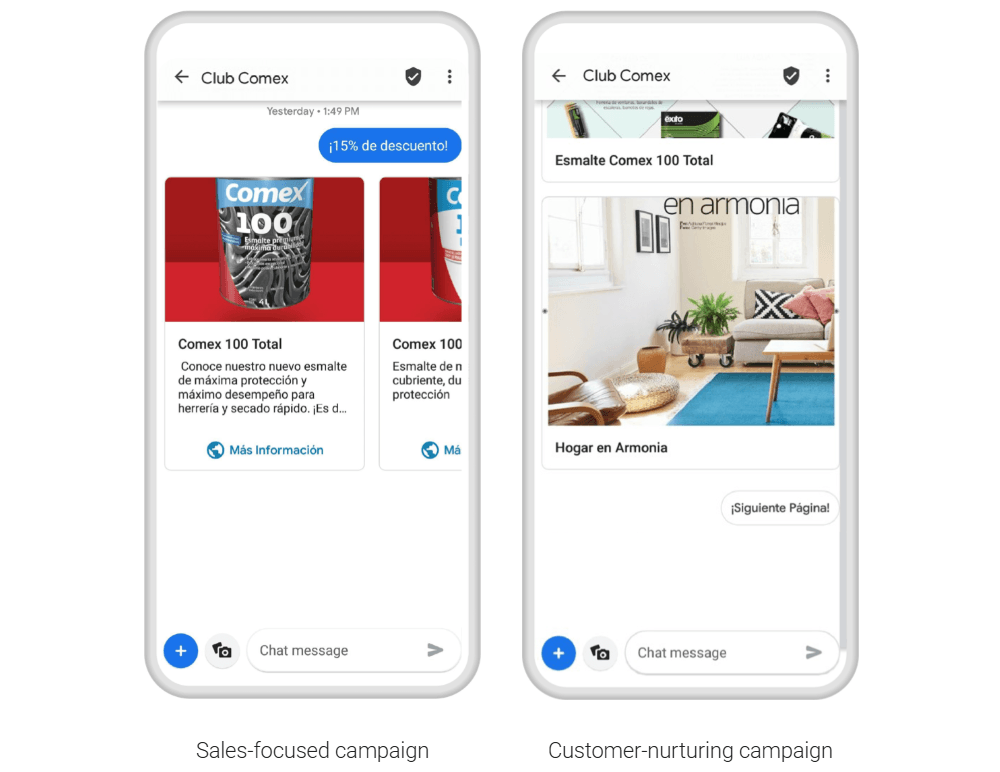
This is when the company opted for and launched two RCS campaigns, leveraging rich media, like photos, videos, and interactive buttons. The two campaigns ClubComex sent were:
- Sales-focused messages providing a free 1 litre paint for every gallon purchased
- Lead nurturing messages that provided home decor and interior design tips with Sensaciones and brought the vision to life with visually-appealing images, audio, videos, and web links.
The result?
- The first sales campaign resulted in a 115% increase in revenue for ClubComex, compared to SMS campaigns, and a higher CTR of 7.9%, compared to 3% for SMS.
- The lead nurturing campaign resulted in 20.6% CTR, which is 10x more than the average SMS messaging campaign.
BodemerAuto leverages RCS provider customer choices
BodemerAuto, a leading automotive company in France, was looking to refresh its marketing campaigns to drive meaningful interactions and boost sales and engagement.
The brand launched an RCS messaging campaign on Black Friday to send product details and information, along with six options in a carousel, ranging from minivans to SUVs.
Besides enabling the users to click on the carousel options, the brand also offered an actionable CTA, ‘Contact’, that allowed customers to contact the sales support team.
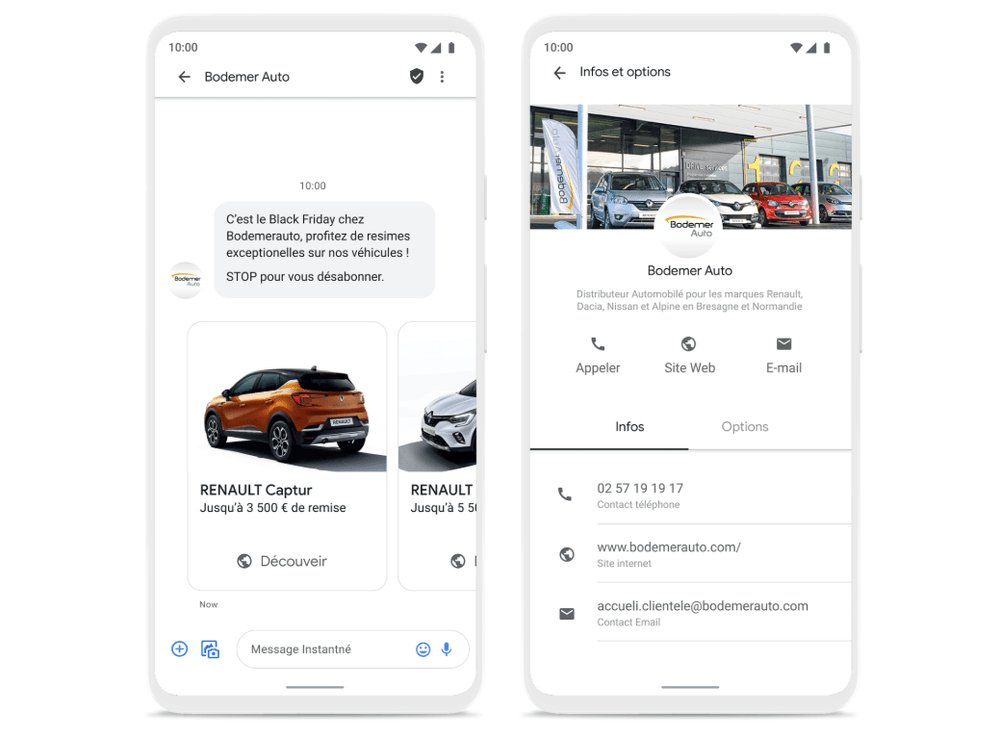
This campaign led to the company gaining a 7.7% CTR and 17x improved customer interactions compared to the previous text-only SMS campaigns.
Thus, businesses worldwide utilise RCS capabilities and features to send engaging and interactive messages tailored to their specific use cases.
💡 Also Read: 12+ RCS Messaging Examples, Industry Use Cases, and Real-World Case Studies |
Tips to Design Effective RCS Messages For Better Performance
Here are some best practices that will help you create and send performance-driven and effective RCS messages for every campaign:
- Lead with value up front: Avoid starting with long paragraphs; instead, ensure the message body is easily skimmable and readable. It could be as simple as, ‘Your order is on the way. Track here [enter link].’
- Use strong images: Adding irrelevant and fluff messages won’t lead you anywhere. Add rich, relevant, and strong images that grab attention and enhance clarity and conversion.
- Use short titles: Short and punchy titles with 40 characters or fewer work best to deliver the message core.
- Add clear CTAs: Use clear and actionable CTA buttons, like ‘Call Now,’ ‘Click here,’ ‘Book Now,’ ‘Track Order,’ etc.
- Prioritize accessibility: Ensure accessibility and inclusivity with readable message fonts, alt texts for images, high contrast images, and button labels and not just icons.
- Avoid information overload: Refrain from overwhelming customers with excessive information or cluttering the interface with too many cards and buttons. Keep the text crisp and simple, with a clear CTA button and a maximum of 4-5 carousel cards.
- Optimize message timings: Timing plays a crucial role in conversions. Optimize your RCS messages around the best-suited and personalized timings for varying messages, like finance, food, travel, and promo (evenings/weekends).
- Test A/B campaign variations: Test what works with respect to the CTAs, branding, visual vs text, personalization, and fallback options, to measure conversions, CTR, and open and drop-off rates.
What Factors To Look Into When Considering Different RCS Message Types?
When dealing with or deciding between multiple RCS message types, like single, rich cards, or carousel, here are the crucial factors you must consider:
Key factors | What it means | Best use cases/examples | Recommended RCS format |
|---|---|---|---|
Campaign goals | What actions do you expect users to do | Product awareness, reminders, and customer support |
|
Customer behavior | How your customers typically interact | Whether they prefer browsing or quick responses |
|
Content complexity | How many details do customers need | Single product vs multiple options or straightforward transactional message |
|
Other messaging channels | Besides RCS, the campaign also runs on SMS, WhatsApp, and email | Omnichannel messaging and marketing campaigns | The message should be optimized for channel parity and visual consistency across all channels |
Media or form requirements | Need for attachments | Travel, banking, order delivery, invoices, and government | PDFs, file attachments, ticket/barcode formats |
Here are a few other crucial consideration factors:
- What is and isn’t acceptable: RCS comes with certain limitations on the content body/message. For instance, it prohibits content related to illegal and dangerous activities, misleading and manipulative information, harassment, hate speech, tobacco, and more.
💡 Also Read: How to Get RCS approval Fast and Brand Guidelines? |
Ease of integration: Consider how easily your backend systems can support RCS. Starting with basic RCS messages works best if your current system is built around SMS. Once you’re comfortable, you can switch to more advanced RCS messaging features, which include carousels, chatbots, and automated workflows, and require deeper integration to ensure smoother adoption.
- With TXTImpact’s RCS messaging, you don’t have to worry about integration, as it ensures direct and seamless integration with your existing systems, along with round-the-clock assistance.
- Device and carrier support: RCS capabilities differ across devices, software versions, and carriers. When choosing an RCS message type, check your audience’s device compatibility and carrier support to ensure distinct RCS messages reach your customers’ devices as intended. Also, ensure SMS/MMS fallback to guarantee message delivery.
RCS opens up a wide range of possibilities for businesses, enabling them to run marketing and promotional campaigns and send transactional and other types of messages. Different RCS message types make this possible by providing a more engaging and interactive customer experience.
RCS business messaging is now available with TXTImpact. Businesses can launch a secure and reliable RCS messaging solution with all the essential features, including rich media sharing, CTA buttons, branded messaging, read receipts, and more.
Moreover, the platform offers ready-to-use templates along with comprehensive technical resources and documentation to ensure smoother setup, easier adoption, and improved usability.
Stay updated with our RCS business messaging, and contact us or book a demo to learn more about our services.
♦ What are the main types of RCS messages?
The main types of RCS messages are simple text-based RCS messages, media-rich messages, rich cards, multi-cards or carousel messages, suggested actions and replies, and file-supported RCS messages.
♦ Do customers need to manually enable RCS?
RCS is typically auto-enabled on most Android and iOS devices running version 18 or higher, especially if the carrier supports it. If not, customers will need to enable RCS manually.
♦ Can RCS work without the internet?
No, RCS messages require Wi-Fi or mobile data to be delivered. If the internet is not enabled, RCS messages fall back to SMS messages, if this feature is available.
♦ Does RCS require a separate application?
No, RCS messages get delivered to users’ or customers’ native mobile messaging applications. RCS doesn’t require a separate app download, like WhatsApp.
♦ Can I personalize RCS messages?
Yes, you can tailor and personalize RCS messages based on your campaign needs and customer preferences and behavior. You can add text, buttons, media, and suggestions, as required.
♦ How to measure RCS message performance?
Reliable RCS providers, like TXTImpact, provide insightful data like read and delivery receipts, conversion insights, CTA clicks, and open rates to track and analyze RCS performance.
♦ Can small businesses use RCS?
Yes, RCS is suitable for all types of businesses, including large enterprises and small businesses. TXTImpact facilitates RCS adoption for small businesses with comprehensive technical documentation, ready-to-use templates, and 24/7 assistance.
♦ How does RCS reduce spam?
RCS enables branded business messaging. This means that only verified and authenticated businesses can send messages to customers after their opt-ins, reducing risks of spam, fraud, and phishing.
♦ Do all devices support RCS?
Most of the Android and iOS devices support RCS. However, the experience varies across devices, OS versions, and carriers. RCS support is gradually growing with several devices rolling out advanced RCS features within their ecosystems.
About the Author:
 | Tejal Sushir (Content Writer) Tejal Sushir is a content writer with 4+ years of experience writing fresh and insightful content for B2B SaaS companies. She has delivered top-performing and top-ranking blogs in the SMS marketing, Digital Marketing, web hosting, AI & ML, cybersecurity, WordPress, HR Tech, and technical SEO domains. Her meticulous research when writing content ensures industry expertise and keeps up with emerging trends. |