RCS Vs iMessage: Differences Explained & Which Platform is Right for Business Texting?
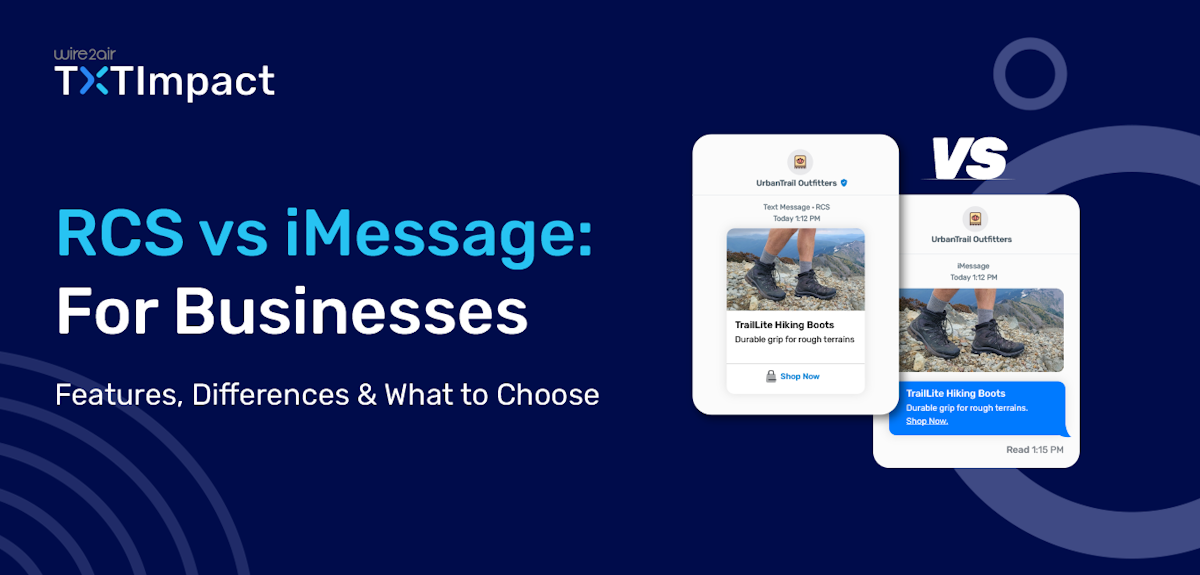
For a long time, businesses could only send RCS messages to Android users until Apple announced RCS support with its iOS 18 update. Now, both Android and Apple device users can receive RCS messages in their native messaging applications, which is iMessage for Apple.
While SMS is text-only and restricts multimedia content, Apple’s iMessages supports media sharing, GIF sharing, location sharing, typing indicators, and read receipts, similar to RCS.
So, how does it differ from RCS then?
This blog helps you understand the differences between RCS and iMessage, their distinct business use cases, and which platform is best suited for your business marketing strategy.
But if you are in a hurry, you can check out the Quick comparison table given below for your convenience.
Jump to: |
RCS vs iMessage Quick Comparison at a Glance
Features | RCS | iMessage |
Platform compatibility | Android and iOS (depending on the carrier and region support) | Only iOS compatible |
Internet connection | Yes, Wi-Fi or mobile data | Yes, Wi-Fi or mobile data |
SMS fallback | Yes, falls back to SMS for devices not enabled with RCS | Yes, falls back to SMS or MMS for non-iOS devices |
Group messaging | ||
Read receipts and typing indicators | Yes | Yes |
Security | End-to-end encryption in transit | End-to-end encryption by default in Apple’s ecosystem |
Business use cases |
|
|
Message bubble color | Varied according to the app and platform | Blue text bubbles |
How the conversations begin | Businesses must collect permissions and users' opt-ins before messaging customers | Only after a user initiates a conversation can businesses respond and carry the conversation forward |
Cost | Varied according to the service provider and regions | Free, but requires brands to connect to the Messaging Service Provider (MSP) |
Bulk Sending | Yes, Native Feature available | No Native Feature Available. Instead, Apple Messages for Business (AMB) provides it |
SMS/MMS Fallback | Yes | Yes |
Payment option | Via Google Wallet | Via Apple Pay |
What is RCS or RCS Messaging?
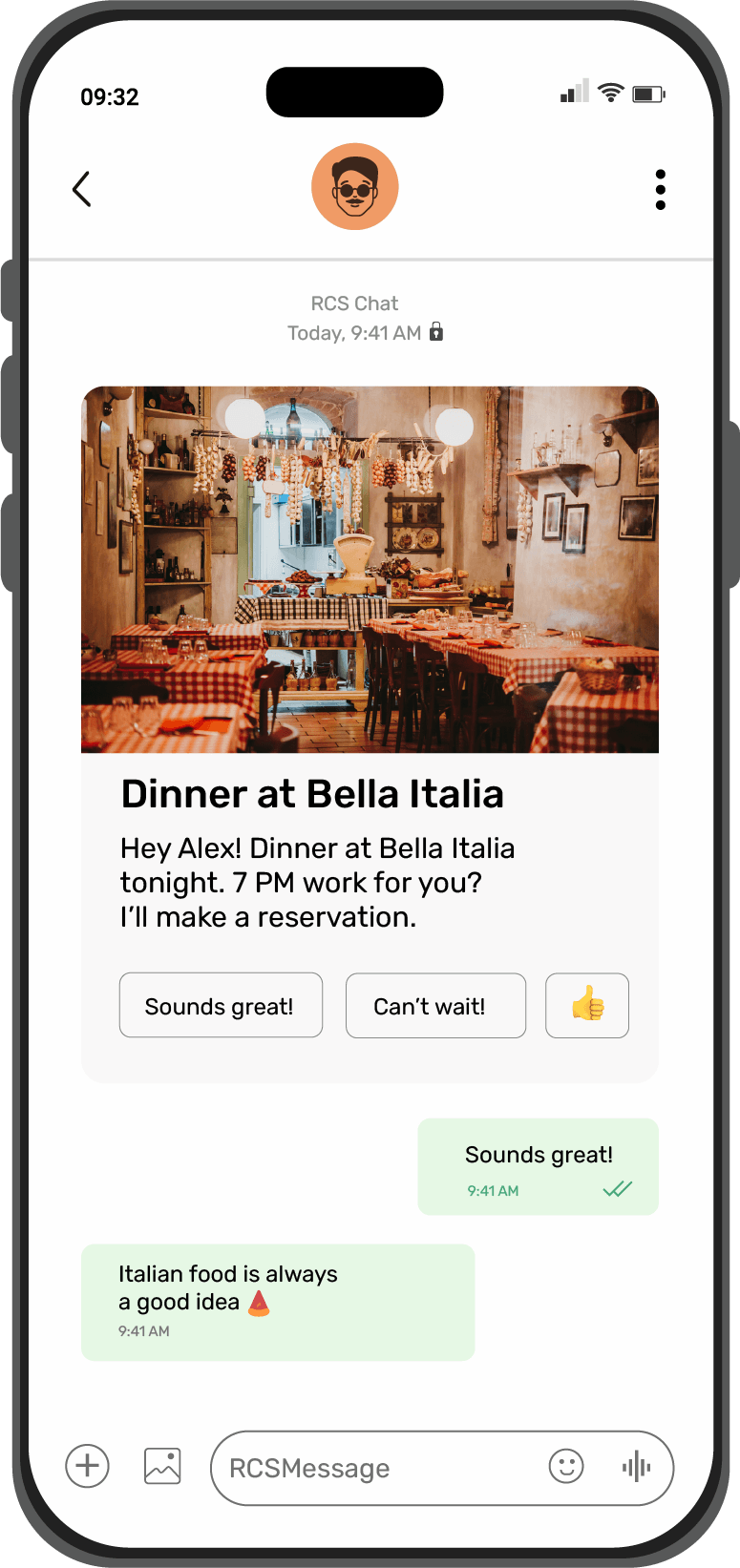
Rich Communication Services, or RCS, is an upgraded version of SMS and MMS that allows businesses to send rich media and branded messages to their customers.
Beyond text, businesses can send high-resolution images, videos, carousels, maps, and audio, and also include interactive and engaging features like quick and suggested replies, buttons, forms, and surveys.
Developed by GSMA, RCS’s interactive features provide a richer customer experience for both Android and iOS users. Here are some of the key features that RCS supports:
- Read and deliver receipts and typing indicators
- High-quality and rich media sharing, including HD images, 4K videos, and carousels
- Branded messaging, enabling businesses to include brand name, logo, and colors
- Interactive elements, such as quick replies and clickable buttons
Unlike other Over The Top (OTT) messaging platforms, like WhatsApp, RCS doesn’t require an external application download; instead, the messages get delivered to your customer’s native messaging applications.
What is an iMessage?
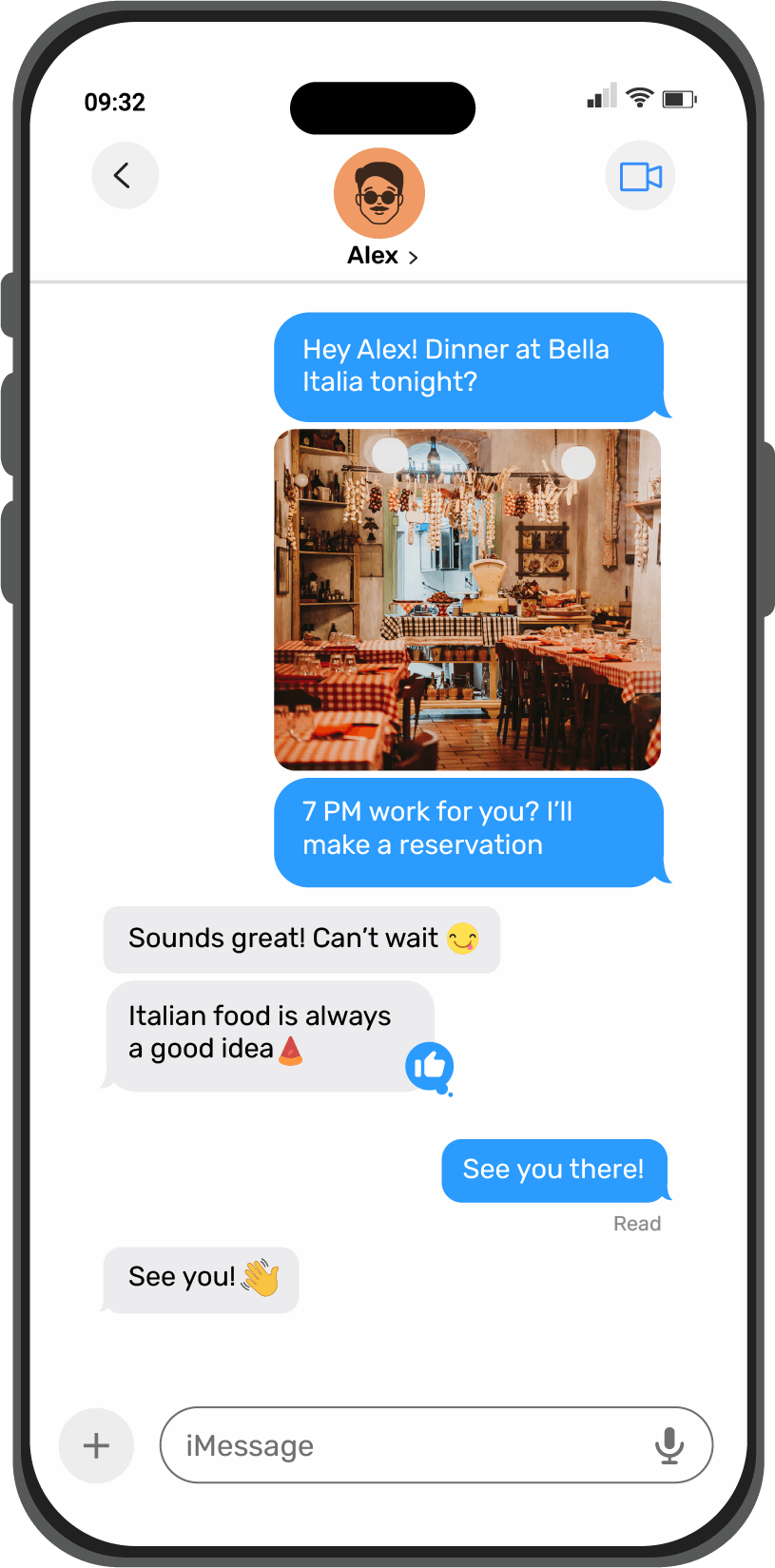
iMessage is Apple’s own messaging platform that’s available and built into all iOS devices, including iPhones, iPads, Macs, and Apple Watches.
It offers a seamless and integrated rich messaging experience to Apple users, supporting text, multimedia, videos, voice memos, and locations. With approximately 1 billion monthly active users, over 8.4 billion iMessages are sent each day across Apple devices. Source: usesignhouse
Here are some of the key features of iMessages:
- Supports rich media sharing, including images, videos, documents, voice notes, and GIFs
- Shows message read and delivery receipts along with typing indicators
- Supports end-to-end encryption
- Supports group chats and dynamic conversations, such as reactions
- Enables seamless integration with Apple Pay and other Apple services
RCS vs iMessage: Key Comparison Features
RCS and iMessages come with certain similar features, like multimedia sharing, read receipts, and group messaging. However, they also differ in some ways. Here are a few crucial distinguishing factors between RCS and iMessage:
1. Device and platform compatibility
iMessage works only on Apple devices and is exclusively built for the Apple ecosystem. When Apple users exchange iMessages, they appear as blue chat bubbles, while messages sent from Apple to Android devices appear as green chat bubbles.
This makes iMessages have a limited reach specific to Apple users.
RCS, on the other hand, works on both Android and Apple devices. While it primarily works on Android via Google Messages, it has recently expanded its carrier support and reach to Apple devices as well.
Its cross-carrier compatibility allows users and businesses to send messages to a broader audience without needing a third-party application.
At the same time, Android holds a commanding 70.8-72% global market share in the mobile OS market, compared to a 28-29.2% share for iOS.
The verdict: This ultimately makes RCS have a wider reach and adoption compared to iMessages, making it ideal for businesses with a diverse audience base.
2. Messaging features
RCS and iMessages both offer interactive features beyond plain SMS text messages; however, some features and user experiences make the two platforms distinct from each other.
While iMessages primarily focus on personal and user-centric interactions, RCS works for both individual users and businesses, offering rich media and engaging features.
Here’s how the messaging features differ for both:
Comparison features | RCS | iMessage |
Purpose | Business-ready messaging solution offering rich media capabilities and app-like experiences | Built for personal messaging experiences within Apple’s native ecosystem |
Core messaging capabilities | Provides modern chat features in users’ native messaging apps
| Enables a seamless messaging experience across all Apple devices with rich media sharing |
Rich media features |
| Provides photo and video sharing, but lacks interactive features and structured message templates |
Branding and verification | Verified business profile with brand name, logo, and colors | Lacks branding or verified sender IDs |
Personalization and automation | Supports automated chat flows and AI-driven personalization | Lacks data-based personalization, but offers personalization based on visual expression (emojis, stickers, GIFs) |
Insights and analytics | Insightful analytics including
| Lacks analytics and insights capabilities |
The verdict: RCS is a leading solution for business messaging, providing features like rich media sharing, branded identity, and analytics.
3. Security
Security and compliance are of the utmost importance, especially for businesses in the financial, legal, healthcare, and messaging industries. Here are the security features both platforms offer.
RCS security features:
Supports end-to-end encryption in transit for one-on-one conversations, but not for group chats.
Supports business authentication and verification with a verified sender’s ID.
Supports network-level security with carrier verification.
Additional security from Google with Google Security.
Some third-party platforms and telecom providers support message archiving, capturing, and storing RCS messages for easy governance.
iMessage security features:
- Default end-to-end encryption for all messages and conversations
- Supports hardware-level security for device integrations
- Apple security integration
- Supports no native archiving as businesses can’t retain, store, or export iMessages for compliance purposes.
The verdict: iMessages lead in security and encryption; however, RCS balances security with verification and business-friendly transparency.
4. Global reach and adoption
RCS is gaining increasing traction globally, and more and more businesses are adopting RCS for its engaging, modern, and branded business messaging solution.
With strong backing from Google and major carriers, such as T-Mobile and Verizon, supporting the RCS infrastructure, RCS adoption is growing rapidly across North America and worldwide.
With a 25% global market share compared to Android, iOS has a limited global reach. It’s less popular in Android-dominant countries, making RCS a suitable choice for businesses requiring wider accessibility.
Source: Statcounter
The verdict: RCS provides a wider and diverse reach, supporting both Android and iOS devices. iMessages shrinks its reach, providing a closed ecosystem.
5. User experience
User experience significantly differs for RCS and iMessage, even though they both offer features beyond plain text messaging.
RCS user experience:
- Enables engaging interaction through carousels, CTAs, and suggested replies.
- Requires no application download as messages are delivered to native applications.
- Provides a familiar interface to traditional SMS.
iMessage user experience:
- Provides rich features, like effects, advanced animations, stickers, reactions, and seamless multimedia sharing for personal interactions.
- Provides a privacy-first approach to security and user experience.
- Enables message sync across all iOS and Apple devices.
The verdict: Both RCS and iMessage deliver a rich and modern chat experience, with RCS providing an added benefit of branded and verified messaging that increases customer trust.
6. Bulk Messaging Capabilities
Since businesses primarily prefer Mass or bulk texting for Marketing purposes, both RCS and iMessage have different capabilities.
Bulk Sending in RCS:
1. Businesses can easily send Bulk/Mass RCS messages to their opt-in subscribers without any cap or limitations.
2. To send Mass RCS messages, businesses only need to:
a. Sign Up with RCS Provider:
Create your TXTImpact account to access the RCS platform and carrier connectivity.
b. Brand Verification:
Submit your business details, logo, and use case for approval by Google and the carrier.
c. Create RCS Agent:
Set up your branded agent with a display name, logo, theme, and messaging flows.
d. Configure Templates:
Build rich cards, carousels, and suggested-action buttons using TXTImpact’s dashboard or APIs.
e. Carrier & Google Approval:
TXTImpact submits your agent and templates for compliance and review.
f. Integrate Systems:
Connect your CRM, eCommerce, or marketing tools via TXTImpact APIs and webhooks.
g. Sandbox Testing:
Test message rendering, flows, and interactive features in TXTImpact’s sandbox environment.
i. Launch Campaign:
Go live with your RCS messages while TXTImpact manages delivery, routing, and reporting.
ii. Track & Optimize:
Monitor analytics for delivery, engagement, and conversions to refine campaigns.
Bulk Sending in iMessage:
Native bulk iMessage sending is not available to businesses directly.
Apple Messages for Business allows businesses to message many customers, but only via opt-in, one-to-one conversations managed through certified MSPs and Apple APIs.
Third-party providers enable bulk iMessage features through Apple’s Messages for Business API, requiring opt-in consent and a verified Sender Identity.
Bulk messaging over iMessage is functionally a series of personalized one-to-one messages, not a single broadcast or group message.
This approach improves engagement and security but comes with limitations and compliance requirements that differ from typical bulk SMS or RCS business messaging
In short, while bulk iMessage sending is possible in a regulated context through third-party MSPs, it is controlled, opt-in-based, and not a native open bulk feature like RCS.
RCS vs iMessage Business Use Cases: When to Use Which Platform?
Whether you choose RCS or iMessage for your business messaging truly depends on your customers’ demographics, the devices they use, and your business needs and expectations.
Let’s take a look at when RCS and iMessage are best-suited for your business.
RCS Business Use Cases
RCS is primarily built for Business-to-Consumer (B2C) communications. In other words, businesses have complete control over when and how to initiate a conversation with a customer.
Use RCS when
You want to proactively send rich media and promotional messages to your customers.
The majority of your audience uses Android devices.
You want to include branding elements, like business name and logo, to build brand trust and credibility.
You want to run engagement-driven and interactive campaigns.
RCS use cases:
You can leverage RCS’s rich media capabilities, interactive features, and branding for several use cases, including:
Marketing and rich promotional campaigns, such as new product launches, black friday sales, etc.
Abandoned cart notifications to get back customers and encourage sales.
Appointment booking and reminders to provide seamless customer service and experience.
In-chat surveys and feedback collection using quick-reply buttons.
Customer newsletters to provide an app-like newsletter experience to the customers.
Critical notifications and time-sensitive alerts, like one-time passwords (OTPs) and flight delays.
Transactional messages, like billing updates, payment confirmations, and ticket details.
Customer service and updates, using chatbots and AI agents to provide real-time customer support.
💡 Also Read: 12+ RCS Messaging Examples, Industry Use Cases, and Real-World Case Studies |
iMessage Business Use Cases
Contrary to RCS, in Apple Messaging for Businesses (AMB) or iMessage, customers initiate the conversations with businesses, providing less control to businesses. iMessages offers limited business applications compared to RCS, primarily serving one-on-one, personal, and informal interactions.
Use iMessage when:
- Most of your audience are Apple users.
- You want to engage users right away when they reach out to your brand and encourage in-app purchases via Apple Pay.
- You want a quick, peer-to-peer communication channel to engage with customers, freelancers, or internal members.
iMessage use cases:
- Appointment booking with Safari and Apple Maps integration.
- Answering FAQs or common queries about your products and services.
- Customer assistance and support for reported issues and other queries.
Future Trends and Predictions For Business Messaging
RCS and iMessage are both the future of business messaging and digital communication, shaping how businesses interact with customers.
However, while iMessage primarily dominates the Apple ecosystem, RCS adoption has been rapidly increasing since iOS 18 support began in 2024. At the same time, Google's RCS integration and the growing carrier support are giving RCS an edge over other messaging platforms, like SMS or iMessage.
Here are RCS's future trends and predictions for business messaging:
Apple’s support for RCS is likely to enable cross-platform compatibility, facilitating Android-iOS messaging communication.
RCS is on the verge of becoming the global messaging standard, beating other popular communication channels.
Enhanced business messaging capabilities and media support are likely to be the next step for RCS as well as iMessage, supporting interactive and high-resolution content.
RCS is also expected to enhance AI integration for better response suggestions and message composition.
Conclusion: What Should Businesses Choose, RCS or iMessage?
Whether you choose RCS or iMessage, the decision relies on your customer base, the devices they use, and business communication goals.
While iMessage specifically is designed for Apple users, RCS is compatible with both Android and iOS devices, making it the best-suited choice for business communications. Whether you want to share rich media content that drives sales or include interactive elements that enhance engagement, RCS provides excellent RoI and results to businesses.
If your goal is to enhance customer engagement and experience, TXTImpact offers a highly reliable and secure RCS business messaging solution. You can leverage all the RCS benefits at an affordable cost with ready-to-use templates, 24/7 technical assistance, and more.
Join our 5000+ happy customers to streamline your communication needs. Contact us today to learn more.
💡 Also Read: RCS Vs SMS: Ultimate Comparison Guide |
Frequently Asked Questions
♦ Is RCS better than iMessage?
iMessage and RCS both offer rich messaging experiences; however, RCS is a more business-friendly, feature-rich, and scalable communication solution for businesses. For instance, TXTImpact’s RCS messaging allows businesses to enhance their brand identity, improve engagement through interactive features, and leverage analytics for better decision-making.
♦ How to switch from iMessage to RCS?
If you switch from an iMessage to RCS, simply use your iPhone to log in to your Apple ID, go to Settings, and enable RCS business messaging or Chat Features. Also, toggle iMessage off. A customer can use both RCS and iMessages simultaneously on one number.
♦ Which platform is more secure, RCS or iMessage?
While iMessage provides complete end-to-end encryption. TXTImpact’s RCS enhances security with end-to-end encryption and a verified business identity to boost customer trust and reduce risks of spam and spoofing.
♦ How to measure the performance of RCS campaigns?
RCS provides detailed insights and analytics to help you measure your communication campaigns and track engagement and conversions through read receipts, delivery reports, and CTAs. Through TXTImpact’s RCS interactive campaign insights and analytics, you can easily measure your campaign performance and make further improvements.
♦ Can RCS work on iPhones?
Yes, while RCS was primarily available on Android, ever since the iOS 18 support for RCS, it has been available and can be used on iPhones, expanding its reach and coverage.
♦ Will RCS messaging replace iMessage on iPhones?
No, iMessage is and will always remain the primary messaging solution within Apple’s ecosystem. Instead, RCS support is added to Apple to improve and enhance messaging between Android and iOS users.
♦ Can I send RCS messages to iPhone users?
Provided the Apple device is updated to iOS 18 and both the devices and respective carriers support RCS, you can easily send RCS messages from Android to Apple devices.
♦ Will RCS work in group chats with iPhone users?
While RCS can work in group chats with iOS, it comes with certain limitations. For instance, both devices need to be RCS compatible with carrier support.
About the Author:
 | Rahul Kumar (Marketing Specialist) Rahul Kumar is a Digital marketer with 7+ years of experience in SEO, AEO, SMS marketing, WhatsApp marketing, SaaS, and WordPress. He has led successful growth campaigns for startups and tech brands, combining data-driven strategies with compelling content. His work has been featured on top SaaS blogs, and he’s known for turning complex ideas into high-converting digital strategies. |