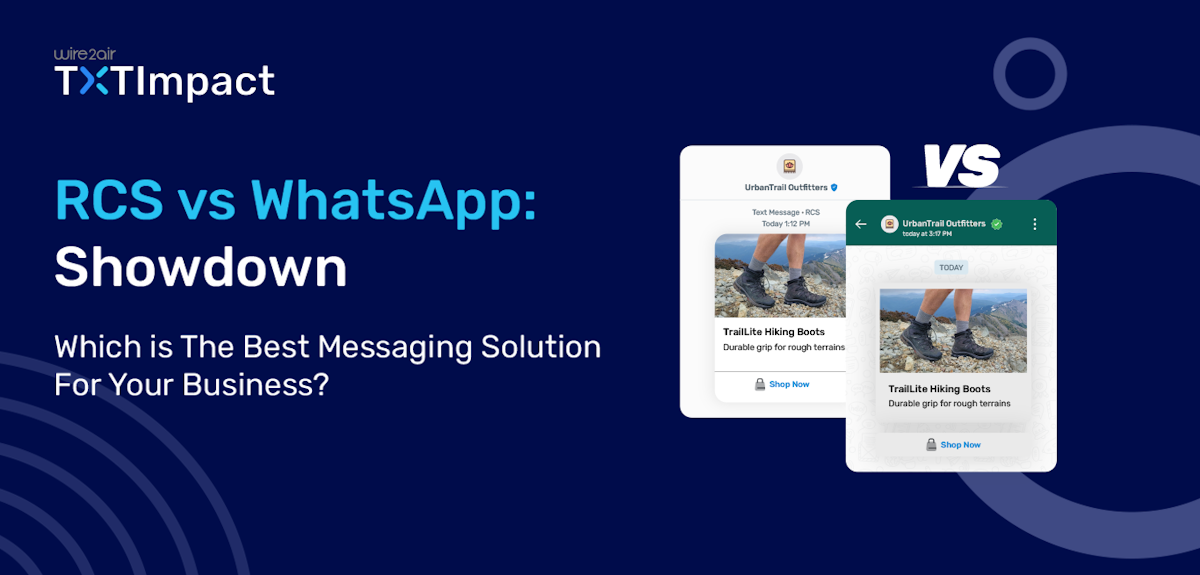
RCS vs WhatsApp: Which is The Best Messaging Solution For Your Business?
Text messaging is one of the most popular and convenient ways for people to connect and for businesses to engage with customers. With a 98% open rate, text messaging remains a primary communication channel for businesses.
And two of the most important channels in business communication are Rich Communications Services (RCS) and WhatsApp.
While WhatsApp is a leading and the most popular messaging tool in the world, RCS is becoming a pioneer in branded text messaging, especially with the introduction of iOS 18 support for RCS.
In this article, we’ll compare these two most notable business messaging tools, their features, benefits, and use cases, and which tool is ideal for your business messaging needs.
But, if you are in a hurry, check out the Quick comparison between RCS vs WhatsApp:
Jump to: |
RCS Messaging vs WhatsApp Comparison at a Glance
When it comes to A2P messaging, both RCS and WhatsApp provide powerful features to help businesses connect with their customers, including branded messaging, verified business profiles, rich media support, carousels and catalogs, and APIs for integration.
However, here are some features that distinguish these two messaging platforms for business messaging.
Feature | RCS | |
Usability and app dependability | Delivers messages right into the native messaging app | Requires the WhatsApp app installation |
User base | 1.5 billion active users | Higher reach than RCS, with 3 billion active users |
Rich media support | Supports images, videos, carousels, product cards, and various interactive elements, including typing indicators, read receipts, and group chat. | Supports rich media, like images, videos, buttons, cards, interactive lists, flows, and templates |
Availability | Android and iOS 18.1 or higher versions in selected markets. | Available globally on all devices with WhatsApp installed. |
Security | Ensures end-to-end encryption and TLS 1.2+ encryption for Android messages | Ensures end-to-end WhatsApp encryption. |
Unique business features | Supports interactive chat bubbles, OTP delivery, CTAs, read receipts, and branded messaging. | Supports click-to-chat ads, WhatsApp Flows, business templates, and more. |
Channel awareness | Lesser known, but most users must have already used it without realizing | Much more widely used and popular |
Fallback feature | Falls back to SMS for non-compatible devices | Requires an internet connection with no offline behavior |
Set up process | Simple onboarding process with free registration with TXTImpact | Complex registration with an extensive verification process |
RCS: Branded Text Messaging With In-app Experiences
RCS is a business messaging solution that enhances SMS and MMS capabilities to offer a branded, secure, and interactive chat experience directly within users’ native messaging applications.
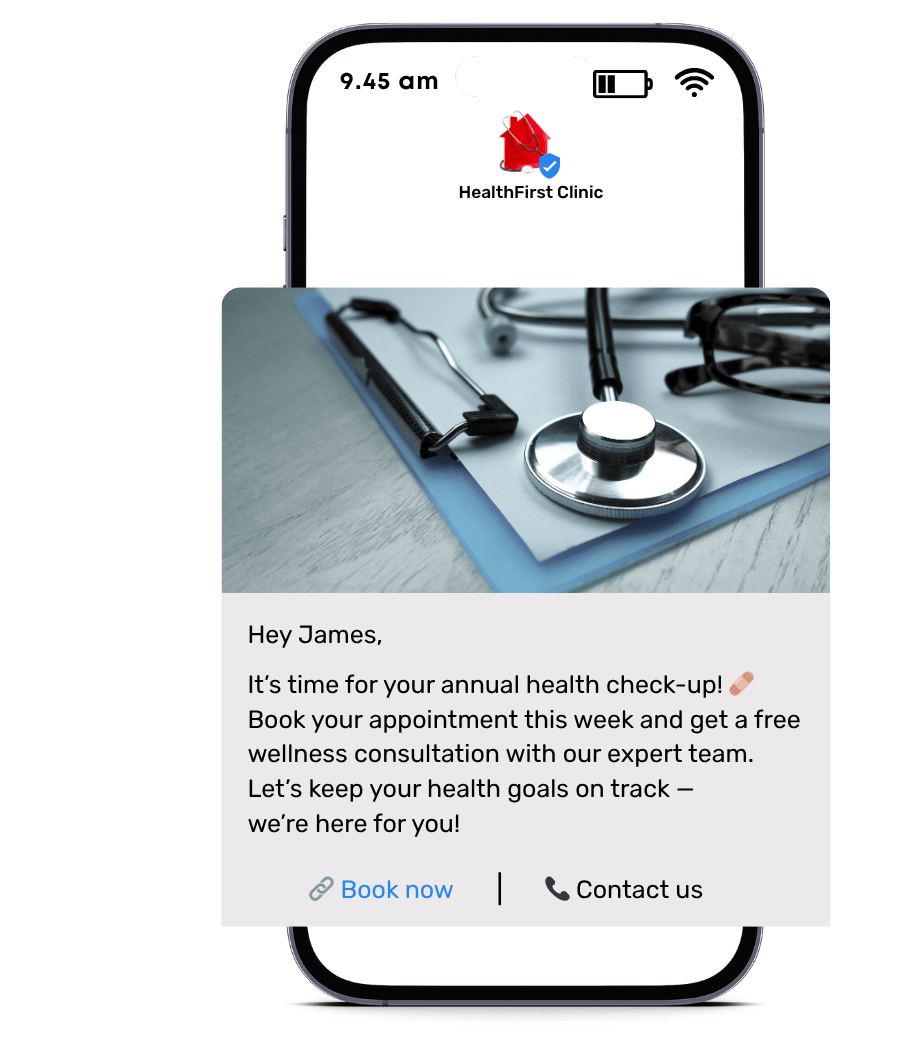
This means that, unlike other messaging tools, such as WhatsApp, users do not need to install an application to receive an RCS text message.
- Several businesses worldwide utilise this Application-to-Person (A2P) solution to send branded texts with verified business identities and rich media elements, including images, videos, carousels, interactive buttons, read receipts, and more.
- This makes RCS facilitate user experience, provide businesses with read receipts and analytics to make data-driven decisions, and significantly enhance customer engagement and interaction compared to traditional SMS services.
Learn more about RCS vs SMS and why you should switch to RCS business messaging |
WhatsApp: The World-Renowned Messaging Application
WhatsApp is the most popular messaging application used on a day-to-day basis by over 3 billion active users worldwide, including 100 million users in the United States.
Owned by Meta, WhatsApp is used for both personal and business messaging, providing a direct and seamless channel to connect, engage, and share information.
When it comes to business messaging, WhatsApp Business offers tools that allow both small and large businesses to send messages with business profiles, automated messages, catalogs, quick replies, contact labels, and click-to-chat links.
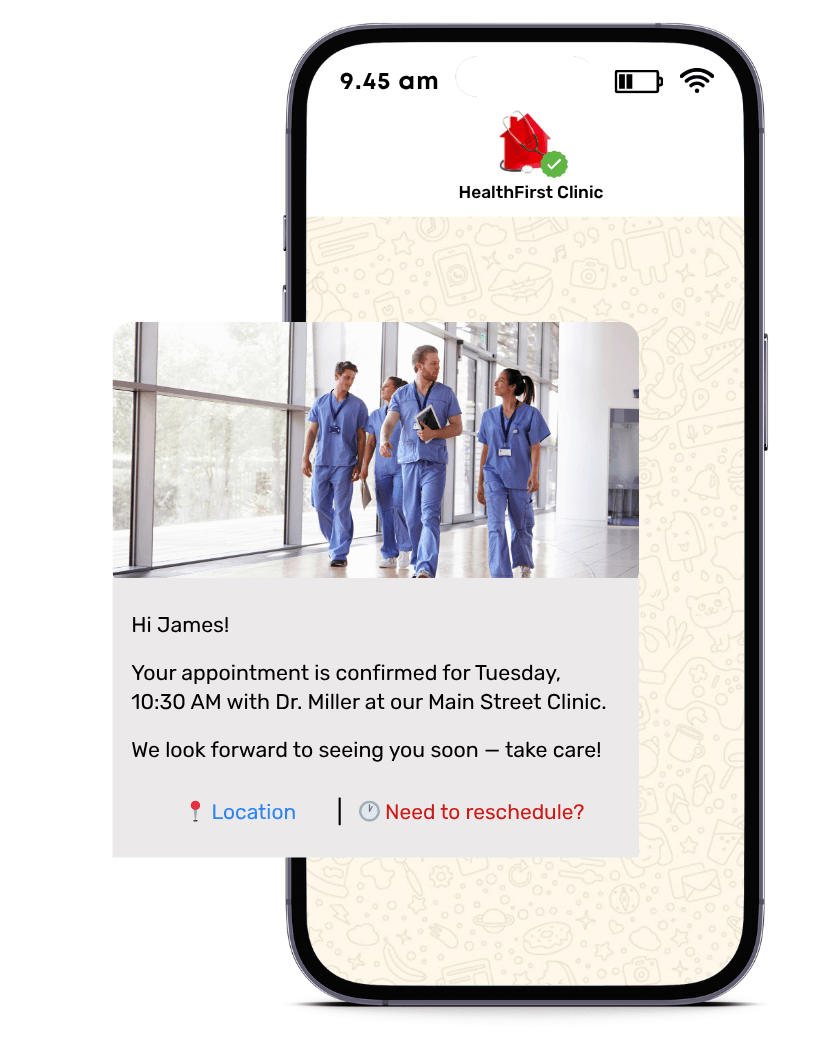
Here are the three core solutions WhatsApp offers for businesses:
- The WhatsApp Business application is designed for SMBs to manage basic customer conversations and includes features like business profiles and quick replies.
- The WhatsApp Business API is a scalable, paid platform designed for medium- to large-sized businesses that require high-volume messaging, CRM integration capabilities, and the ability to automate complex conversations.
- The standard WhatsApp messaging app is designed for person-to-person (P2P) communication between friends and families, as well as for informal business communication that includes sharing text, images, voice, and video calls.
RCS vs WhatsApp: Key Comparison Features
Let’s get into each of the distinguishing features mentioned above in more detail.
1. Coverage and reach
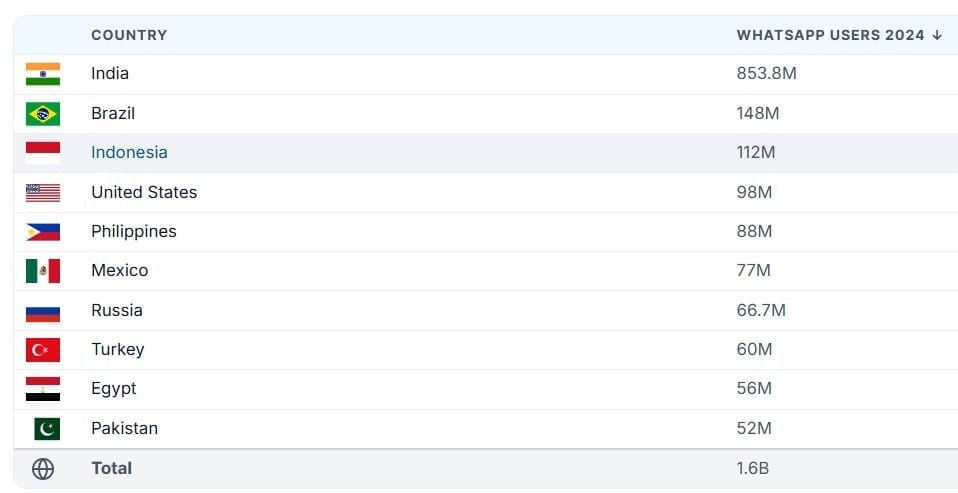
While WhatsApp is amongst the most popular mobile messaging applications, it doesn’t need to have the biggest reach of all platforms. It has the largest user base in countries such as India and Brazil, with 853.8 million and 148 million users, respectively.
However, other messaging platforms, such as Apple Messages and Facebook Messenger, dominate and provide tough competition to WhatsApp in countries like the United States, despite its reach across 180+ countries.
Source (this data can be represented in a graphical representation)
Some of the major barriers when it comes to WhatsApp adoption include
The requirement to download the app
Internet connectivity
On the other hand, RCS doesn’t require any application installation. Any RCS messages you send to your target audience get delivered to their native messaging applications.
In the event of internet connectivity issues or if the customer’s device is not compatible with RCS, the message falls back to SMS, ensuring 100% deliverability.
When it comes to the global RCS reach, North America is experiencing strong RCS adoption driven by high smartphone penetration and carrier support. At the same time, Asia-Pacific countries, such as India and Japan, are the fastest-growing regions for RCS, thanks to their efforts in digitization and support for 5 G.
So, the question is, which of the two solutions has better reach and global coverage?
Well, it all depends on your business’s target group and audience, as well as the channels and platforms they prefer and use.
If your target audience primarily resides in Asian countries, such as India, WhatsApp Business is likely the right choice.
If your target customers are in the United States and regions such as North America, Canada, and Japan, choosing RCS for business messaging is a wise choice.
2. Rich media features and capabilities
Since WhatsApp is built as an app-first application, its design features replicate the personal, conversational experience, allowing brands to communicate and transact with customers with the WhatsApp Business API.
It offers rich multimedia features, including multimedia sharing, transactional and promotional templates, CTAs, quick reply buttons, product catalogs and collections, and structured lists.
Thus, WhatsApp's rich media features are ideal for conversational commerce and customer service, as they focus on personalized, two-way conversations.
RCS, on the other hand, provides an app-like experience to the customers with rich media features and elements, without requiring an app download.
For instance, TXTImpact’s RCS business messaging offers rich-media images, audio, and video file sharing, quick replies, interactive buttons, carousels, CTAs, OTP delivery, and read receipts to deliver an exceptional customer experience.
RCS is best for transactional updates and bulk campaigns with a focus on marketing, branding, and seamless transactions.
3. Customer Experience
WhatsApp provides a familiar, app-like interface that enables customers to engage in two-way conversations with brands, resulting in a seamless customer experience.
This makes conversation feel more personal and natural, just like chatting with close friends and family.
On the contrary, RCS provides a native messaging experience to customers that feels like regular texts, but with enhanced, richer capabilities. Thus, unlike WhatsApp, RCS doesn’t provide a personal touch to conversations; instead, it’s best-suited for seamless, branded conversations.
4. Verification and Security
To enable security and prevent the risk of phishing and smishing attacks, both WhatsApp and RCS enforce measures that build customer trust and avoid security risks.
To ensure customers feel they’re interacting with legitimate businesses, RCS offers a verified branded profile identity to businesses, while WhatsApp provides a green tick feature. While businesses can still use WhatsApp without the green tick verification, green ticks increase customer confidence.
Another crucial security difference is that while WhatsApp messages are end-to-end encrypted, RCS provides message encryption in transit, but not complete end-to-end encryption.
However, RCS is still more secure than regular SMS, as it meets all the compliance standards and regulations, such as 10DLC compliance regulations and GSMA standards.
5. Automation
WhatsApp and RCS automation includes using automated workflows, API integrations, and bots to send and receive WhatsApp messages without manual input. One of the most notable WhatsApp automation features includes a WhatsApp chatbot that automates customer support and conversations.
Other automation features of WhatsApp Business include:
Sending automated replies and welcome messages
Interactive message templates
Automated reminders, follow-ups, and lead nurturing with CRM integrations
Catalog automation
RCS also provides key automation features, including:
Quick and suggested replies
Automated reminders
Interactive workflows
Personalized campaigns
Backend system integrations
While WhatsApp and RCS provide similar automation functionalities, the key difference between them is that while WhatsApp automation runs within the app and is more conversational, RCS automation works in users’ native messaging apps and is more workflow-driven.
Feature | RCS | |
Automation Features | Supports automated responses, chatbots, and template-based notifications | Enables rich, workflow-driven automation with suggested replies and dynamic content |
Channel Dependency | Runs only on the WhatsApp app | Works in the user’s native text messaging app |
Conversation Style | Conversational | Workflow-driven |
6. Cost Structure
WhatsApp business as well as RCS costs vary depending on the location, country, carrier, and service provider.
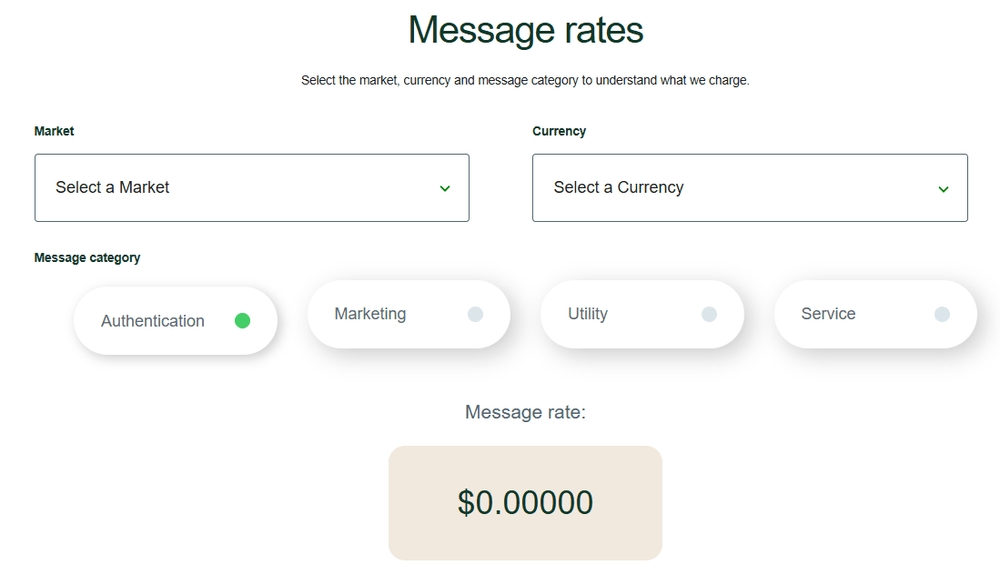
Before July 1, 2025, WhatsApp Business pricing was conversation-based pricing (CBP), which was then changed to per-message pricing (PMP). Pricing varies depending on the country and currency, as well as the message categories: Authentication, Marketing, Utility, and Service.
The basic RCS messages you send, without including any rich media features, are priced similarly to SMS. When you want to include rich media elements, RCS splits the pricing as follows:
- Single messages: Messages initiated by businesses
- Conversational messages: Message replies sent by customers to business-initiated messages within a 24-hour time frame
RCS pricing may vary depending on the unique RCS pricing models based on different providers. At the same time, unlike WhatsApp, which categorises message types, RCS has the same pricing for all types of messages and conversations.
7. Set Up Process
While the setup and onboarding for both RCS and WhatsApp require business verification and configuration, the processes, complexities, and dependencies differ significantly between the two.
1. RCS set up:
Setting up RCS business messaging requires businesses to coordinate with the service providers and mobile carriers.
- For businesses using platforms like TXTImpact or Google’s Business Messaging, setting up RCS is relatively straightforward.
- TXTImpact enables seamless onboarding and a free registration process, taking care of carriers.
- You just need to register your business, verify your brand, and connect via a messaging provider.
- Once the verification is approved, you can send messages directly to your customers’ native messaging apps, without requiring other app installations.
- TXTImpact offers 24/7 dedicated Expert assistance and a seamless integration process to facilitate a smooth overall onboarding experience.
2. WhatsApp set up:
WhatsApp comes with dual setup options:
- The free WhatsApp Business App for small businesses and startups
- The WhatsApp Business API for larger businesses and enterprises
WhatsApp Business API setup can be more complex, because it requires:
- Partnering with a WhatsApp Business Solution Provider (BSP)
- Meta’s Business Messenger verification
- Phone number approval
- Setting up approved message templates
- Integrating WhatsApp into your existing CRM or communication platform
- Adherence to strict messaging rules
Businesses can face several risks of bans in case of policy violations as Meta enforces strict compliance rules and regulations. Common reasons for bans may include
- Sending messages without users’ opt-in
- High block or report rates
- Using promotional or unapproved message templates under the wrong category
- Violating Meta’s business policy
- Exhibiting spam-like behavior with high message volume
Best Use Cases: When To Choose RCS vs WhatsApp for Business Communication?
RCS and WhatsApp are both powerful communication channels with some common use cases. However, choosing the right platform that best meets your customers' needs and aligns with your business goals is crucial.
- Choose WhatsApp Business if your goal is to target a global and widespread audience and leverage enhanced security to build long-term relationships with a conversational platform.
- Choose RCS business messaging to run visually-rich campaigns, reinforce brand presence, and automate transactions in an all-in-one native messaging application in Android and iOS.
Here’s a quick summary of when to use RCS vs WhatsApp based on their specific use cases:
Business use cases | Choose WhatsApp to | Choose RCS to |
Promotional marketing campaigns | Target WhatsApp users with personalized offers using WhatsApp Flows | Run campaigns with rich media and visuals, carousels, quick replies, and buttons |
Customer service and support | Offer real-time support with two-way conversation, WhatsApp templates, and chatbot automation | Automate response flows and use polls and surveys to gather customer feedback |
OTPs | Add an extra level of security because of WhatsApp's additional end-to-end security | Send branded OTPs with verified sender’s profiles with visual elements |
Transactional updates | Leverage template-based conversations via WhatsApp | Use branded and clickable alerts with buttons and images |
Branding control | Use a basic profile with a business logo and a catalog | Use a full-branded sender identity with business ID, logo, name, and colors |
Fallback support | WhatsApp app dependency with no fallback support | Built-in SMS fallback for non-RCS devices and users |
Audience reach | Cater to a global audience | Focus on region-specific iOS and Android users with RCS-compatible devices |
Conclusion
When comparing RCS vs. WhatsApp, choosing the messaging platform that best suits your business requirements and audience needs is crucial. While WhatsApp offers unparalleled read and robust security, it’s not an ideal choice for business catering to American customers.
RCS, on the other hand, helps brands deliver branded messages with rich media experiences in customers’ native messaging apps, making it ideal for businesses in the United States.
TXTImpact, serving 30000+ businesses in North America, offers a secure and reliable RCS business messaging solution that enables you to send messages with an 8,000-character limit and interactive features, including quick replies, buttons, carousels, and rich media.
With enhanced end-to-end security, 24/7 developer assistance, seamless integration, and ready-to-use templates, TXTImpact makes business communication effortless for all types of businesses, regardless of size.
Ready to send high-converting and impactful messages? Contact us to learn more and get started with TXTImpact RCS today!
Frequently Asked Questions
♦ Can businesses use both RCS and WhatsApp together in messaging campaigns?
Yes, absolutely. You can use WhatsApp for customer support or personalized campaigns and RCS for marketing automation to build a unified omnichannel marketing campaign.
♦ Can I send WhatsApp messages with RCS?
No. While WhatsApp is a standalone application, RCS works within a native messaging application; you can’t send messages from one platform to another.
♦ How does message analytics differ between RCS and WhatsApp?
While providers like TXTImpact offer advanced analytics, including read and delivery receipts and engagement tracking, with their RCS messaging solution, WhatsApp analytics rely on third-party integrations.
♦ Can RCS replace WhatsApp in the future?
While RCS is the future of business messaging and a popular platform since iOS 18 support for RCS, WhatsApp also has one of the widest global reach, connecting customers and businesses worldwide. Instead of thinking about platforms replacing one another, consider using them individually for specific purposes or together in an omnichannel marketing strategy to achieve effective results for your business.
About the Author:
 | Rahul Kumar (Marketing Specialist) Rahul Kumar is a Digital marketer with 7+ years of experience in SEO, AEO,SMS marketing, WhatsApp marketing, SaaS, and WordPress. He has led successful growth campaigns for startups and tech brands, combining data-driven strategies with compelling content. His work has been featured on top SaaS blogs, and he’s known for turning complex ideas into high-converting digital strategies. |