iOS 26 Filtering Your SMS to Spam? RCS Is The Upgrade You Need
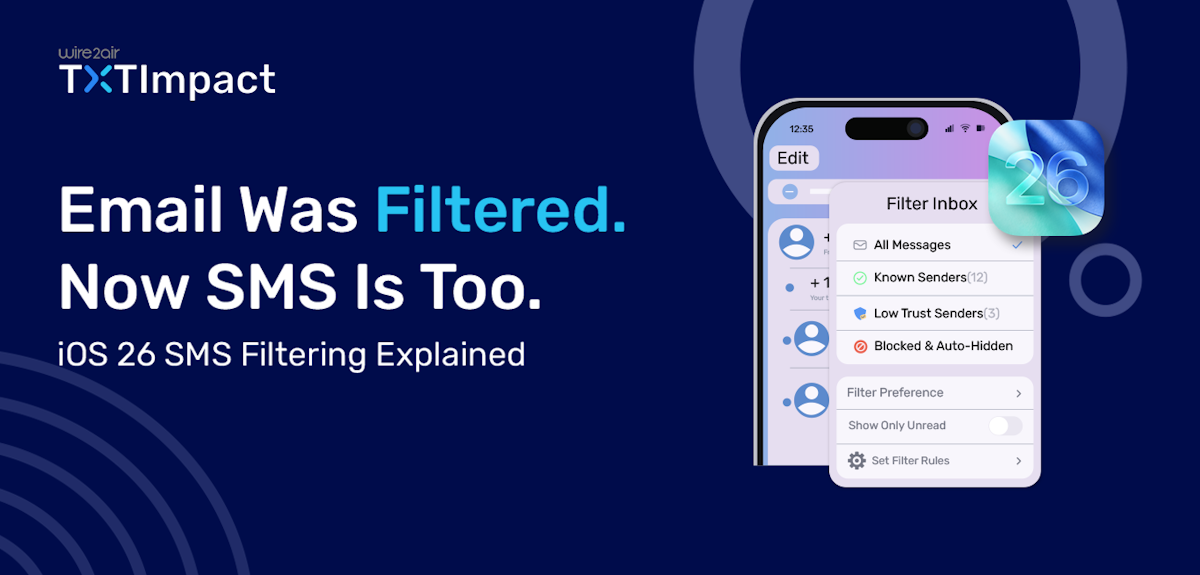
The mobile messaging landscape is entering pivotal changes in 2026, with Apple’s new iOS 26 SMS screening filter feature.
With the growing volume of spam, phishing attempts, and unsolicited promotional messaging in the United States, and security being of paramount importance, Apple has introduced a new SMS Screening Filter feature in the iOS 26 update that rolled out on September 15, 2025, that will affect how your customers receive business texts and communications.
First, the Mail Privacy Protection feature in iOS 15 affected email marketing, and now, this time, it’s SMS that is expected to change the messaging landscape for businesses.
In this blog, we’ll take a deeper look at understanding the significance of this new feature, how it can impact your business, and the solution or alternative you can choose to boost your marketing and messaging campaigns.
What is the iOS SMS Screening Filter Update?
The SMS Screening Filtering in Apple’s new iOS 26 update is the most advanced and secure messaging feature. When users enable this feature,it sorts the incoming messages into different folders based on the categories.
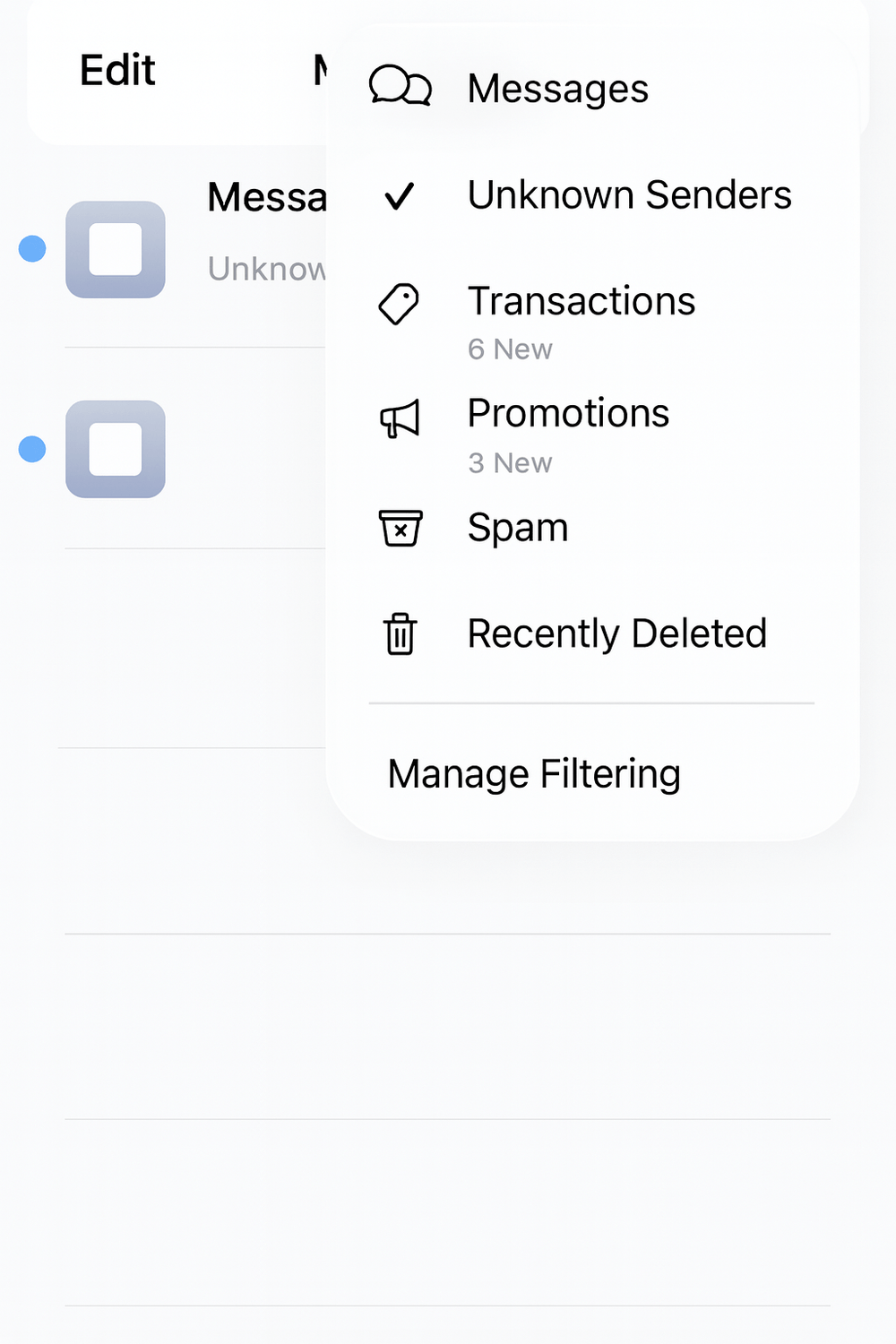
This means that messages from numbers not in the users’ contact list or with no prior engagement are added to the “Unknown Senders” folder instead of displaying on the app’s main inbox. It’s important to note that this feature is not enabled by default on the users’ mobile devices; instead, it requires users to toggle the feature ‘on’ themselves.
Here are the five distinct folders and categories in which the messages are expected to appear:
The Messages folder contains conversations from known senders, saved contacts, or senders with whom you have previously engaged. Users often receive notifications from these senders, making the messages highly visible.
The Unknown Sender folder contains texts from senders the user hasn’t previously contacted and from numbers not saved in the user’s contact list. These conversations trigger a badge notification with no audio or haptic alerts.
The recently deleted folder stores conversations that were recently removed or deleted for potential future recovery.
Spam folder contains text messages suspected of marketing and phishing attempts. These messages get automatically deleted after 90 days.
Unread folder combines all unread messages across all folders and categories for easy access.
Thus, this feature offers extreme flexibility, allowing users to choose which messages they wish to receive and from which senders.
Key Features of the iOS 26 SMS Screening Filter Update
Here are the key/primary features of the iOS 26 SMS screening filtering update:
Users won’t receive any notifications or lock-screen alerts for filtered messages, making texts invisible until they open the hidden messages.
Opt-in users may also face disruptions or hidden messages if the business number isn’t saved and no prior conversation exists.
Time-sensitive messages, such as verification codes, appear in the messaging inbox briefly before being moved to the hidden or unknown senders folder.
This new feature, along with the filtering system in iOS 16, gives users more control over their conversations and limits unwanted outreach. However, it may not always be beneficial to businesses.
How iOS 26 Updates Can Impact Your Business Campaigns?
Marketers and businesses face new hurdles and challenges, including message delivery and customer engagement, with the rollout of this new iOS 26 feature update. Here’s how this update can impact your business:
1. Message visibility and deliverability concerns
All the effort and thought you put into crafting the SMS messages carefully can end up in spam or unknown senders' folders, without users receiving any alerts or notifications.
Despite your messages being legitimate, they may be flagged as spam, delivered without notifications, or moved to a filtered folder. Even if customers saw your messages previously, they might need to actively check your SMS folder-to-folder, significantly impacting time-sensitive messages, such as appointment reminders and urgent account notifications.
Additionally, the reduced message visibility and lower reach reduce SMS open rates, click-through rates, customer engagement and responsiveness, and campaign ROI.
2. Drop in the double opt-in sign-ups
Businesses that rely on double opt-in processes may face another significant hurdle in obtaining user responses and successful signups, especially when a user signs up on a desktop or laptop and receives the first confirmation text via SMS from the brand.
Since the user hasn’t interacted with the brand before, Apple might move the confirmation text to the ‘Unknown Senders’ folder, as it won’t recognize the number.
So, for campaigns where you require users to fill out a form or sign up to your website account, and you send a confirmation SMS saying ‘Reply Yes to confirm,’ that text might not be directly visible to the users unless they check the filtered folders, impacting the opt-in process for your business.
3. Higher risk of misclassification
Even legitimate and compliant business messages can be flagged as spam, unknown, or promotional due to Apple’s strict filtering feature, leading to misclassification of messages.
The messages that often get misclassified include:
Messages that resemble common spam formats and include keywords, such as ‘Act Now,’ ‘Limited offer,’ and ‘Click this link.’
Shortened URLs, such as “bit.ly.”
High-volume sending behavior, typically associated with mass spam blasts.
Generic sender IDs may make the messages appear less credible and trustworthy.
Lack of prior conversation or interaction with the sender, signalling potential unsolicited content.
This misclassification of messages negatively hampers the customer journey by reducing message visibility, lowering campaign RoI, damaging customer trust, and breaking customer journeys.
4. Time-sensitive SMS still gets through
Despite the negative impact, one positive news is that time-sensitive messages, such as urgent confirmations and verification codes, stay in the main list or primary inbox for about an hour, even if they come from unknown numbers.
This is to ensure critical workflows and verification are completed on time. However, they have no sound alerts or haptic notifications, unlike credible business messages.
In case the user saves your business number or replies to the conversation, future outreach messages to the user’s device will be recognized as coming from a known number, reducing customer journey friction and boosting customer trust.
How Can You Prepare Your Business for iOS 26 Updates?
Instead of waiting for the iOS 26 changes to roll out casually and continuing your existing SMS marketing and outreach campaigns without taking any preventive measures, it’s not such a wise option.
Here are the steps you can take to ensure high message deliverability and visibility of your outreach efforts:
1. Optimize your opt-in process
To avoid iOS 26 potentially routing your first-time outreach messages to the “Unknown Senders” folder, optimizing your opt-in process is crucial to ensure customers complete the sign-up process and reduce the risk of missed confirmations.
Here are a few ways through which you can optimize your opt-in process:
Use a single opt-in for low-risk campaigns that legally allow it.
Adopt a user-initiated approach that allows customers to message your business first. It helps satisfy iOS filtering criteria while maintaining compliance regulations.
Use alternative message confirmation channels, such as email or in-app prompts.
Offer clear on-page instructions first before triggering SMS confirmations.
Use tap-to-join or two-touch flow for mobile opt-in.
A cleaner, clearer message opt-in flow increases the likelihood that users will see and respond to your messages.
2. Strengthen your customer relationships
Building strong relationships with your customers increases the likelihood that they will save your business number or sender ID and open and engage with your SMS messages.
To build stronger customer relationships:
Send welcome messages that encourage customer replies and build engagement.
Keep a consistent sender ID, so users are aware of who the message is from.
Maintain consistent, timely communication rather than sporadic outreach.
Deliver value-driven messages, not just promotional messages.
Higher user engagement significantly boosts the sender’s reputation and credibility, reducing the risk of it being filtered as spam.
3. Optimize messages for classification
Misclassification is the biggest drawback of the iOS 26 screening filter update. To avoid your messages from being misclassified and pushed to spam or the ‘Unknown Senders’ folder, here are the best practices you must follow:
Structure your verification and transactional messages using recognized formats that will help iOS recognize them as time-sensitive.
Implement established patterns for appointment reminders, order confirmations, and security codes to enhance automatic recognition.
Reduce reliance on using shortened URLs, since they are often flagged as spam.
Avoid overselling or spam-like wording by keeping the copy as clear and concise as possible.
Place your business name right at the beginning of the message.
Use domain names and branded keywords to boost customer trust and reliability.
Avoid using aggressive CTAs, ALL CAPS, and excessive emojis that often signal salesy and unprofessional messaging.
Divide transactional and promotional messages among different sender numbers to avoid promotional filtering from affecting your business.
4. Provide a brief of the extra steps in your sign-up process forms
Since first-contact SMS and double-opt-in messages are more likely to be filtered, it’s important to brief customers on the sign-up process and set expectations up front to make them aware of the next steps.
This also increases their chances of manually checking the ‘Unknown Senders’ folder to check your conversations if required. It’s recommended to add a note that says, “You will receive a confirmation message from us. Please check your ‘Unknown Senders’ folder if you don’t see it.”
You can also display clear instructions after form sign-ups or use graphics or short tooltips to explain where filtered messages might appear.
5. Enable omnichannel outreach
Alternatively, you can diversify your communication channels, especially for double-opt-in campaigns, to ensure high message deliverability and visibility.
For instance, you can use email for confirmations and transactional updates, RCS for enhanced trust and transparency, and WhatsApp Business Communication for global and conversational interactions.
Using multiple outreach channels also helps improve customer engagement and experiences, ensuring critical messages are noticed and acknowledged.
RCS: The Best Solution to the iOS 26 Update Changes
Rich Communication Service, or RCS, significantly matters now and proves to be one of the most reliable and popular business messaging solutions. Often referred to as SMS 2.0, RCS enhances SMS capabilities, making it a much more efficient, secure, and engaging tool for boosting customer engagement.
Especially since the iOS 18+ support for RCS, major businesses across the United States rely on RCS to enhance their business communications.
RCS provides a higher character limit compared to SMS and allows businesses to include rich media, such as images, videos, and carousels. To enhance engagement, it also includes interactive elements, such as suggested actions, suggested replies, buttons, CTAs, links, maps, a calendar, and more.
Here are the features and benefits of RCS that make it an ideal alternative to traditional SMS when you want to ensure high message visibility:
Branded messaging: RCS lets you add your business name, logo, and colors to your messages, boosting their credibility and your brand. It also assures users that the message is from a credible business, boosting open rates and conversions.
Rich media support: With RCS, businesses can include visually appealing images, carousels, GIFs, and videos, along with immersive elements like suggested actions, enhancing customer experiences and conversions.
Security and compliance: RCS ensures end-to-end encryption, and the verified business identity reduces the risks of spam, phishing, and spoofing, enhancing customer trust and business security.
Since RCS streamlines the customer journey and comes with a built-in verified business identity, RCS ensures high message deliverability, as the device already knows who the message is from. This also helps reduce the chances of misclassification and spam, enabling message notifications and reliable delivery.
TXTImpact: Your Top Choice for an RCS Provider
TXTImpact is a leading business messaging and CPaaS provider that offers reliable messaging services across North America. Serving over 5,000 businesses, TXTImpact offers services including SMS Marketing, SMS Polling, SMS Surveys, RCS Messaging, and more.
To save your business messages from being flagged as spam or sent to the ‘Unknown Senders’ folder, TXTImpact offers an excellent, secure, and reliable RCS business messaging solution.
Key features include rich media sharing, interactive chat bubbles, CTA buttons, branded messaging, OTP delivery, and read receipts.
Here’s why TXTImpact is the right choice for your business as an RCS provider:
Seamless system integration with critical applications, such as Shopify, Salesforce, Zendesk, and Mailchimp.
24/7 developer assistance with round-the-clock support.
Comprehensive technical resources with detailed SDKs and documentation.
Prefabricated ready-to-use templates for messages, promos, and OTPs.
Multi-Channel experience for a seamless workflow.
To enable easy setup, RCS provides a full RCS Gateway API for direct integration into your existing workflows.
Best Practices to Avoid Message Filtering and Misclassification
To help you save your outreach efforts and not get impacted by the SMS screening filter option, follow these best practices:
Encourage users and customers to save your business number.
Avoid frequently rotating numbers, as it hampers customer trust.
Educate your team about the new update, its impact, and best practices.
Include a contact card with contact details in welcome messages.
Extend message confirmation windows by giving your customers more time to complete the opt-in process.
Leverage omnichannel orchestration, instead of relying on a single channel.
Monitor metrics, such as delivery rates, open rates, and response times, to ensure an optimized conversational workflow.
Use a trusted messaging partner that offers established compliance, carrier connections, and message templates.
Conclusion
The SMS screening filter in iOS 26 significantly improves user protection and security, but also raises the bar for message visibility, trust, and deliverability. This forces marketers and businesses to uplevel and evolve their SMS marketing campaigns to boost customer trust and improve brand credibility.
RCS surpasses the limitations of the SMS screening filter with features such as a branded identity and enhanced security, significantly improving open rates and customer engagement.
If you’re looking for an RCS service provider, especially if the majority of your customers are Apple users, choose TXTImpact.
TXTImpact makes it a breeze to reach customers with engaging and interactive messaging. Leverage technical documentation, seamless integration, and 24/7 developer assistance with our reliable and intuitive RCS messaging. Contact us to learn more.
Frequently Asked Questions
♦ How soon should businesses prepare for iOS filtering changes?
The iOS 26 SMS screening update was rolled out in mid-September 2025. Hence, businesses should already proactively prepare to update opt-in workflows, omnichannel routing, and content templates. However, adopting an RCS messaging service from a reliable, secure provider, such as TXTImpact, is a much more sustainable and recommended approach to prepare for the iOS 26 filtering changes.
♦ Can customers turn off the SMS screening filter once it’s enabled?
Yes, the SMS screening filter in iOS 26 is user-controlled, allowing customers to manually adjust the settings that help them categorize messages in their messaging inbox.
♦ Does sending fewer messages reduce the risk of misclassification?
Yes, sending fewer, more relevant messages enhances the sender’s reputation and engagement, rather than sending high-volume burst campaigns that may get your messages flagged as spam and reduce message visibility.
♦ Is RCS affected by the SMS screening filter update?
No, RCS messages allow businesses to include a verified, branded business badge and end-to-end message encryption, reducing the likelihood of message misclassification or filtering and improving engagement and conversions.
♦ Does Apple’s SMS screening impact messages sent via iMessage?
No, the screening filter in iOS 26 primarily applies to the SMS and MMS messages, not iMessages. iMessages are handled separately and are not pushed or categorized into the spam or ‘Unknown Senders’ folder, similar to RCS messages.
About the Author:
 | Tejal Sushir (Content Writer) Tejal Sushir is a content writer with 4+ years of experience writing fresh and insightful content for B2B SaaS companies. She has delivered top-performing and top-ranking blogs in the SMS marketing, Digital Marketing, web hosting, AI & ML, cybersecurity, WordPress, HR Tech, and technical SEO domains. Her meticulous research when writing content ensures industry expertise and keeps up with emerging trends. |