How SMS Automation Speeds Real Estate Lead Response from Social Media
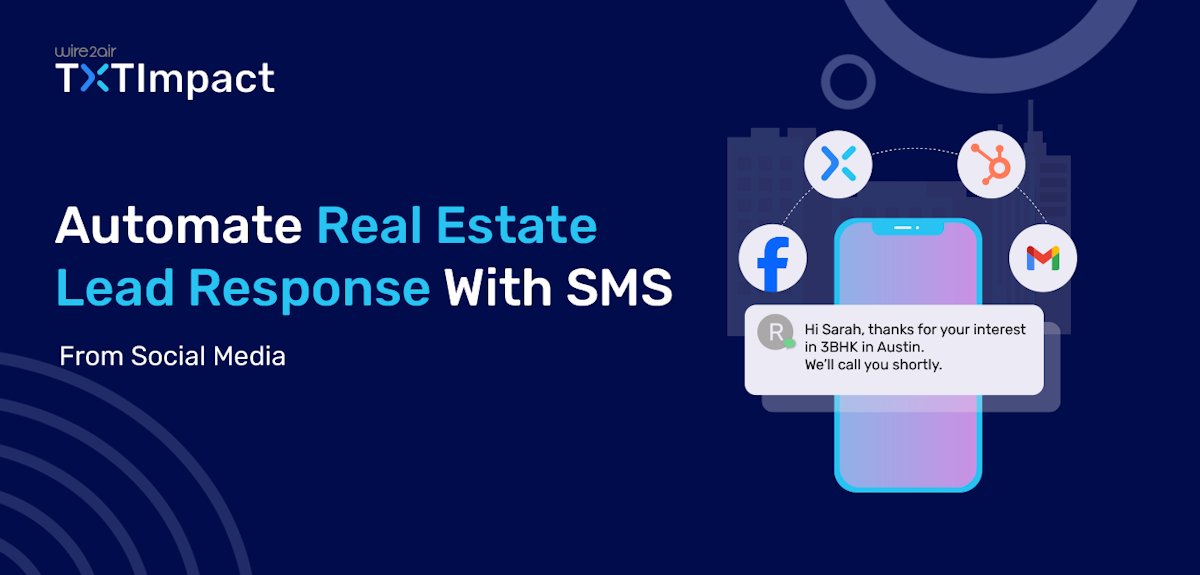
Lead processing speed is critical for most businesses, including real estate. Managers often struggle to respond quickly to potential clients' inquiries from social media, which negatively impacts productivity and conversion rates.
Automation is designed to solve this problem by creating a chain of interconnected actions involving relevant services (Facebook Lead Ads, TXTImpact, HubSpot, Gmail). In this article, we'll explore a real-world case study of implementing such an automation mechanism via the no-code ApiX-Drive platform.
Jump to: |
Why TXTImpact Improves Facebook Lead ROI
When a prospect submits a Facebook Lead Ad form, response time directly impacts conversion. TXTImpact turns captured leads into immediate conversations through automated SMS follow-ups.
1. Faster Response = Higher Conversion
New leads receive an SMS within minutes of submission critical during the real estate “golden hour,” when speed often determines who wins the deal.
2. Higher Visibility Than Email
SMS messages have significantly higher open rates than email, ensuring your first touchpoint is actually seen rather than buried in an inbox.
3. Two-Way Engagement
TXTImpact supports two-way messaging, allowing prospects to reply instantly. This creates real conversations, speeds qualification, and moves leads further down the funnel.
4. Mobile-First Communication
Since most Facebook leads originate from mobile devices, SMS follow-up aligns perfectly with user behavior and increases responsiveness.
5. Fully Automated Workflow
Once integrated, SMS messages are triggered automatically, with no manual data entry required. Features like Email-to-Text and Text-to-Email further streamline communication between agents and prospects.
By combining speed, visibility, and automation, TXTImpact helps businesses maximize the ROI of every Facebook lead.
Why SMS follow-up is more effective for contacting leads than email-only responses
The quality and speed of initial communication with clients impact the success rate of real estate leases and sales. An omnichannel approach is recommended to engage with leads across multiple touchpoints. However, companies often ignore SMS communications, relying solely on email. Let's take a closer look at the benefits of implementing SMS in business communications.
Quick Response
Potential clients want a response as quickly as possible after submitting a form — the sooner, the better. SMS allows for a response within minutes, much faster than email. A quick response has a positive impact on conversion. In the real estate industry, there's a "golden hour" rule, so companies strive to contact clients as quickly as possible, and SMS communication is ideal for this purpose.
Better deliverability
SMS messages have an open rate of 90-98%, with most being viewed within minutes of delivery. Email open rates, on average, are no more than 20-30%. SMS follow-up messages don't get lost among spam or promotional emails — recipients see them immediately on their smartphone screen and receive a notification.
SMS messanger look more human
Brief, personalized follow-up SMS messages feel more like personal correspondence with a friend than an automated marketing campaign. Emails, on the other hand, often appear too formal and formulaic, which reduces their effectiveness, especially during initial contact.
Step-by-step communication
SMS is ideal for short communication steps with potential clients, such as confirming interest, arranging a call, answering a short question, notifying them about a commercial offer being sent via email, etc.
In line with the mobile-first trend
Most modern consumers interact with companies via mobile devices, so SMS follow-up fits well with their preferences. Email newsletters, however, are often less well-adapted to the mobile-first trend.
The combination of SMS + email + automation produces the best results
Use SMS follow-up for quick communication with clients, then send emails with detailed information and attachments. Leverage automation tools to link these formats into a single chain for quick and seamless communication with potential clients.
How to Automate Facebook Lead Processing
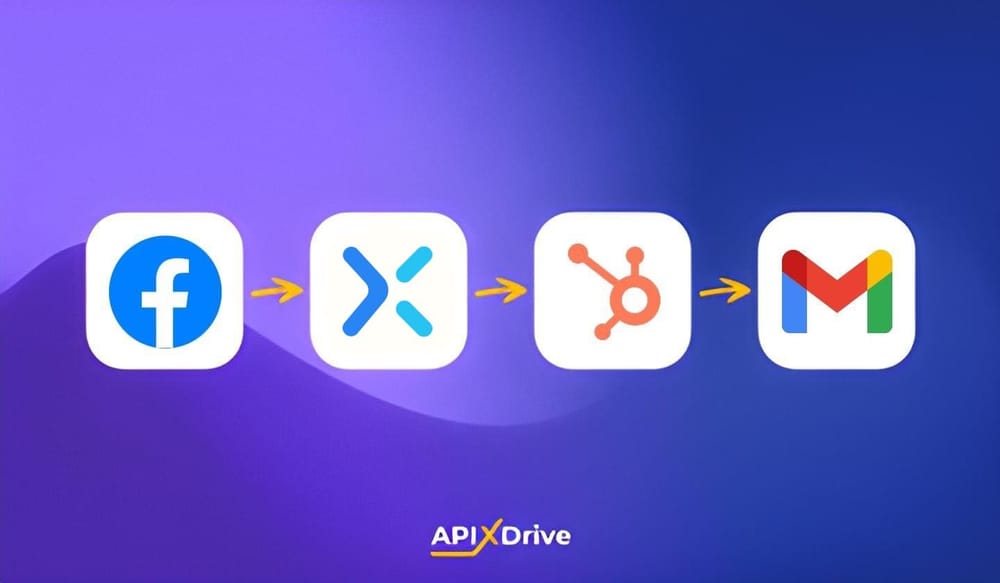
Our case involves a stack with the following tools and services:
- A Facebook advertising account where new leads are stored via the social network.
- TXTImpact is a cloud-based SMS marketing and business texting platform.
- HubSpot CRM is a place to store all the information you need and manage your deals.
- Gmail is an email provider used for internal communication.
- ApiX-Drive is a no-code platform that enables automation workflows.
Step 1: Get new leads and send an SMS to a potential client via TXTImpact
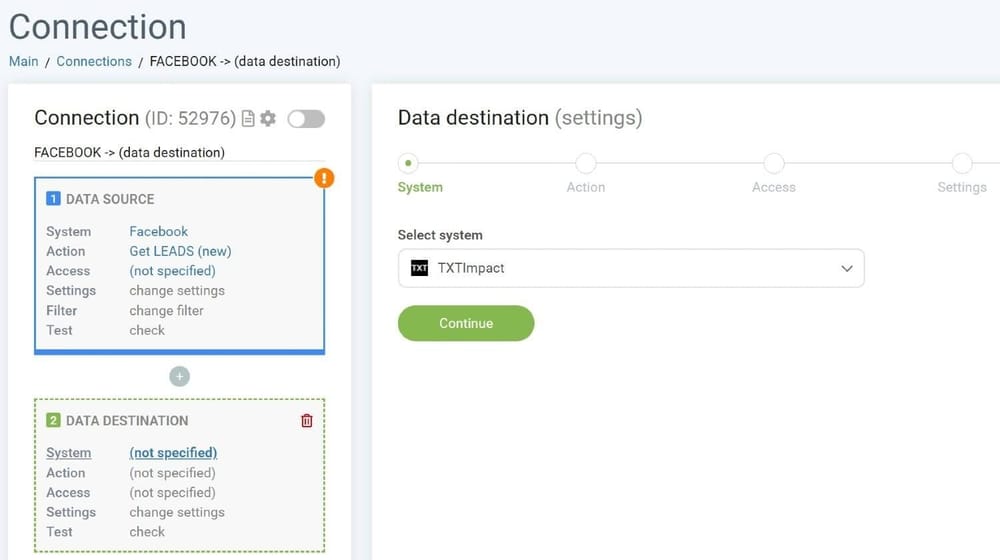
A potential client fills out a lead form on a social media page. This information is initially sent to the advertising account, which initiates our automation chain. When setting up the integration, we select the data update interval. Let's set this parameter to 2 minutes. At this interval, the ApiX-Drive system checks for new leads in the Facebook advertising account.
Data from completed lead forms is transferred to the messaging TXTImpact platform. This service automatically sends an SMS to the potential client's phone number. The message format is determined during integration setup. You can use data from completed Facebook lead forms and add your own text manually. This allows you to customize your SMS with a personalized message that best suits the specific stage of communication with the client. With TXTImpact’s automated SMS capabilities, businesses can respond to new leads within minutes, increasing engagement during the critical “golden hour.”
Step 1: Get new leads and send an SMS to a potential client via TXTImpact
Step 2: Create a deal in HubSpot
The next step in our automated workflow is creating a deal in the HubSpot CRM system. We view this popular platform as our primary tool for data storage and lead management. The "Deal" entity is created using data from the Facebook ads account. The lead is entered into the funnel in the CRM system.
Step 3: Send an Email to the realtor/manager via Gmail
After creating a deal in the CRM, we move on to the final stage of the automation chain. The system automatically sends the assigned realtor an email with all the lead's details. This allows the specialist to quickly respond to the request and contact the potential client for further action.
Several automated chains
Let's imagine a company offering various real estate services: purchase, rental, design, and construction. Each specialization has a dedicated manager or department. In this case, you could use data filtering functionality when uploading new leads from Facebook.
The prospect selects a service and answers the remaining questions. We create separate automated workflows for the rental department (manager), sales department, and so on. When loading new leads from Facebook, the ApiX-Drive platform filters the data and only accepts orders that match the required department/manager.
Thus, we have an automated system for processing and distributing requests. Clients receive a quick SMS response, deal data is transferred to the appropriate funnel in the CRM system, and managers receive emails based on their specialization.
What effect does automation have on business?
Many modern companies are already actively using automation. However, many have yet to take such steps to optimize their work processes, not fully understanding the benefits they will derive. In the context of real estate, we've already mentioned the importance of rapid communication with clients. Let's take a closer look at how much pure work time can be saved through automation.
Let's compare lead processing results for a small real estate agency (based on 100 leads per month). How long does each stage of application processing take if done manually?
- Adding a contact to the TXTImpact service: ~1.5 min.
- Creating a deal in the HubSpot CRM system: ~4 min.
- Preparing and sending a letter via Gmail: ~2.5 min.
On average, the initial manual processing of one lead takes 8 minutes. For 100 leads, this translates to a time savings of over 13 hours.
Conclusions
The case described in this article clearly demonstrates the high effectiveness of automation for real estate businesses. The integration we created significantly simplifies initial communication and lead processing. Routine operations are performed automatically, allowing managers to focus on the key stages of closing a deal.
Implementing automation helps speed up order processing, which positively impacts conversion rates. Today, optimizing workflows is one of the pillars of business success. And implementing automation is a key aspect of this optimization.
Frequently Asked Questions
♦ What services can be combined using the Apix-Drive platform?
The ApiX-Drive automation platform allows you to create integrations for various services and systems. Connectors are divided into categories such as CRM systems, SMS services, Google services, messengers, etc. The platform's functionality covers a wide range of automation tasks for marketing, sales, and more.
♦ How much time does a manager spend processing one lead?
Lead processing time may vary depending on the specifics of a particular business. On average, the initial stages of application processing described in this article take 8 minutes. This does not include the time required for a personal call between the manager and the client. It's also important to understand that the integration processes new leads automatically and 24/7. This eliminates delays, such as on weekends or outside of business hours.
♦ What impact does a quick SMS response have on a customer's request?
In virtually any business sector, quick initial contact is the key to high customer loyalty. Consequently, conversion rates increase. This is naturally true for companies operating in the real estate sector as well. It's important to understand that SMS follow-up is only one part of business communication.