How to Receive 2FA One-time passwords (OTP) via Email: Secure & Easy Authentication
Two-factor authentication (2FA) is essential for securing online accounts, but relying on personal mobile phones for one-time passwords (OTPs) can be inconvenient. Our Text-to-Email service provides a seamless way to receive 2FA texts sent to email and forward them directly to an email inbox, ensuring easy access and improved security for businesses and teams. This offers a robust MFA SMS to email solution.
Role of Two-Factor Authentication in Cybersecurity and Online Security
The rise in online transactions has also led to increased online fraud. Hence, security is crucial when making online transactions.
This is where Two-Factor Authentication (2FA) comes in, enhancing account security by adding an extra layer of protection during the login process. Instead of just entering a password, you also need a temporary code, known as a 2FA OTP, which can be sent via SMS, an authentication app, or another trusted device.
This additional security measure ensures that even if someone steals your password, they still cannot access your account without the second code.
For even stronger protection, combining 2FA with other security measures, such as strong passwords and secure devices, is recommended. Typically, a one-time password (OTP) is sent via SMS for login verification. But what if you prefer to receive 2FA texts sent to your email instead?
We have a solution for this, and it's quite beneficial for all types of businesses. Here’s why!
📝 Note: Forwarding 2FA SMS or OTP to email can compromise the effectiveness of the 2FA method if not managed securely. Our MFA SMS to email solution provides a controlled environment. |
Why should you receive 2FA OTP on email instead of SMS?
If you are running a business and using a single or personal phone number for SMS MFA to email, it can be difficult for your team members or users to authenticate.
To avoid such situations and simplify the process, using an inbound number to forward OTPs to an email address can be a simple and efficient solution, especially if multiple team members need access. This is a core benefit of our SMS to email for MFA (Multi Factor Authentication) service.
Key Benefits of Receiving 2FA OTPs via Email
No Need for a Personal Mobile Phone
Businesses can receive 2FA texts sent to email without requiring a dedicated mobile device for authentication. This eliminates dependency on individual employees' phones.
Shared Access for Teams
Multiple team members can access OTPs via a shared email inbox, making it easier to manage logins for business accounts without needing a single point of failure. This is a key feature of our MFA SMS to email solution.
Increased Security and Convenience
Reduce the risk of losing access due to misplaced phones or number changes. Emails can be archived and managed efficiently, offering a secure sms mfa to email pathway.
Ideal for Remote and Global Teams
Employees working from different locations can receive 2FA texts sent to email instantly, avoiding SMS delivery issues in certain regions.
How to Get a Two-Factor Authentication Code on Email?(5 Easy Steps)
If your online service does not provide OTP via email, you can still get your SMS OTP on Gmail or any email account using an inbound number with TXTImpact’s Text-to-Email feature. This process makes it easy to implement sms mfa to email.
Steps to Get 2FA OTP on Email:
Step 1: Obtain an inbound number from a messaging service provider if you don’t have one. Use this inbound number for 2FA on the platform where you need OTP authentication.
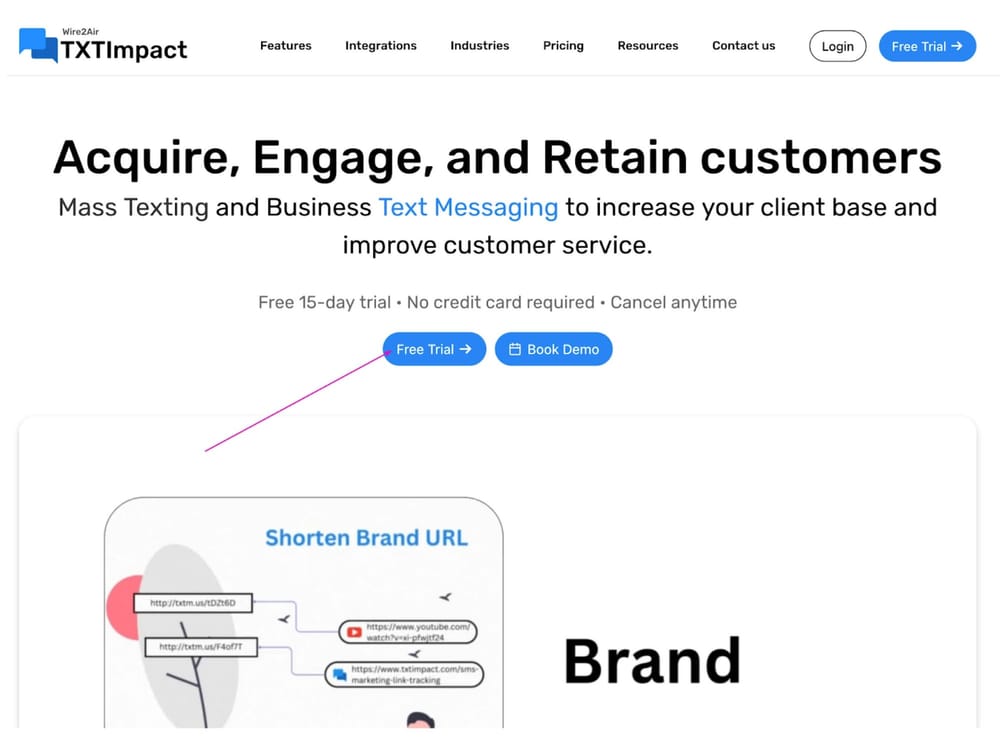
Step 2: Now, go to TXTImpact and click on the 'Free Trial' button as shown below. (You can enjoy a 15-day free trial—no credit card required.) or you can directly Sign up for TXTImpact’s Free Trial Account.
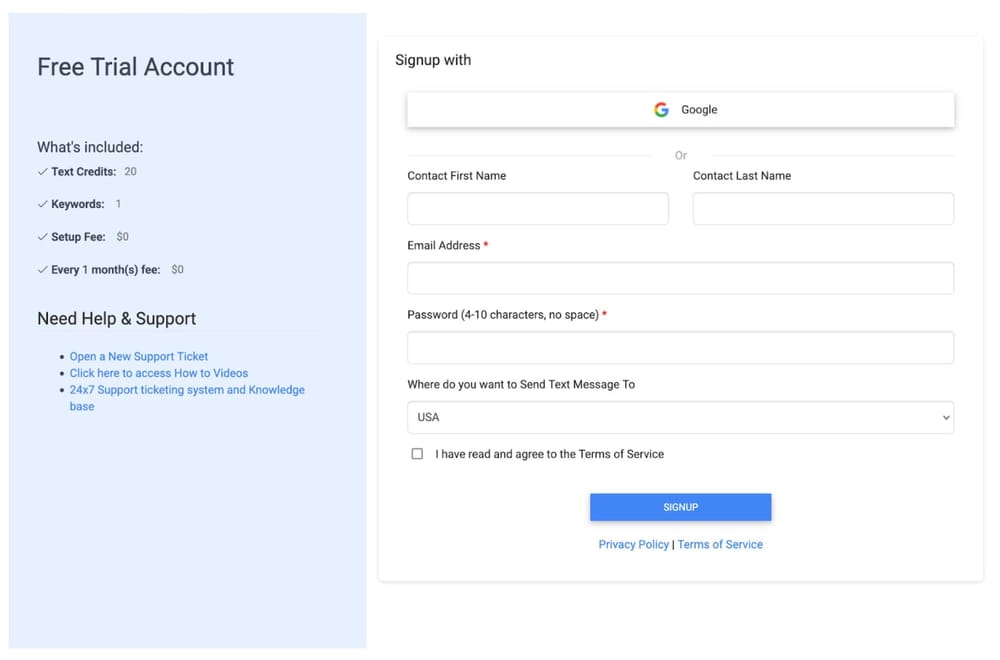
Step 3: Now, fill in all the mandatory details as shown in the picture below and hit the 'Sign Up' button.
Step 4: Once your account is activated, set up an SMS/Text-to-Email campaign easily. For a complete Text-to-Email setup, you can also check out our tutorial video given below:
Step 5: Test the setup by sending a text message to the assigned texting number and verifying that you receive 2FA texts sent to email.

This text-to-email method is ideal for:
Teams sharing login credentials for business accounts, providing a seamless sms mfa to email experience.
Users who frequently change SIM cards or travel internationally, ensuring they can always receive 2FA texts sent to their email.
Situations where mobile network coverage is weak and SMS delivery is unreliable, making our SMS to email for MFA a lifesaver.
How to Get OTP on Gmail?
If you want to receive 2FA OTP specifically on your Gmail, follow the same steps above:
✔ Use TXTImpact’s Text-to-email service and sign up for a free trial account.
✔ Setup Text to Email campaign and while setting up use your preferred Gmail account where you like to get text messages forwarded.
✔ That's it, whenever a 2FA OTP SMS is received, it will be instantly forwarded to your Gmail, acting as a direct sms mfa to email relay.
⚠️ Important ConsiderationSome websites and services do not allow sending OTPs to virtual numbers. We recommend testing our service with your preferred platforms before upgrading to a paid plan to ensure our MFA SMS to email solution works for your specific needs. |
Final Thoughts
If you struggle to receive 2FA authentication codes via email, an inbound number solution can help. It allows you to receive OTPs via email when SMS is the only available option, making it perfect for businesses, remote teams, and frequent travelers. This truly is a versatile SMS to email for MFA strategy.
However, if you are wondering about sending text messages from email, TXTImpact also has a feature called Email-to-text.
Frequently asked questions
♦ How to Get OTP for Another Mobile Number?
You cannot legally receive OTPs from another mobile number unless you have access to that number or set up automatic SMS forwarding. However, some multi-user platforms allow OTP sharing for business or family accounts.
If you need to access 2FA codes from another phone, an inbound number can forward OTP messages to a shared email for secure team access.
♦ Is Email OTP the Same as SMS OTP?
No, email OTP and SMS OTP serve the same purpose but work differently.
- SMS OTP 2FA: Sent via a text message to a registered mobile number.
- Email OTP: Delivered to your email inbox, such as Gmail or Outlook.
Some platforms allow both SMS and email OTPs, while others rely only on SMS-based authentication. If you need to receive an OTP on email, an inbound number can help by forwarding SMS authentication codes to your inbox.
♦ Can a TOTP Sent by SMS Be Considered a Safe 2FA Method?
A TOTP (Time-Based One-Time Password) sent via SMS is a widely used authentication method, but it's not the most secure due to risks like SIM swapping, phishing attacks, and mobile network vulnerabilities.
For better security, consider:
- Authentication apps (Google Authenticator, Microsoft Authenticator).
- Hardware security keys (YubiKey, Titan Security Key).
- Biometric authentication (fingerprint or face recognition).
If your platform only supports SMS OTP 2FA, you can still enhance security by using an inbound number to forward authentication codes to a secured email address, reducing the risk of losing access.
♦ Is Email OTP the Same as SMS OTP?
No, email OTP and SMS OTP serve the same purpose but work differently. SMS OTP 2FA: Sent via a text message to a registered mobile number. Email OTP: Delivered to your email inbox, such as Gmail or Outlook. Some platforms allow both SMS and email OTPs, while others rely only on SMS-based authentication. If you need to receive an OTP on email, an inbound number can help by forwarding SMS authentication codes to your inbox.
About the Author:
 | Shubham Anand (Marketing Executive) Shubham Anand is a result-oriented Digital Marketing Manager with 7.5 years of experience in developing and executing impactful B2B and B2C digital marketing campaigns. He has a proven track record in generating leads, increasing brand visibility, and optimizing marketing efforts for measurable ROI for SaaS, the IT Industry, the Food & Beverages Industry, Edtech, and the e-commerce industry. |