Top 10 Online Survey Tools for 2026: Best Platforms to Gather Customer Feedback
Collecting feedback is crucial for businesses to improve products, customer satisfaction, and employee engagement. In today’s digital world, online survey tools make it easy to gather valuable insights quickly and efficiently. Some platforms even integrate with SMS to expand their reach.
Here’s our list of the Top 10 Online Survey Tools for 2026, helping businesses streamline feedback collection across multiple channels.
Top 10 Online Survey Tools in 2026 (+ The Best SMS Survey Alternative)
SurveyMonkey - SurveyMonkey is a powerful survey tool offering a wide range of question types, advanced analytics, and easy sharing options. It supports SMS survey distribution through integrations, making it ideal for mobile engagement.
Google Forms - Google Forms is a free, user-friendly survey tool that’s great for basic surveys. While it doesn’t offer native SMS sending, survey links can easily be distributed via SMS using external platforms to increase response rates.
Typeform - Typeform creates interactive, conversational surveys that improve user experience. Although it lacks built-in SMS survey functionality, businesses often pair Typeform with SMS marketing platforms to reach mobile users effectively.
Qualtrics - Trusted by enterprises worldwide, Qualtrics offers deep analytics and SMS survey delivery options, enabling companies to gather real-time feedback through multiple communication channels, including text messaging.
Zoho Survey - Zoho Survey integrates with the larger Zoho ecosystem, providing customizable surveys and SMS invitations. It’s a solid choice for businesses seeking multichannel survey distribution and detailed reporting.
Jotform - Jotform offers a flexible drag-and-drop survey builder with hundreds of templates. Although it doesn’t directly support SMS surveys, businesses can distribute their forms through SMS campaigns using third-party services.
Alchemer (formerly SurveyGizmo) - Alchemer provides highly customizable surveys along with SMS survey delivery, making it ideal for businesses that want deeper personalization and real-time mobile engagement.
SurveySparrow - SurveySparrow’s conversational surveys boost response rates by making surveys feel like a chat. It also supports SMS-based survey distribution, helping businesses tap into the immediacy of mobile communication.
Formstack - Formstack simplifies complex workflows with smart forms and surveys. While it doesn’t have native SMS sending, Formstack forms can be shared through SMS using external services for broader outreach.
QuestionPron- QuestionPro offers advanced survey features, including offline surveys, polling, and SMS survey distribution capabilities. It’s a strong choice for companies seeking to capture feedback anytime, anywhere.
Why SMS Surveys Are Essential for Modern Feedback Collection
While online surveys are valuable, SMS surveys provide greater flexibility, accessibility, and a higher ROI. Mobile devices are always within reach, and text messages have a 98% open rate, significantly outperforming email surveys.
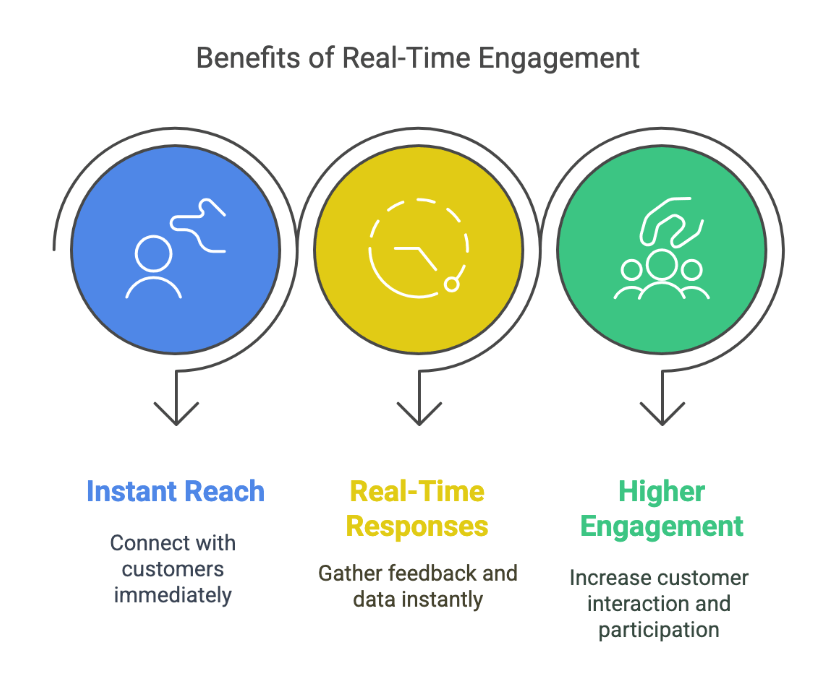
SMS surveys allow businesses to:
- Reach customers instantly
- Collect real-time responses
- Achieve higher engagement rates
- Simplify the user experience (no app or email required)
If you want to maximize your survey response rates and tap into the power of mobile, SMS surveys are the way to go.
TXTImpact: The Best SMS Survey Tool for Fast, High-ROI Feedback
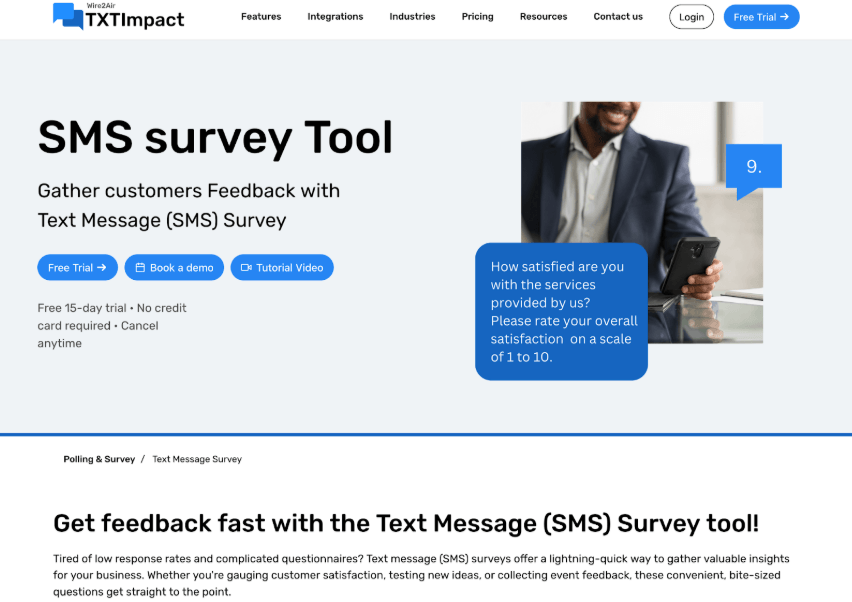
Engage your audience instantly with TXTImpact’s SMS Survey Tool, an efficient, mobile-friendly solution for collecting real-time feedback. With higher open rates and faster response times than traditional methods, SMS surveys help you make smarter decisions, faster.
Why Choose TXTImpact for SMS Surveys?
When it comes to SMS surveys, TXTImpact stands out as a leading and best SMS survey platform.
TXTImpact’s SMS survey tool enables businesses to:
- Create easy-to-respond surveys via text
- Automate survey sending based on triggers (like after a purchase or service)
- View real-time analytics and response summaries
- Seamlessly integrate with CRM and marketing tools
Whether you want to conduct customer satisfaction surveys, Product Feedback Polls, or employee engagement surveys, TXTImpact’s SMS survey platform offers everything you need for fast, effective, and high-ROI feedback collection.
Learn more about TXTImpact’s SMS Survey Platform |
Frequently Asked Questions
♦ What are the best survey tools for small businesses in 2026?
Popular tools for small businesses include SurveyMonkey, Google Forms, and Typeform. However, TXTImpact’s SMS survey tool offers a faster and more reliable way to collect responses, especially from mobile users.
♦ Which survey software is best for schools and educational institutions?
Google Forms and LimeSurvey are excellent free options for schools. For quicker engagement and ease of access, TXTImpact’s SMS survey tool offers a modern alternative for educational feedback.
♦ Is paying for premium survey tools worth it?
If free tools meet your needs, there's no need to pay. However, for features like logic branching, branding, and detailed analytics, premium tools such as Qualtrics or Typeform may be worth the investment.
♦ How can I choose the right survey platform for my needs?
Consider your audience size, goals (e.g., customer feedback, employee engagement), question complexity, integration needs, and budget. For simple use cases, Google Forms or SurveyMonkey are ideal. For SMS-based surveys and real-time feedback, TXTImpact is a strong option.
♦ Are there any good free survey tools?
Yes. Google Forms is fully free and user-friendly. SurveyMonkey and Typeform also offer free tiers with limited features, but they work well for basic surveys.
♦ Which survey software is easiest for beginners to use?
Google Forms is often the go-to choice for beginners due to its simplicity. TXTImpact’s SMS survey tool is also beginner-friendly and doesn’t require app installs or email logins.
♦ What are the best affordable survey tools for startups?
Startups can benefit from TXTImpact’s SMS survey platform due to its high engagement rates and cost-effective mobile distribution. Other affordable tools include Google Forms and Jotform.
♦ Which survey tools integrate with Salesforce CRM?
TXTImpact integrates seamlessly with Salesforce, allowing businesses to send SMS surveys and capture responses directly within their CRM workflows.
♦ What are the top employee engagement survey tools?
Leading platforms include TXTImpact, Culture Amp, TINYpulse, Qualtrics, Officevibe, and SurveyMonkey. TXTImpact’s SMS surveys are particularly effective for quick, anonymous employee check-ins.
♦ Which survey tools offer the best analytics and reporting features?
TXTImpact provides real-time analytics and response summaries, making it one of the best tools for tracking engagement and performance via SMS.
About the Author:
 | Mamta Arun (Director Operations) Mamta Arun is a seasoned operations leader with 25+ years in B2B SaaS, SMS marketing, and telecommunications. As Director of Operations at Wire2Air TXTImpact, she ensures seamless service delivery, process automation, and compliance with TCPA and GDPR. With deep expertise in enterprise messaging and workflow automation, Mamta helps businesses enhance engagement, streamline communication, and drive scalable growth. |